



Written By Shubham Arora
Published By: Shubham Arora | Published: May 15, 2026, 08:12 PM (IST)
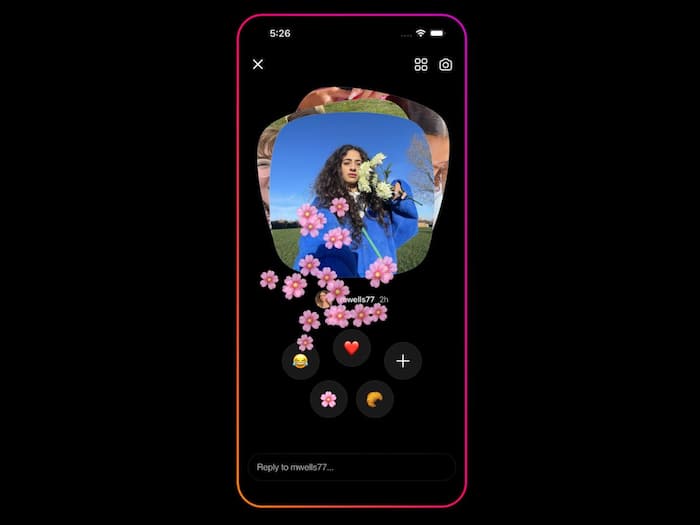
 Instagram Instants can send photos instantly without preview, catching many users off guard. (Image credit: Meta)


Written By Shubham Arora
Instagram has started rolling out a new feature called Instants, and a lot of users are still trying to understand how it actually works. The feature is designed around quickly sharing disappearing photos with friends, but many people ended up sending images accidentally the moment they tried it for the first time.  Also Read: UK plans default social media curfew for teens after midnight: Here's how it will work
The feature has already started appearing for users globally and is now reaching users in India as well. Since the whole process works differently from regular Instagram posts or stories, several users are now looking for ways to either turn it off completely or unsend photos they shared by mistake. Also Read: Doomscrolling on Instagram, Facebook could soon change as EU targets Meta’s addictive app design
Instants appears inside Instagram’s inbox section. When you tap the small photo stack icon in the bottom-right corner of DMs, Instagram gives a short introduction explaining that photos disappear after being viewed and that replies stay private. Also Read: Meta removes controversial AI image feature from Instagram days after launch
After that, the app directly takes users to the camera screen. Below the shutter button, there is a small option that lets you choose between “Friends” and “Close Friends.”
The problem is that the feature is set to “Friends” by default. So the moment you tap the shutter button, the photo gets shared instantly with everyone included in that list unless you manually switch it beforehand.
Since Instagram doesn’t clearly explain this part during setup, many users ended up sharing photos without realising they had already been sent.
Instagram has added an Undo option, but it only stays visible for a short moment after the image is sent.
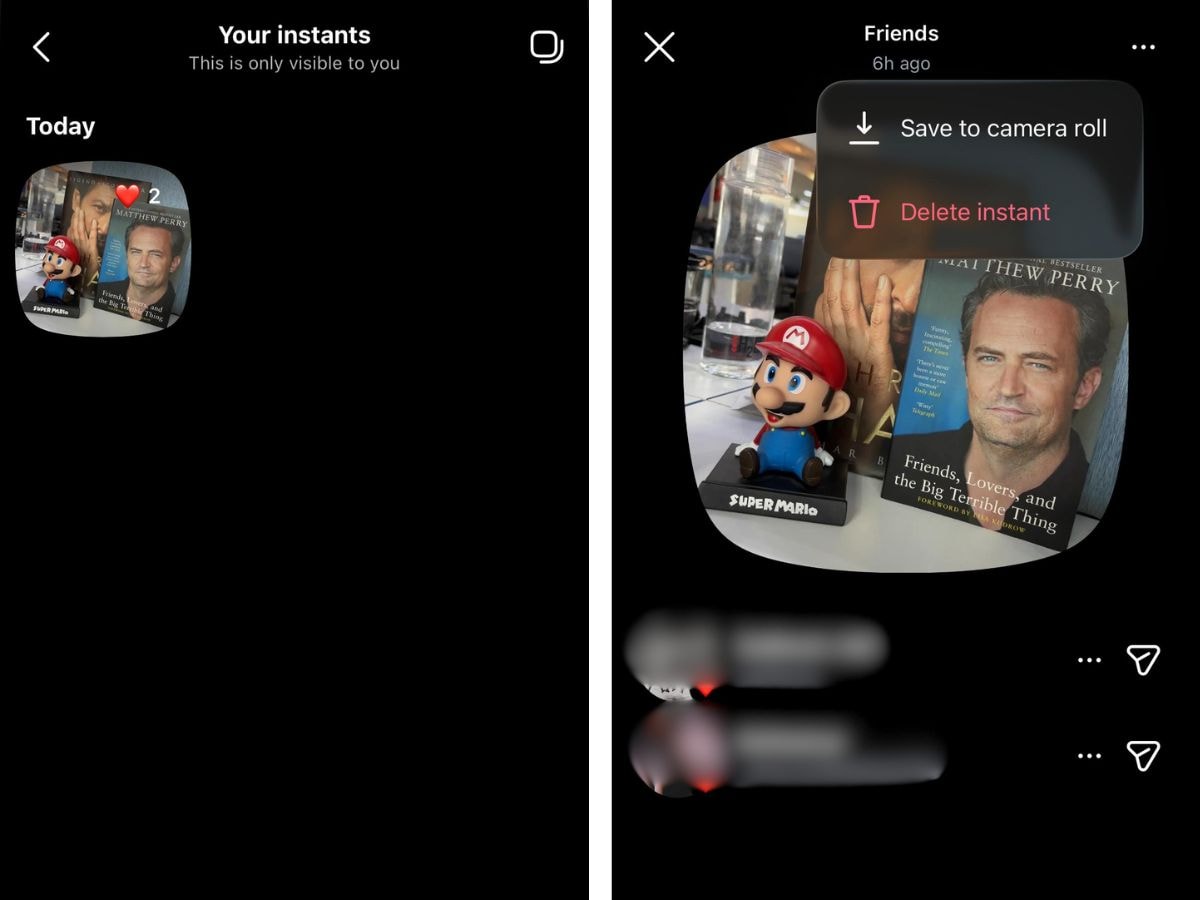
How to delete a photo accidentally shared through Instants
There is another method as well if you miss the Undo option.
This will unsend the image for people who have not viewed it yet.
Once enabled, the Instants section will disappear from your inbox. You also will not see Instants shared by others.
If you do not want to disable the feature completely, there is another option available.
Most Instagram users are used to reviewing photos before posting them publicly or sharing them in DMs. Instants works differently because the image is shared immediately after capture.

That instant-send approach is what has caught many users off guard, especially those who thought they were still previewing the image before sending it.

Don't Miss Out the Latest Updates. Subscribe to Our Newsletter Today!
