



Written By Shubham Arora
Written By Shubham Arora
Edited by Shubham Arora |Published: Apr 28, 2026, 04:47 PM (IST)
 Aadhaar-based cash withdrawal can be done through AEPS at a micro-ATM outlet.
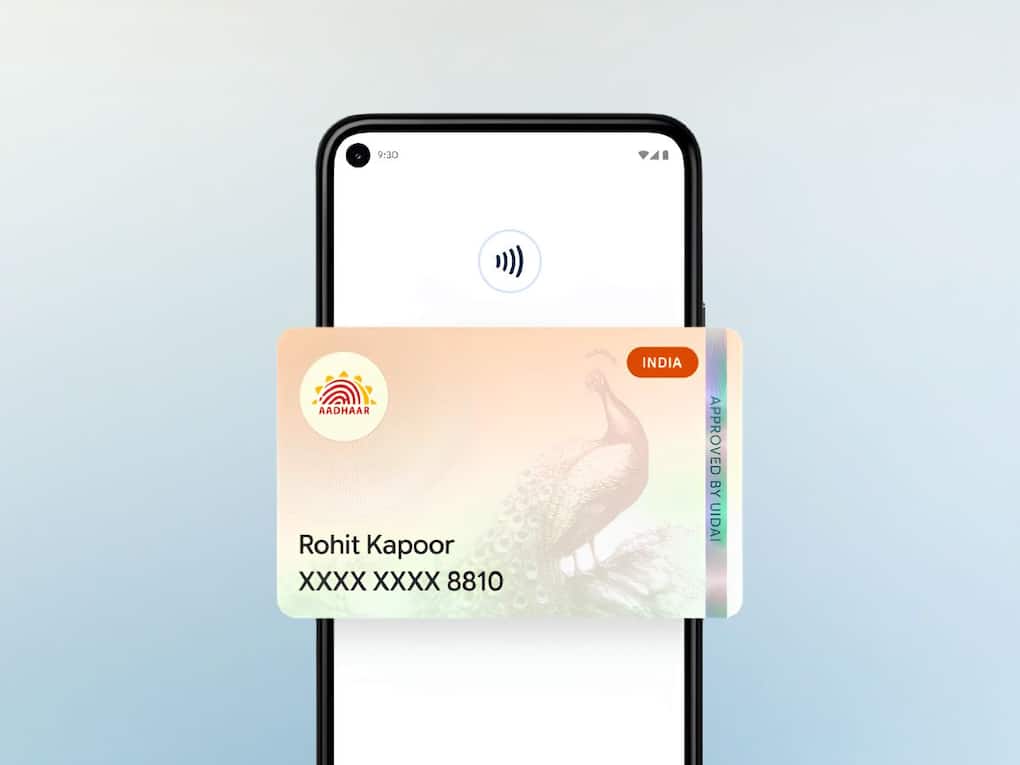
Google has started rolling out support to add Aadhaar Verifiable Credential inside Google Wallet in India. This means you can now store a digital version of your UIDAI-issued Aadhaar card directly on your phone.  Also Read: How to add Email ID on Aadhaar Card using the Aadhaar App for FREE: Steps here
The idea is to offer convenience to users. Instead of carrying your Aadhaar card everywhere or digging through your phone to find a PDF, you can just pull it up directly from your phone when needed. It’s meant to make everyday identity checks a bit easier. Also Read: Aadhaar linked to multiple bank accounts? Here's how to check
You can use it to verify your identity wherever this feature is supported, whether you’re doing it in person or online. Also Read: These Aadhaar Card mistakes can create problems with bank KYC, how to check and fix
For example, it can help with age verification, signing up or logging into certain platforms, or even filling in details automatically in some cases. Google has already tied up with platforms like PVR Inox, BharatMatrimony, and Atlys for this.
There are also plans to expand this to other use cases like verifying delivery or service personnel through platforms like Mygate or Snabbit.
One of the main things being highlighted here is privacy. The Aadhaar data is stored on the device itself, and not in the cloud. This means your information stays on your phone.
There is also something called selective sharing. Instead of showing your full Aadhaar details, you can choose what information to share depending on the situation.
Access to the digital ID is also protected through your phone’s security, like fingerprint or PIN. Another thing to note is that you can add only one Aadhaar per account.
Even though this adds convenience, the digital version is not a full replacement for the physical Aadhaar card. It will work only in places where digital verification through Google Wallet is accepted.
For official requirements, you may still need the original document or other accepted formats.
The process works through the Aadhaar app and doesn’t take much time.
Once this is done, your Aadhaar digital ID will show up in Google Wallet and can be accessed when needed.

Google is also working on similar digital ID features in other countries, including Singapore, Taiwan, and Brazil, where users can store ID passes using passport details. The overall direction seems to be about reducing the need to carry physical documents for basic verification.


