


Written By Manik Berry
Published By: Manik Berry | Published: Jun 04, 2023, 03:47 PM (IST)
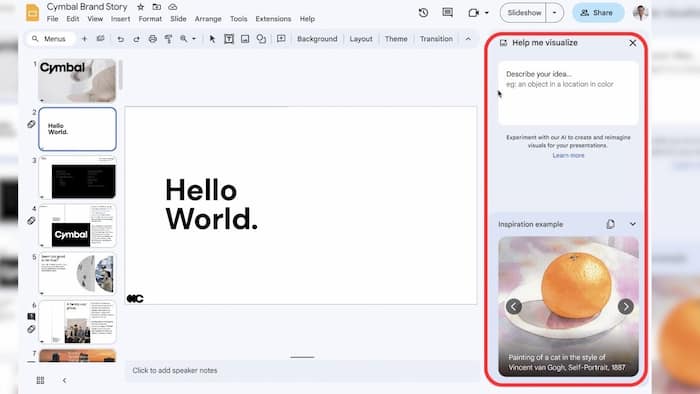
 Image: Google


Written By Manik Berry
Google is now rolling out the “help me visualize” prompt in Google Slides. This means you can now enter a prompt in Google Slides and use it to generate a relevant image. This is similar to Midjourney, Dall-E2, and Bing Image Creator that we have already seen.  Also Read: 8 HIDDEN features inside Gmail that you must try now
However, Slides integration gives it an edge over the others. It means you can create images for your presentation without ever leaving Slides. And just one tap on the image will insert it into the template without disturbing other elements like text and animations. Also Read: Google's first Gemini-powered Home Speaker is here, and it's designed to talk more like a human
Before we get to how to use help me visualize in Google Slides, here are some things you should know about it.
We're making it easier to create unique & compelling visuals for presentations with Duet AI for #GoogleWorkspace! You can generate original visuals to convey your unique artistic vision, all from a simple prompt in #GoogleSlides. Sign up to try it now 👉 https://t.co/QTZykqM4cO pic.twitter.com/dHIDFFErKe
— Google Workspace (@GoogleWorkspace) June 2, 2023
Add Techlusive as a Preferred Source

Don't Miss Out the Latest Updates. Subscribe to Our Newsletter Today!

