


Written By Deepti Ratnam
Published By: Deepti Ratnam | Published: Jun 03, 2026, 11:53 AM (IST)


Written By Deepti Ratnam
It is quite frustrating when you accidentally delete an important Instagram message. Now, you must be wondering is there any way that you can restore it. Frankly speaking, no! However, you can still apply some workarounds to bring back your deleted Instagram messages. But, first understand that unlike reels, videos, and stories, Instagram does not place deleted direct messages (DM) in a ‘Recently Deleted’ folder. This is where the recovery option becomes even more complicated.  Also Read: Tired of Instagram Instants? Here’s how to HIDE them
But, don’t worry, in this article, we will elaborate some legal ways through which you can once again restore the deleted messages on Insta. While you cannot directly restore them to your inbox, but there are still some ways to access previously deleted conversations or recover records of messages before they are permanently erased. Also Read: How to share Voice Effects on Instagram
Unfortunately, there isn’t a feature currently available on Instagram that lets users go back to their chat inbox to find deleted DMs.
Conversations will instantly be removed from your inbox when you delete them. This does not necessarily mean that the data is gone forever, though. Sometimes, deleted messages may remain for a certain period of time in Instagram’s account data.
Hence, you can get a chance to see your deleted messages using Instagram’s data export feature if you have just deleted the messages.
Instagram users can remove different types of content from their profiles, such as photos, videos, Instagram stories, reels, notes, and direct messages.
The majority of deleted content is transferred to Recently Deleted section, where it can be retrieved for up to 30 days and then deleted permanently. If stories are not archived they can be deleted after 24 hours.
But direct messages have another process. The deleted chats are not visible in the Recently Deleted folder and thus Instagram’s in-built recovery features won’t be able to restore them.
It can take up to 90 days to remove content from all of Meta’s systems, notes, and backup copies may be kept for security, legal or disaster recovery reasons.
You can only truly know if deleted messages can be seen by requesting a copy of your Instagram account information.
In general, these account details are kept for a long time on Meta’s servers before they are deleted permanently. When you download your account data, you may have the ability to get at the message records in your account that aren’t showing up in your inbox.
To request your Instagram data:
Step 1: Open Instagram app and go to your profile.
Step 2: Click on the menu icon in the top right-hand corner and choose Accounts Center.
Step 3: Click on “Your information and permissions” and select “Export your information.
Step 4: Click on “Export to device” and then click on “Customize information”.
Step 5: If you want to speed up the process, only select the Messages category and uncheck other data types.
Step 6: Select html as file type and your desired date range.
Step 6: Once you have verified your password, click “Start export.
Step 7: Instagram will make the file and then send you an e-mail when it is ready.
Step 8: You can unzip the file after it has been downloaded
Step 9: Check your messages to see if the deleted conversations have been backed up.
If a chat is only deleted by one, it may be still accessible to the other person.
Instagram’s Delete option will delete the message from your inbox, but it will not delete the message from the recipient’s inbox. In this instance, the other person may be able to access the conversation and the other person may be able to forward and/or provide screenshots of important information.
This can be the fastest way to get a particular message or conversation back if needed.
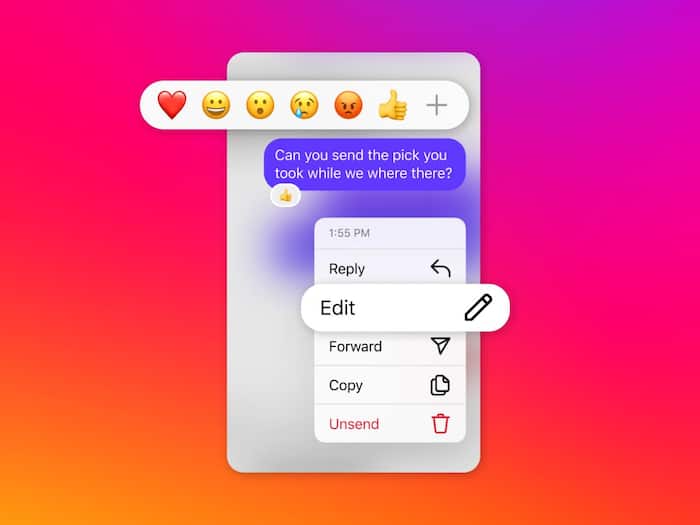
It’s important to understand the difference between deleting a chat and unsending a message.
If you delete a conversation from your inbox, you will most likely still have a copy of the conversation somewhere. If you decide to unsend a message though, Instagram deletes the message from the conversation for everyone.
According to Meta, exported account information doesn’t contain unsent messages, so there is no way to retrieve messages usually via data exports.
There are sites and apps available that promise to recover deleted Instagram messages and users are frequently led to believe that they can do so in an instant.
Security experts strongly recommend to not use this kind of services. Most of these tools are scams with the purpose of stealing login information, accessing Instagram accounts or creating malicious software in devices.
Giving your Instagram handle, password or verification codes to third parties that you are not certain about can make your Instagram account vulnerable.
The most secure ways to recover are Instagram’s official data export features and getting in touch with the other person involved in the discussion.
Instagram doesn’t have a specific deleted message recovery option, so the best approach is to prevent it from happening.

Saving screenshots of important conversations and exporting your account information periodically can help prevent important information from being permanently lost. People may also consider the consequences of deleting chats as after they are removed from their inbox, there are limited recovery options.

Don't Miss Out the Latest Updates. Subscribe to Our Newsletter Today!
