


Written By Deepti Ratnam
Edited By: Deepti Ratnam | Published By: Deepti Ratnam | Published: Jun 08, 2026, 09:49 AM (IST)
 OpenAI's new ChatGPT Lockdown Mode adds extra security for sensitive data


Written By Deepti Ratnam
OpenAI has introduced a new security feature called Lockdown Mode in ChatGPT. The new feature adds additional safeguards against prompt injection attacks. This is a type of attack that places hidden instructions inside documents, websites, emails, or any other content in order to manipulate AI chatbot’s behavior.  Also Read: OpenAI's first hardware device is coming on July 15; here's what it is
The launch plays an important role in today’s scenario as AI companies are rapidly expanding their capabilities, developing several AI chatbots, and AI agents. Modern AI tools are developed in a way that they can browse the internet, perform tasks on behalf of users, analyze files, and conduct research. While all capabilities make an AI chatbot more useful, but they face several security challenges. Also Read: OpenAI makes a big India bet, hires former Uber India chief to lead operations
By launching Lockdown Mode, OpenAI is attempting to bring a balance between security and functionality. The feature will be helpful for users who regularly work with confidential or sensitive information, especially government employees, data handling, and more. Also Read: Elon Musk's xAI loses trade secrets lawsuit against OpenAI: Here’s what went wrong
OpenAI adds an optional security setting called Lockdown Mode in ChatGPT. The feature restricts several internet-connected features within the AI chatbot. Once you enable the feature inside ChatGPT, it can no longer access live information from the web. Rather, it will rely on cached content, and hence, reduce direct exposure to harmful online sources or content.
The newly launched setting will also prevent ChatGPT from displaying and retrieving images from the internet. Nevertheless, users can still generate images using ChatGPT’s image generation tools.
Besides this, the tech giant has also disabled some of ChatGPT’s most advanced connected capabilities in Lockdown Mode. These include Agent Mode and Deep Research. These tools generally gather information, perform tasks on behalf of users, and interact with external services. They are indeed powerful tools, but they also increase the number of ways attacks could happen and manipulate an AI system via hidden instructions.
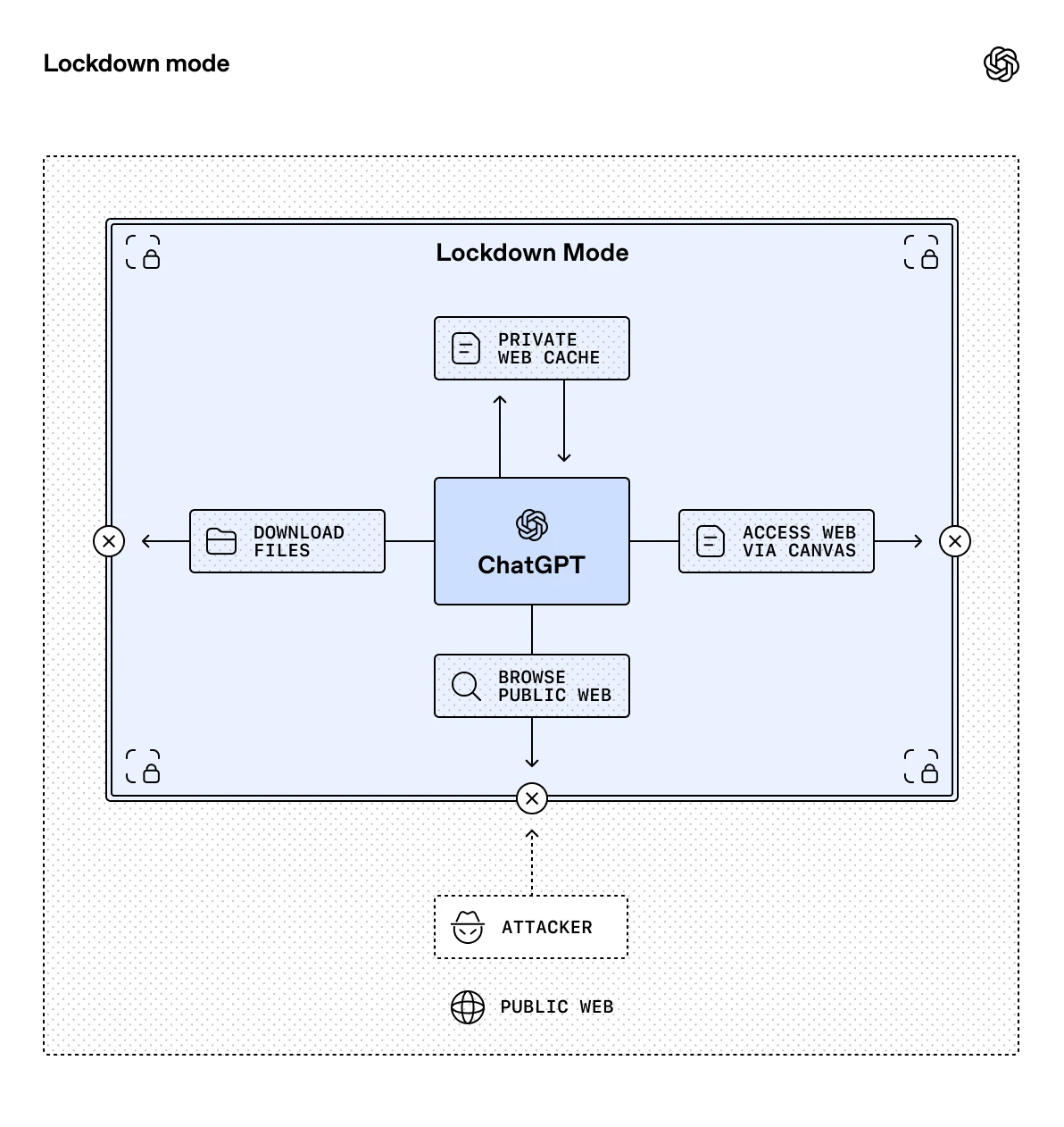
Many of us might not know what is Prompt Injection Attack? But it has emerged as one of the most discussed AI security concerns in artificial intelligence industry. They don’t work like traditional cyberattacks that target software vulnerabilities. Rather, Prompt Injection Attacks attempt to manipulate an AI model with the help of information it processes.
Malicious instructions are hidden inside content, website, file, or other piece of information. When AI system reads that content, the hidden malicious instruction might influence how the model responds or perform tasks. Additionally, security researchers have demonstrated several scenarios where AI systems are tricked into ignoring previous instructions. Not just this, they also revealed information they shouldn’t be revealing or sharing.
This is where the risk associated with Prompt Injection Attacks increases and becomes more significant. As AI assistants gain access to more tools and external sources, the prompt injection becomes one of the key reasons why AI tech giants are prioritizing and investing heavily in safety and security measures.
The timing of the launch of Lockdown Mode reflects a broader shift we are witnessing across AI industry. Over the years, AI companies have invested heavily in generating systems that are capable of browsing websites, completing multi-step tasks, and conducting research.
While all these features have improved productivity and functionality, they have also expanded the potential attack. Every time an AI system visits a website, analyzes content, or documents anything, or its external service is connected, it creates an opportunity for malicious content to influence its system.
OpenAI’s step toward bringing safer environment within the AI chatbots by introducing Lockdown Mode is a major response to these growing concerns.
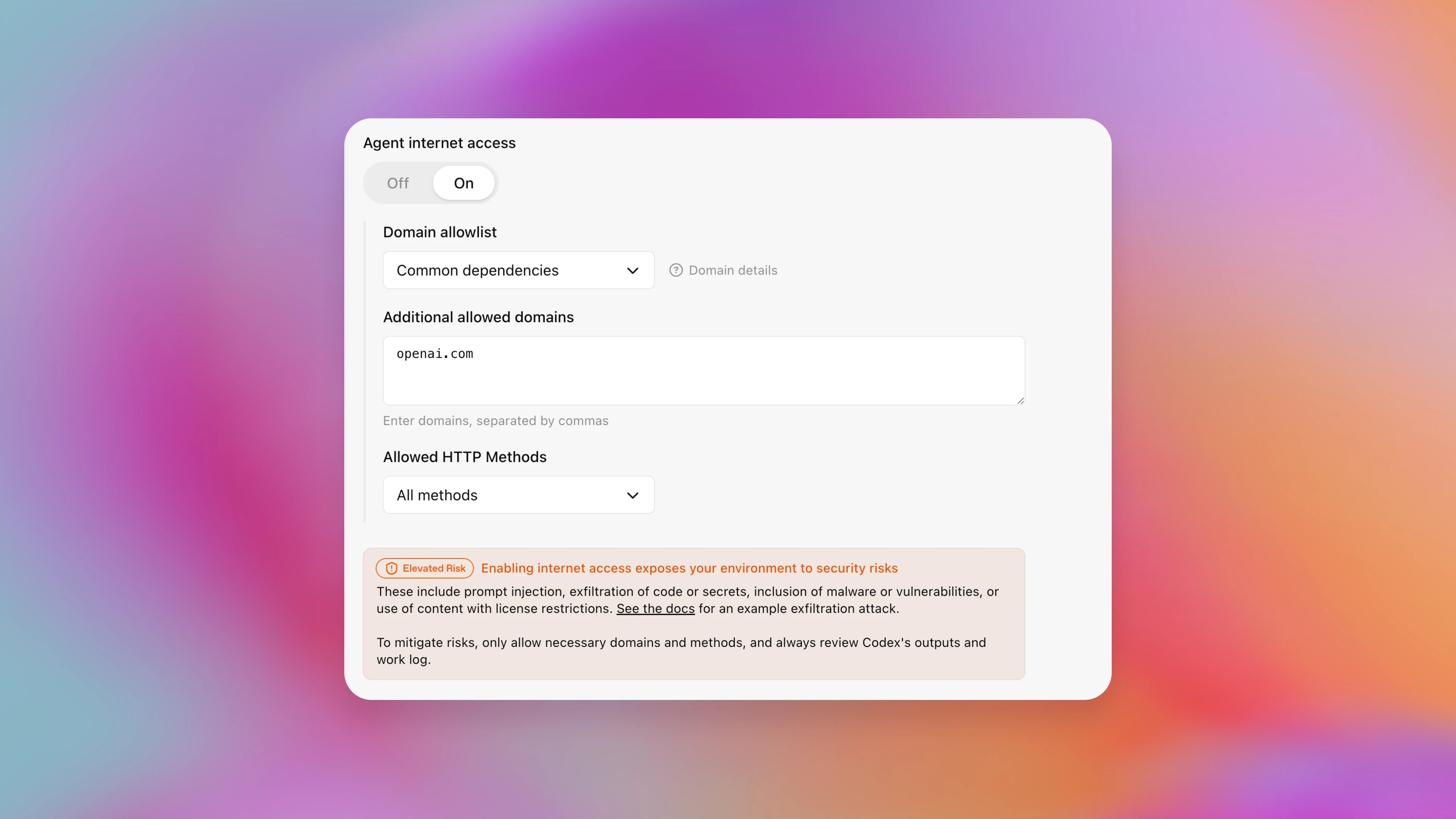
If you are an everyday ChatGPT user, then Lockdown Mode may not be necessary for you. Students, casual users, and people using ChatGPT for general purposes and asking general questions are unlikely to encounter prompt injection attacks.
However, if you are a business entity, or a researcher, or legal professional, or organization handling sensitive information, or enterprise user, then you may require stricter controls. You need Lockdown Mode to understand how AI systems interact with external content.
In these environments, even a small security risk or flaw can be valuable, especially when AI tools are used in handling business information.
One of the biggest features of Lockdown Mode is its functionality. Users using this tool inside ChatGPT will lose access to several features that can make the AI chatbot more capable for research heavy tasks.
This means, without web browsing, ChatGPT will not be able to retrieve any real time information directly from the internet. The tech giant have also disable Agent Mode and Deep Research while using Lockdown Mode. The company has limit the chatbot’s ability to gather information and perform complex actions across multiple sources.
As a result, you need to choose between maximum functionality and enhanced security.
While OpenAI has acknowledged prompt injection attack by launching Lockdown Mode, but this does not completely eliminate the risks. There is high risk that hidden instructions could still be present within cahed web content or uploaded files.
Nevertheless, security expert considers this step as an important part of AI safety. The feature will reduce the number of opportunities attackers will have to manipulate the system.
OpenAI is gradually expanding availability across Free, Go, Plus, Pro, Business, Enterprise, and other eligible account types. You can check inside your ChatGPT account for extra layer of safety and can control how the chatbot interacts with the outside world.

If it is available, it will appear under Settings → Security → Advanced Security → Lockdown Mode.

Don't Miss Out the Latest Updates. Subscribe to Our Newsletter Today!
