


Written By Pranav Sawant
Written By Pranav Sawant
Edited by Pranav Sawant |Published: Feb 09, 2023, 10:36 AM (IST)
Google on Wednesday launched its next operating system version for Android smartphones. Codenamed Upside Down Cake, Android 14 will succeed the Android 13 Tiramisu.  Also Read: August 2026 smartphone launches: 5 phones worth waiting for
The Android 14 Developer Preview 1 has now been released for Pixel phones. The update reveals several new features that we are hopeful to see in the stable update. Also Read: Google hints at Pixel 11 price hike ahead of August 12 launch, here's why
Google’s new Android 14 operating system has been announced and the release timeline has been confirmed. As you’d expect, the OS will be released in phases. Also Read: Google Pixel 11a massive leak reveals specifications ahead of launch; ALL details
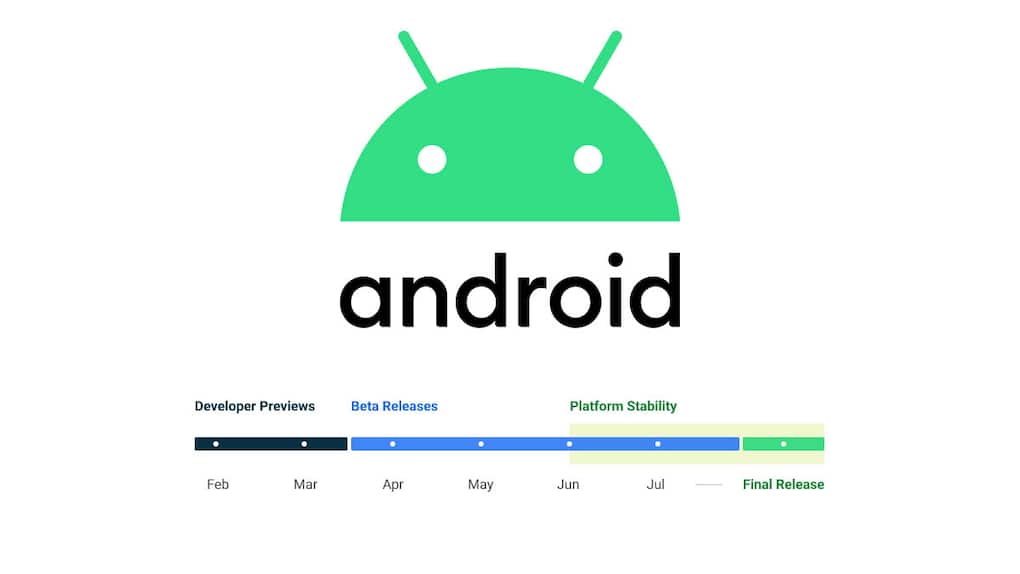
Android 14 release schedule
Following is the schedule of the Android 14 OS.
Android 14 Developer Preview 1 – February (Already released)
Android 14 Developer Preview 2 – March
Android 14 Beta 1 – April
Android 14 Beta 2 – May
Android 14 Platform Stability 1 – June
Android 14 Platform Stability 2 – March
Once the platform stability is completed, the new operating system will get a final stable release sometime in August or September. This timeline is only for the supported Pixel phones.
What phones support Android 14 Developer Preview 1?
Google’s Pixel 4a 5G, Pixel 5, Pixel 5a, Pixel 6, Pixel 6 Pro, Pixel 6a, Pixel 7, and Pixel 7 Pro support Android 14 Developer Preview 1.
This means if you own any of these devices, you can try the latest Android OS. However, only the developers are recommended to test the new OS since it is expected to contain several bugs.
What are the features of Android 14?
Although we’ll get to know the final features of Android 14 only in the stable release in August or September, the Developer Preview 1 reveals several changes over the existing Android 13 OS.
Some of the notable features of Android 14 include App cloning, more customization options, pre-app language preferences, advanced memory protection, deletion of carrier-installed bloatware, and more.

Apart from this, if you are interested in knowing more about the Android 14 Developer Preview, head to Google’s official website here. If you want to download the Developer Preview on your Pixel device, click here.


