


Written By Divya
Published By: Divya | Published: Jan 26, 2026, 06:30 AM (IST)


Written By Divya
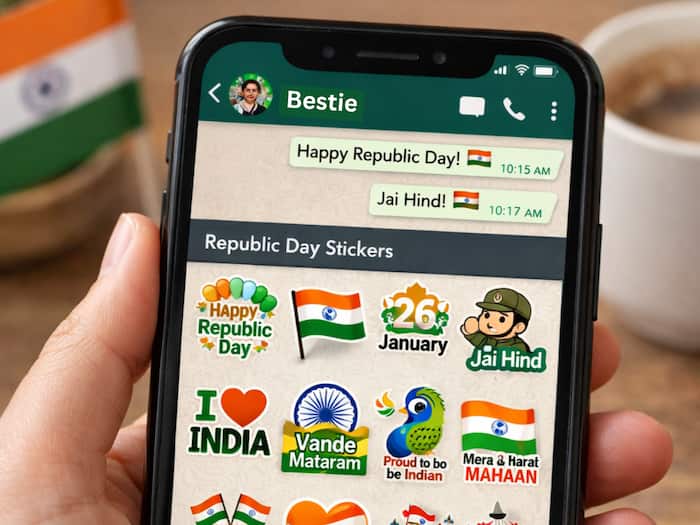
Republic Day is more than just a holiday on the calendar. It’s a reminder of where we come from, what the Constitution stands for, and why January 26 still matters. And just like every other celebration today, a lot of those wishes travel through WhatsApp.  Also Read: LPG cylinder shortage scam alert: fake ‘pay now for next-day delivery’ ads spreading online
From tricolour greetings to patriotic quotes and digital art, WhatsApp stickers have quietly become one of the most popular ways to say “Happy Republic Day.” And in 2026, AI tools have made it even easier to create stickers that feel personal, not just forwarded. Also Read: Meta introduced new 'Anti-Scam' tools on WhatsApp, Facebook and Messenger
If you’re planning to send Republic Day wishes to friends, family, or office groups, here’s a simple guide to sharing ready-made stickers and creating your own AI-powered ones. Also Read: WhatsApp introduced Parent-Managed Accounts: New feature for children under 13
WhatsApp usually rolls out themed sticker packs around major events like Republic Day. You can check for them directly inside the app.
If you want more variety, you can also head to the Play Store and search for terms like “Republic Day WhatsApp Stickers” or “26 January Stickers”. Once installed, most apps let you add sticker packs to WhatsApp with a single tap.
If you want your Republic Day wishes to stand out, personalised stickers are the way to go. And thanks to AI tools built into WhatsApp, you don’t need any editing skills. Here’s how to do it:

Forwarded wishes are fine. But a sticker made from your own photo or message feels more thoughtful. It turns a simple “Happy Republic Day” into something people actually remember.

Don't Miss Out the Latest Updates. Subscribe to Our Newsletter Today!
