


Written By Pranav Sawant
Published By: Pranav Sawant | Published: Jun 06, 2024, 06:46 PM (IST)


Written By Pranav Sawant
Amazon Prime Video is one of the most popular video streaming platforms in India. The platform offers content from several studios and has some original movies and shows. It also has the latest movies coming only a few weeks after their theatrical release. However, the most recent movies are available for rent. There’s also some other older content that you can watch by renting it. In this guide, we will show you how you can rent movies on Prime Video.  Also Read: The Boys Season 5 OTT release date confirmed: When and where to watch the final season
You can rent movies on Prime Video just as you’d do on any other platform. Here are the steps you can follow. Also Read: Tu Meri Main Tera Main Tera Tu Meri now streaming: Where to watch online
Step 1: Open the Amazon Prime Video app on your phone or visit the official website. Also Read: Amazon Prime Video Users Get This FREE Booster: 24×7 Live News At No Extra Cost
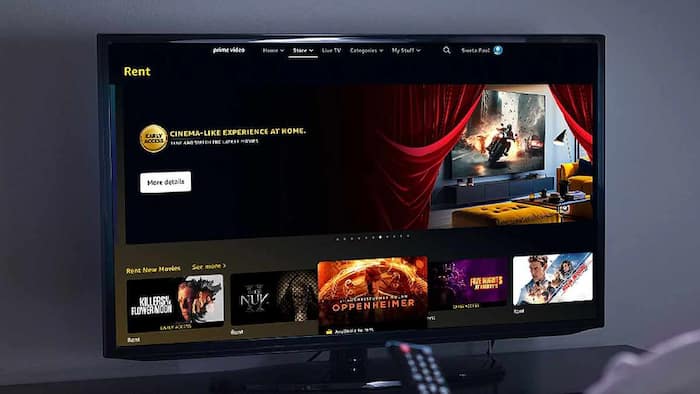
Step 2: Search for the movie that you want to rent. You can also scroll below on the home screen and tap on the “Rent New Movies” section.
Step 3: Tap on the movie that you want to rent. Movies that are available for rent have a Yellow-coloured bag icon.
Step 4: Tap on Rent HD to rent the movie in HD resolution. Or, you can tap on More purchase options to see all the other rent options. Usually, there are two rent options – Rent HD and Rent SD. The latter is the standard definition (480p) suitable for mobile devices. The former offers up to 1080p resolution suitable for TVs, laptops, and large-screen phones.
(Note – It is worth noting that HD movies might stream on 480p resolution if the device isn’t compatible or the Internet connectivity is slow.)
Step 5: Once you click on the rent option, you should be on the payment page. Select the type of payment between Credit Card, Debit Card, and UPI. Lastly, make the payment as per the screen instructions.
Do note that you won’t be able to rent movies directly from the Amazon Prime Video app on iOS. The reason for that is Apple takes big cuts from the final payment done within apps. That said, iPhone and iPad users have to visit the Prime Video websites on browsers like Safari to rent movies.

Rented movies will be visible for 30 days in your library. That’s how you can rent movies on Amazon Prime Video.

Don't Miss Out the Latest Updates. Subscribe to Our Newsletter Today!
