


Written By Divya
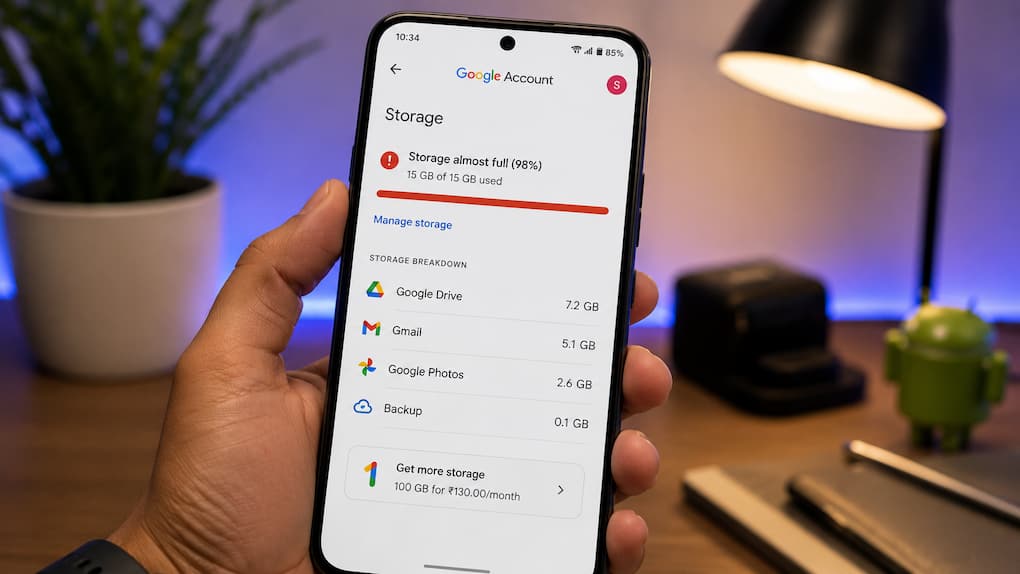
 Google Now Counts Android Backups In Cloud Storage: Here's How To Manage Them
Google has made a small change that could leave Android users running out of cloud storage sooner than expected. Until now, many users only worried about Gmail, Google Photos or Drive taking up space. But Android backups are now part of the same storage pool as well. In simple words, the settings and data your phone saves to Google’s cloud will now count towards your storage limit.  Also Read: Google hints at Pixel 11 price hike ahead of August 12 launch, here's why
If your Google account is already close to full, this is something worth checking. Also Read: Google hit with 890 million euro fine by EU over Search and Play Store rules
Most Android phones keep cloud backup enabled by default. The idea is simple — if you buy a new phone or reset your current one, Google can restore your data without much effort. Also Read: Google now lets you sign in using a selfie video: How it works, setup process
These backups can include: device settings, app data, SMS and MMS messages, call history, contacts, and other system preferences. The amount of storage used isn’t the same for everyone. On some phones, the backup may only occupy a few megabytes, while on others it could be noticeably larger depending on the apps and data stored.
If you don’t use Google’s backup service or you’re trying to save storage, you can disable it in a few steps. Open Settings on your Android phone and head to Google (or Google Services, depending on your device). Look for Other Device Data, then switch off Back Up Other Device Data.
Google also lets you choose what should be backed up. So instead of disabling everything, you can turn off specific items such as call history while keeping messages or other data backed up. Already have an old backup? Deleting the toggle won’t remove it. You’ll have to delete the existing backup separately from your Google Account if you want to recover that storage.
That depends on how you use your phone. If you upgrade to a new Android device every couple of years, cloud backups make life much easier. Your apps, settings and other information can be restored during setup, saving you from configuring everything again.

But if you’re only trying to keep your Google storage under control, switching off unnecessary backups is one way to reduce the space your account uses. Just remember that once backups are disabled, your next phone won’t automatically restore that data. You’ll have to set it up manually.


