


Written By TECH Staff
Written By TECH Staff
Edited by TECH Staff |Published: Jun 30, 2026, 07:37 PM (IST)
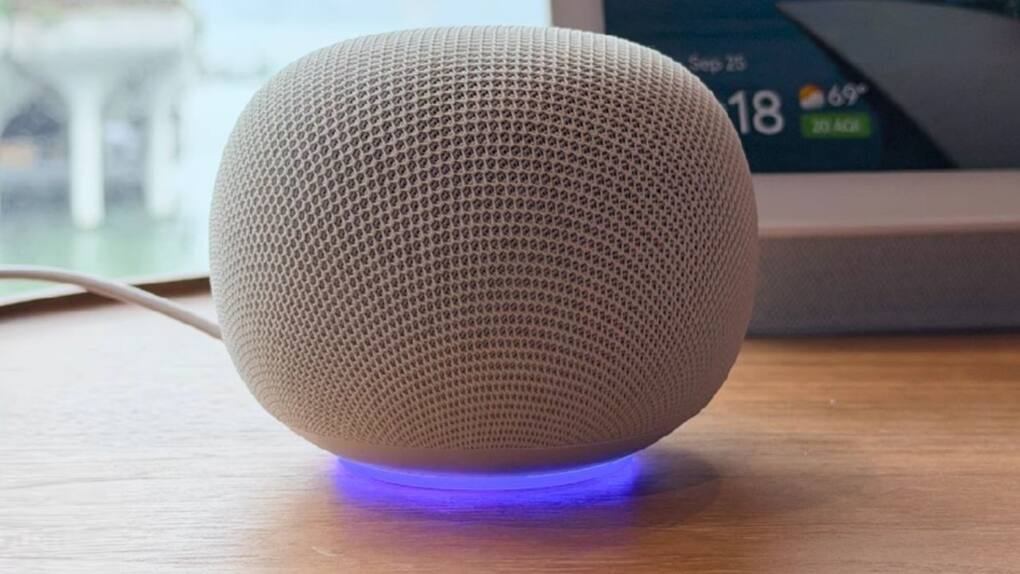
Google has a history of making things that people get excited about and then sometimes they stop making them. So when Google makes something people always wonder how long it will last. The Gemini Home Speaker is different, it’s not a side project. Google thinks that now is the time for speakers that can really talk to you and they want to be the ones to make it happen.
If you already have a Gemini Home Speaker or if you’re thinking about getting one here’s what you need to do to get it working especially if you’re in India.
The Gemini Home Speaker needs an internet connection to work properly. If your internet is slow or keeps stopping, the speaker will not work well. Some people in India might have problems with streaming services or features because of their internet provider. One way to fix this is to use a VPN, you can download ExpressVPN. Set it up on your phone or router.
Also make sure your Google account is set to the India region. If your account is set to some other region, features like- JioSaavn integration and EPFO-related assistant queries, oddly enough – might not work properly. Go to myaccount.google.com. Check your country settings.
The physical setup is easy. Plug in the speaker and wait for the light to stop flashing then open the Google Home app on your phone. You need to have the version of the app so update it if you haven’t in a while.
In the Google Home app tap the “icon, select “Set up device ” and then “New device.” The app will find the speaker automatically. If it doesn’t make sure your phone’s Bluetooth is on. Select the speaker, choose your home and room. Connect it to your WiFi network. The update process might take a minutes.
Once its online, you’ll be asked to link your Google account. Make sure you choose the account you use every day.
In India, the Gemini Home Speaker works with Spotify, YouTube Music and JioSaavn but you need to link them manually in the Google Home app. Go to Settings, Audio and then Music and add the services you use. JioSaavn is good for music and Bollywood playlists. You can ask the speaker to play music. It will respond accurately.
For home devices the Google Home app is the central hub. If you already have devices set up they will be discoverable immediately. Devices that need a bridge will need to be connected to the network.
If you’ve used a Google Nest before you know how the old Google Assistant worked. Gemini is different it can hold context across conversations. You can ask it something. Then ask a follow-up question without repeating yourself. It keeps track of what you were talking about.
The speaker can also differentiate between voices and respond differently. You can set this up by going to Settings selecting your speaker and choosing “Voice Match.” Each person in the house trains the speaker by using a sequence of phrases. After that it will pull up the calendar give personalised reminders and even serve up different music based on each persons preferences.
The speaker saves recordings to your Google account by default. You can. Turn this off by going to myactivity.google.com and filtering by “Audio.” You can delete clips set an auto-delete period or turn audio saving off entirely.
The device also has a mute button on the back. When it is red the microphones are off not just software-muted, but hardware-disconnected.
Google has stopped making some of its products in the past, even if they were successful. However, the Gemini Home Speaker feels like a product Google is committed to. It is tied directly to the Gemini AI platform, where the company is placing its biggest bets.
To make the daily experience better, you can enable the “Quick Phrases” feature in the Google Home app so you don’t have to say “Hey Google” every time. You can also set up Routines for morning and night and experiment with setting the language to Hindi, which handles basic commands well.
The Gemini Home Speaker is not a revolution. It’s a meaningful improvement from what was available before. If you set it up properly and connect it to the apps you use, it will fit into your life very well, which is all you really want from a smart speaker.

A useful workaround many people already use is routing through a VPN — head over to ExpressVPN’s download page to set that up on your phone or router if that’s something you want in place before you start.


