


Written By Deepti Ratnam
Edited By: Deepti Ratnam | Published By: Deepti Ratnam | Published: May 12, 2026, 01:50 PM (IST)
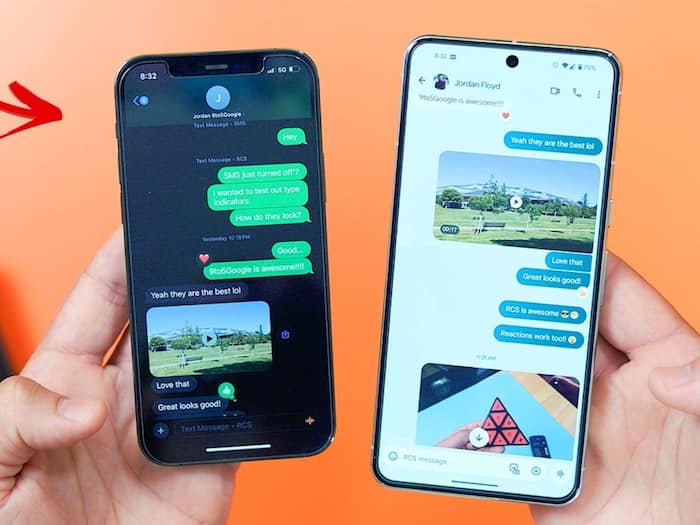
 How To Download And Install iOS 26.5 On Your iPhone: How To Start Using Encrypted RCS Chats On iPhone


Written By Deepti Ratnam
Apple and Google in collaboration has started rolling out the much-awaited end-to-end encrypted RCS messaging. This is one of the major upgrade that will bring stronger privacy to cross-platform chats between Android and iPhone users. The recently added feature is part of the iOS 26.5 beta rollout. It will gradually expand with carrier support.  Also Read: iOS 26.5 update: 7 new features iPhone users should know
In this article, I have delve into the complete guide on how it works, how to enable it, supported devices, and how to update your iPhone. Also Read: Apple iOS 26.4 Beta 1 adds video playback in Podcasts, RCS testing: Check what’s new
But, let’s first understand what end-to-end encrypted RCS messaging is.
Rich Communication Services or RCS is designed to replace traditional SMS with a modern messaging system. With iOS 26.5, The RCS messaging will now support end-to-end encryption. This will ensure that messages remain private while being transmitted.
This means that your messages cannot be read while traveling between devices. Hence, no third-party, including Google, Apple, or any other telecom operator or provider can access your messages. It will only be read by the sender and the receiver.
A lock icon appears inside chats to indicate that encryption is active.
Big news: Today, we’re starting to roll out end-to-end encryption for RCS messaging between Android and iPhone users! This cross-industry effort replaces outdated SMS with a more secure & private way to chat, no matter what phone you have.🔒
Thank you to the community for… pic.twitter.com/5J71TwjbHL
— Sameer Samat (@ssamat) May 11, 2026
The iOS 26.5 update, including RCS encryption support, is available on the following iPhone models:
Here’s our step-by-step guide on how you can easily update to iOS 26.5
Step 1: The firs step is to head straight to the ‘Settings’ option in your iPhone.
Step 2: Then tap on General option and go to the ‘Software Update’ section.
Step 3: The next step is to check whether or not the update is available.
Step 4: Your iPhone will display the option to Download and Install.
Step 5: Tap on it to begin the process.
Step 6: Once the download is complete, you will have the option to update immediately. You can also opt for install later, or select Remind Me Later.
Step 7: Tap on Install to update immediately or you can also choose another option according to your preference.
Step 8: If prompted, you can enter your passcode to proceed.
Step 9: The RCS messaging will be enabled after following this guide.
Here’s a simple guide on how you can use the encrypted RCS messaging
Once you have updated and ensure carrier support, you need to open the messages app on your iPhone. Now, start or continue an RCS conversation and look for an icon in the chat window.
If you notice that a lock icon is visible, then it means the conversation is protected with end-to-end encryption. The encryption will be enabled by default and activates automatically when both users meet the compatibility requirements.
The encrypted RCS messaging will only work when both the users are on compatible devices. They should also be using supported messaging apps along with carrier networks support RCS. If any of the mentioned condition is missing, then the chat may fall back to standard messaging.

Apple has confirmed that RCS availability depends on carrier support. In India, supported operators include Airtel, VI, and Reliance Jio

Don't Miss Out the Latest Updates. Subscribe to Our Newsletter Today!
