Written By Deepti Ratnam
Published By: Deepti Ratnam | Published: Jul 15, 2026, 09:36 AM (IST)
 Can't find the right image? Google Search will now create one for you for free


Written By Deepti Ratnam
Google has announced a new AI powered feature within Google Search. The feature will allow you to generate images directly from the Search. This means, now you don’t have to search through existing images on the web; Instead you will be able to directly create a new image by entering a simple text prompt. This will made the process of searching for images inside Google Search when it cannot find the image you need.  Also Read: These 8 ChatGPT prompts can save you multiple Google searches
The tech giant has added the feature to AI Overviews, which is company’s AI powered search experience. The feature is free to use and is powered by latest Nano Banana image generation model. Also Read: 7 hidden Google AI Search features most people ignore
The company rolled out the feature with an aim to make easier for users to create custom visuals, that too without leaving Google Search. Now, you don’t have to look for a separate AI image generator.
Company’s long standing Google Images has been used for finding photos, graphics, illustration from websites across the internet. White it helps a lot in looking for images and discovers existing illustrations, however, there are times when what we are looking for simply doesn’t exist on the internet.
To solve this issue, Google has added AI image generation inside the Search.
It requires a simple step-by-step guide:
Step 1: If you are searching for an image and Google is unable to provide a suitable result, then you can directly head to the AI Overviews.
Step 2: It will offer you the option to generate a new image.
Step 3: You can also turn your search query into a text prompt.
Step 4: After this, Google’s AI model will create a new image from the scratch.
Step 5: This also means you don’t have to leave the Search page or open another AI tool to create any image.
The feature is said to be useful for students, marketers, teachers, designers, content creators, and anyone who regularly needs visual illustration to define their brand. It will help in reports, social media posts, websites, and other projects.
The new feature leverages Google’s newest AI image generation model known as Nano Banana.
The model transforms a description written in some text to a new image. All users have to do is provide a description of what they want, and the AI will generate an image based on that description.
The aim is to enable users to create visuals that don’t necessarily exist online, Google says.
Users can easily create an image that meets their needs without the need to wade through hundreds of images.
One of the biggest changes is that image generation happens inside AI Overviews.
AI Overviews already exist for numerous search queries to summarize. This one will also allow them to produce images when they are needed.
By retaining the feature in Search, the process becomes quicker as the user won’t have to switch between websites or applications.
Google has been slowly introducing more AI features into Search and now images are the newest feature.
The new feature will be rolled out in the next few weeks, Google said.
The company also announced that it would be available in regions where AI image creation via the AI Mode is already available.
Google hasn’t said for what date it will be available in other languages or other countries.
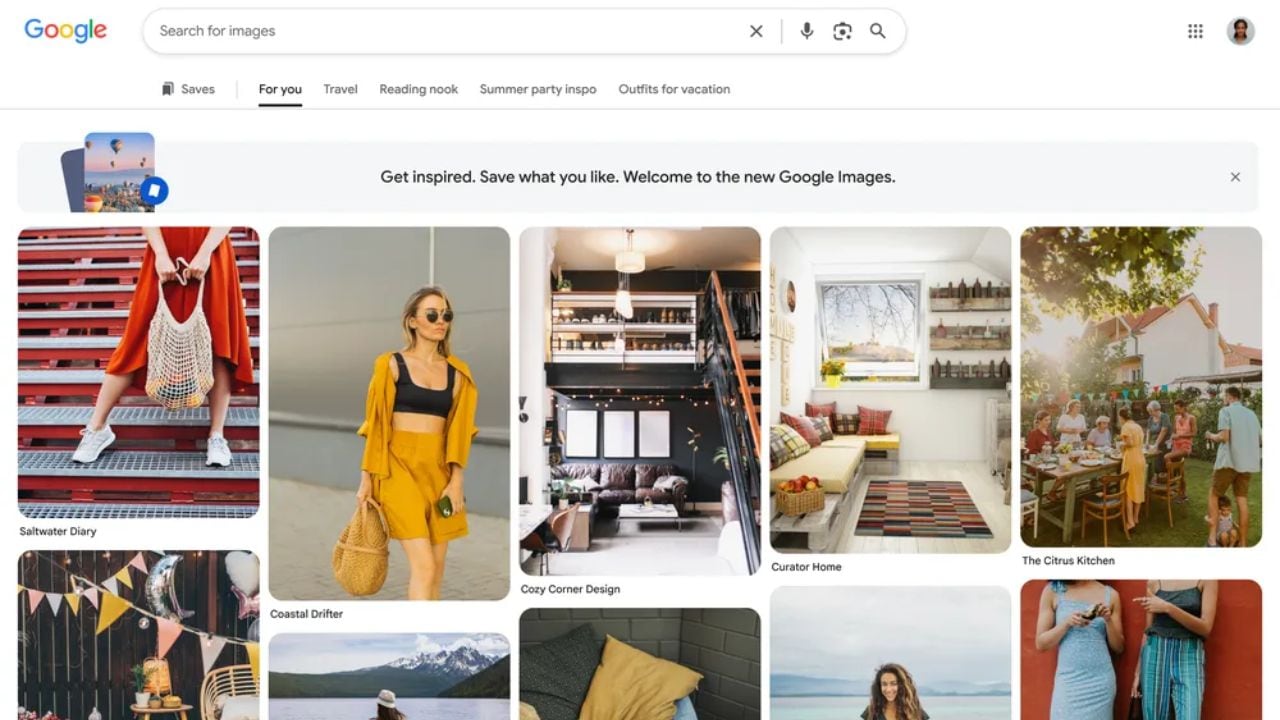
Google is also revamping the Google Images experience, alongside AI image generation.
The new version will feature a more dynamic home page which will change depending on users’ interests and browsing habits.
The gallery won’t display a set of pictures, it will update with images as the user clicks on various topics.
The redesign aims to enable users to find the more relevant images faster.
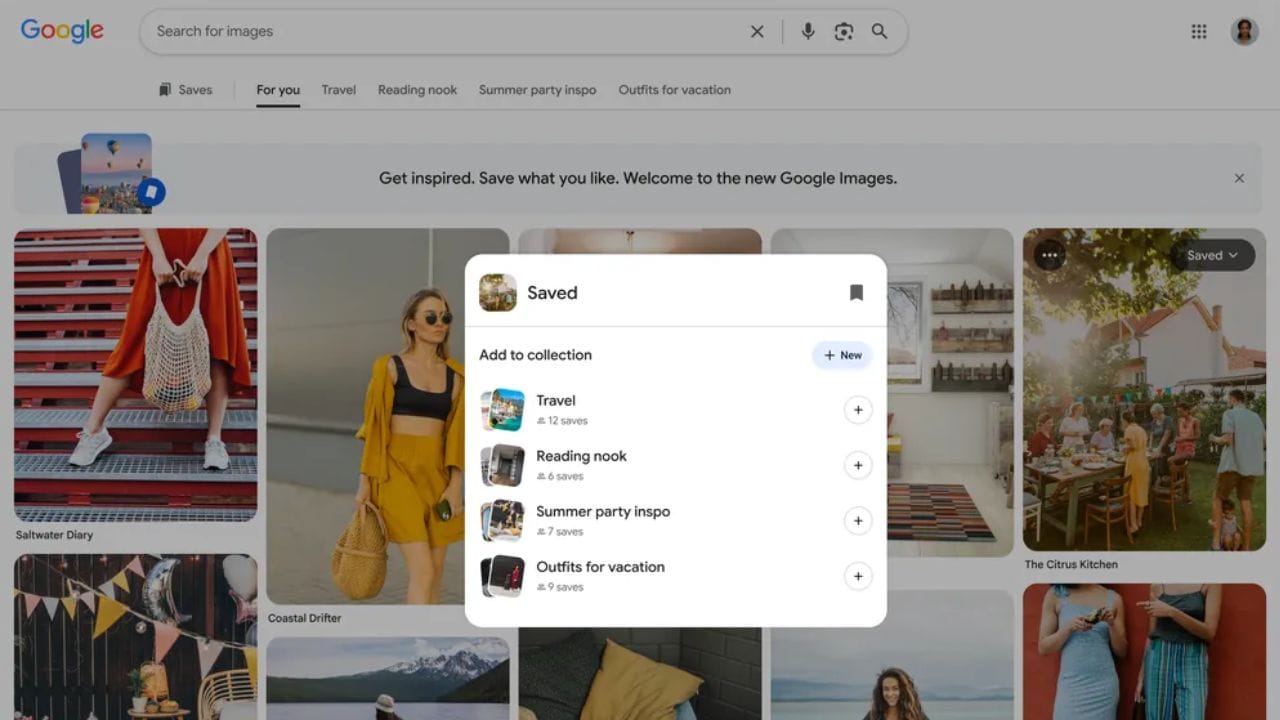
Google’s also working to make it easier to organise saved images.
Saving images to Collections is already possible when users search for images in Google Images. Those Collections will show up as tabs above the image gallery in the new update.
This will enable users to search for images and switch back and forth between the search results and the images they saved without losing their place.

The modification will help the browsing experience, particularly for those who are developing projects that will need several images.

Don't Miss Out the Latest Updates. Subscribe to Our Newsletter Today!