



Written By Shubham Arora
Published By: Shubham Arora | Published: Dec 13, 2025, 04:59 PM (IST)


Written By Shubham Arora
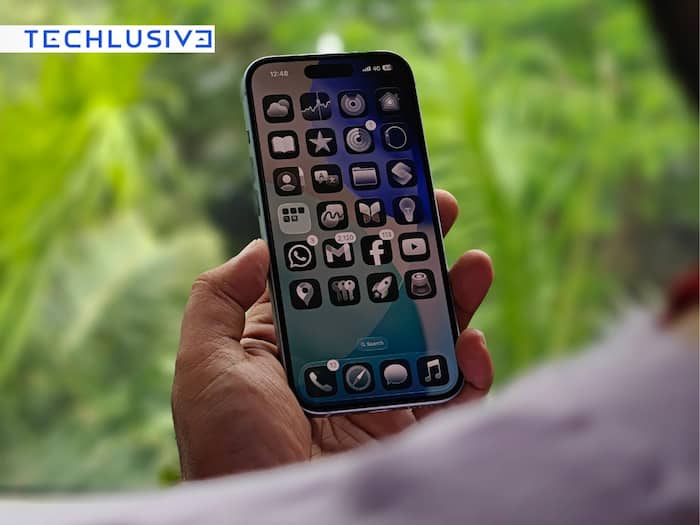
Apple has started rolling out the iOS 26.2 update for iPhone, bringing a fresh set of features and small but meaningful tweaks. This marks the second major update since iOS 26 arrived in September. The update was tested through developer and public betas over the past few weeks before reaching eligible iPhones. With iOS 26.2, Apple is bringing expanded customisation options for the Liquid Glass interface, improvements to Apple Music, upgrades to AirDrop and Reminders, and several smaller enhancements across system apps.  Also Read: iPhone Fold Leak: Apple may bring iPad-style interface to foldable iPhone
Apple confirms that any iPhone enrolled in its beta programme and already running the iOS 26.2 beta is eligible for the stable rollout. To update your device: Also Read: iPhone 17 Pro vs Samsung Galaxy S26 Ultra: DxOMark reveals the real camera champion
Apple Music gets two notable additions. A new Favourite Songs playlist now shows up in the Top Picks section on the Home tab, making it easier to access frequently liked tracks. With this update, Apple Music now lets users download lyrics for offline viewing, making it easier to follow along with songs even when there’s no internet connection. Also Read: Apple MacBook Neo, M5 MacBook Air, MacBook Pro and iPad Air Go sale in India begins today: Check details
The update adds more depth to iOS 26’s Liquid Glass theme, allowing users to tweak the clock opacity on the lock screen. Apple’s Enhanced Safety Alerts feature can now warn users about severe weather events, natural disasters, and other emergencies, along with maps and guidance. This feature is currently limited to the US.
Reminders is getting a useful upgrade too. You can now set alarms with a snooze option, and these alerts will show up as Live Activities on the lock screen. AirDrop also gets a security boost – sharing files with people outside your contacts will now require a verification code.
In the Podcasts app, Apple has added automatically generated chapters to make it easier to jump between segments. Episodes will also include direct links to other shows mentioned during playback. Meanwhile, the Games app now includes filters to sort titles by category, size, and other criteria. It also adds score banners and improved compatibility with controllers like Backbone and Razer.

Other features include screen flashing options under Accessibility for alerts, a new shortcut to the Apple News section in the Today Feed, and the ability to reuse setup codes when pairing multipack accessories in the Home app.

Don't Miss Out the Latest Updates. Subscribe to Our Newsletter Today!
