Written By Divya
Edited By: Divya | Published By: Divya | Published: Oct 14, 2025, 08:01 PM (IST)


Written By Divya
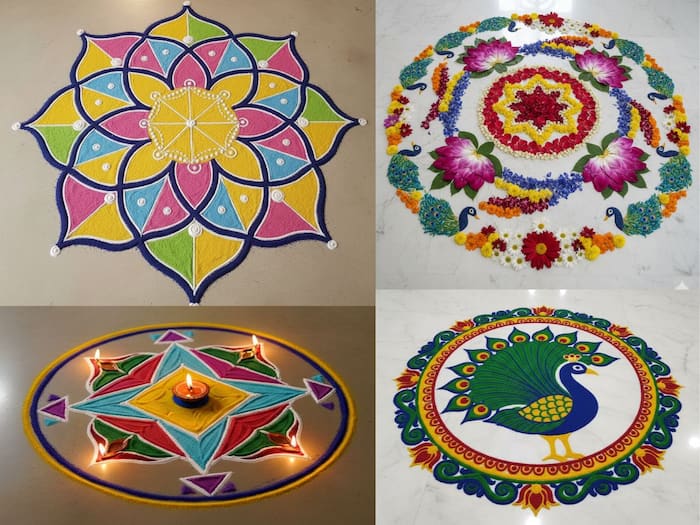
Diwali is just around the corner, and ahead of it, everyone is shopping for the decorations, gifts and festive essentials to make it perfect. But Diwali is also about colourful and unique Rangolis. Always in the rush of preparations, we often forget about the design in advance. To help, Google’s Gemini Nano Banana is a perfect tool to create unique designs and simply put it on the floor on the day of Diwali.  Also Read: From spoken ideas to organized notes, Google brings AI-powered productivity to Gmail and Keep
Wondering how to make it? Here is a quick guide on Diwali Rangoli designs by Gemini Nano Banana. Also Read: Google unveils Nano Banana 2 Lite with 4-second AI image generation
If you have tried the Gemini Nano Banana before, then making designs for the Rangoli will be simple. Even if you are new to the tool, just follow these steps: Also Read: Google launches Finance app with AI-powered market insights and portfolio tracking
Step 1: Open the Google Gemini and log in with your Google Account.
Step 2: Click on the Create Image option along with a “Banana” icon.
Step 3: Now, simply put the prompt in the text box and tap Enter. Make sure to have a detailed prompt, just like the way you want the design to turn out.

To help you, here we have shared the prompts that we have used. You can tweak them or make an entire one of your own.

Don't Miss Out the Latest Updates. Subscribe to Our Newsletter Today!