


Written By Divya
Published By: Divya | Published: May 17, 2026, 09:06 PM (IST)
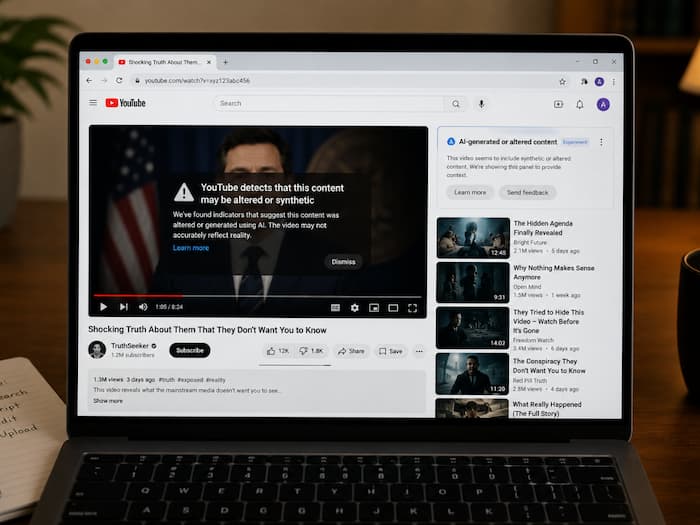
 YouTube Wants to Help Users Track AI-Generated Versions of Their Face (Image: AI generated)


Written By Divya
AI-generated deepfakes are no longer limited to celebrities, politicians, or viral internet personalities. As AI video tools become easier to access, almost anyone’s face can now be copied, altered, or inserted into fake videos within minutes. And that growing concern is exactly why YouTube is expanding one of its important AI protection tools. The video streaming platform has officially announced that its AI-powered “likeness detection” system is now rolling out to all above the age of 18.  Also Read: Apple could charge for advanced Siri AI features: Here's what it means for iPhone users
In simple words, this means ordinary users, not just creators or public figures, can now monitor YouTube for possible AI-generated versions of themselves and request removals if needed. Also Read: Meet Varya AI, India’s new video generation model that can create stories from prompts
The system works somewhat like YouTube’s well-known Content ID feature, but instead of detecting copyrighted songs or videos, it scans for faces. To activate it, you need to upload a quick selfie-style facial scan through YouTube Studio. Once enrolled, YouTube’s AI starts scanning newly uploaded videos across the platform for possible synthetic or altered versions of that face. Also Read: Anthropic shuts down Claude Fable 5 and Mythos 5 days after launch: Here’s why
If the system detects a possible match, you will receive an alert. From there, they can review the content and decide whether to submit a takedown request. According to YouTube, the idea is to give people more control over how their likeness is being used online.
However, YouTube has also warned that the system is not perfect. Because the tool scans for facial similarity, it may sometimes flag videos containing a person’s real face instead of an AI-generated version. For example, old interviews, public event footage, or genuine clips uploaded by someone else could still appear in detection results. And those videos may not necessarily qualify for removal under YouTube’s synthetic-media policies.
It must be noted that the feature was earlier launched for selected creators and public figures in 2025. Later, the feature was expanded to journalists, government officials, and entertainment personalities.
Now, YouTube says every adult (over 18 years of age) user on the platform can access the same protection tools.

If you are eligible, then just follow these quick steps:

Don't Miss Out the Latest Updates. Subscribe to Our Newsletter Today!
