
Written By Deepti Ratnam


Written By Deepti Ratnam
Edited by Deepti Ratnam |Published: Aug 11, 2026, 02:11 PM (IST)

 untitled (65)
 Pros
ProsThe Galaxy Z Fold 8 has a compact and lightweight design, an excellent 7.6-inch inner display, powerful performance and reliable all-day battery life. One UI also makes good use of the larger screen for multitasking.
 Cons
ConsThe cover display isn't ideal for one-handed typing, while the lack of a telephoto camera is disappointing at this price. The phone can get warm during gaming, 45W charging feels slow, and the Rs 1,79,999 price makes it a luxury purchase.
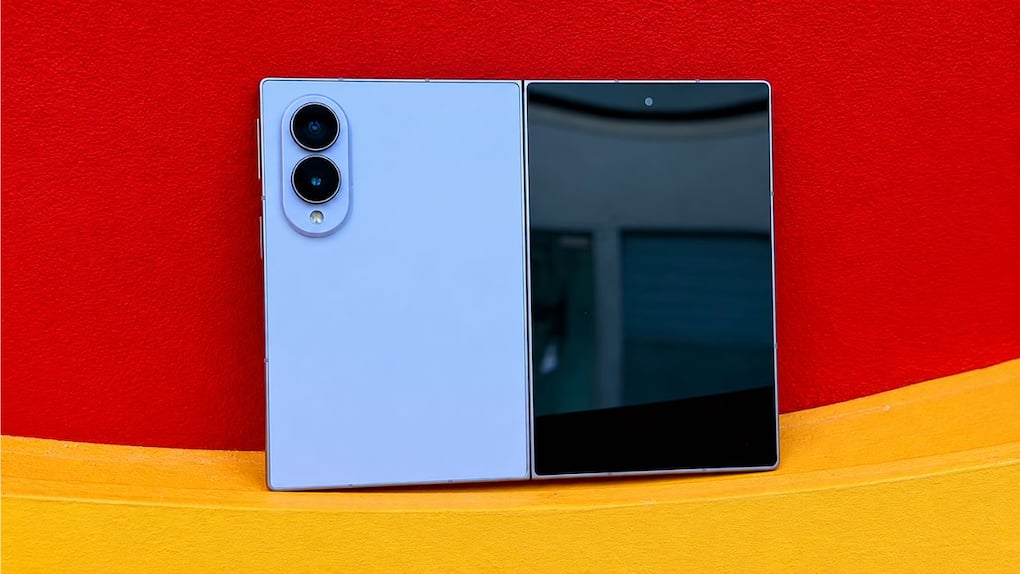
The Galaxy Z Fold 8 has undergone some unexpected changes by Samsung. The company has made the Fold shorter and wider, rather than taller and slimmer. It seems to resemble a passport when it is closed. Remove it, and you’ll find a 7.6-inch tablet-like screen.
The design wasn’t all that great for me at first sight. The overall design was a bit weird and I asked myself if Samsung had made it harder to use their phones just to make it easier to use the tablet.
After using the phone for a couple of weeks, though, I started to understand why Samsung went this route.
The Galaxy Z Fold 8 isn’t the easiest phone to use for all the things. There is a lack of space on the cover display when making typing, one-handed operation is not always possible and the camera system has no telephoto lens.
However, when I open it, it is completely different.
The bigger screen is actually useful for reading, surfing, watching videos, multi-tasking and even gaming. Does not feel like using a larger smartphone. It’s closer to a small tablet that just folds into a phone.
It is that which makes the Galaxy Z Fold 8 interesting more than the new processor or another batch of AI features.
Before we dele into detailed review, let’s check out its specifications:
| Specification | Samsung Galaxy Z Fold 8 |
| Main display | 7.6-inch Dynamic LTPO AMOLED 2X, 120Hz, 1848 × 2448 pixels, up to 3,000 nits peak brightness |
| Cover display | 5.5-inch Dynamic AMOLED 2X, 120Hz, 1248 × 1972 pixels |
| Dimensions unfolded | 161.4 × 123.9 × 4.5 mm |
| Dimensions folded | 123.9 × 81.9 × 9.7 mm |
| Weight | 201 grams |
| Durability | IP48 water and dust resistance |
| Processor | Qualcomm Snapdragon 8 Elite Gen 5 for Galaxy |
| RAM | 12GB / 16GB |
| Storage | 256GB / 512GB / 1TB |
| Operating system | Android 17 with One UI 9 |
| Rear cameras | 50MP primary + 50MP ultrawide |
| Front cameras | Dual 10MP selfie cameras |
| Battery | 4,800mAh |
| Wired charging | 45W |
| Wireless charging | 20W |
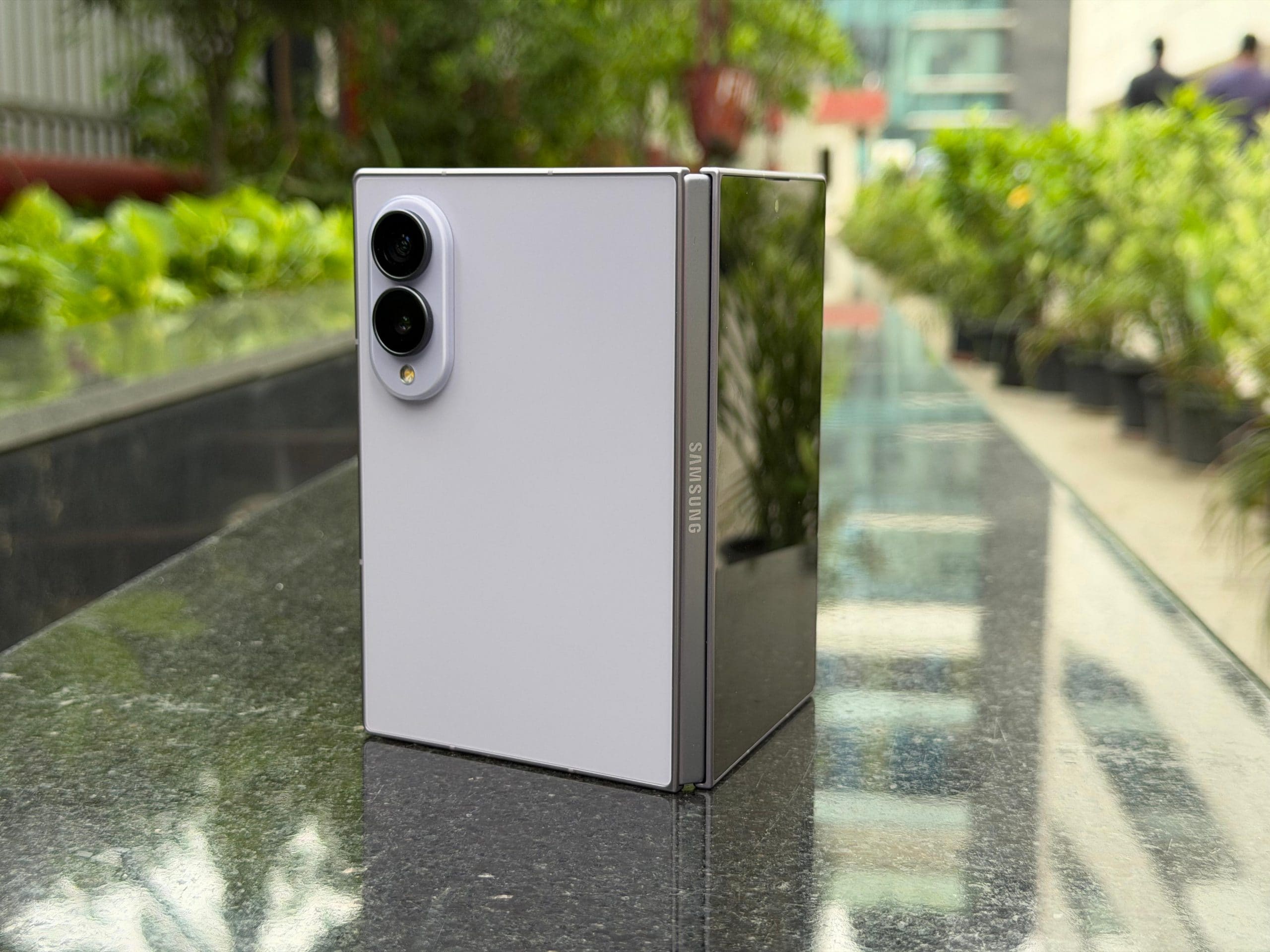
The Galaxy Z Fold 8’s first impression is its form.
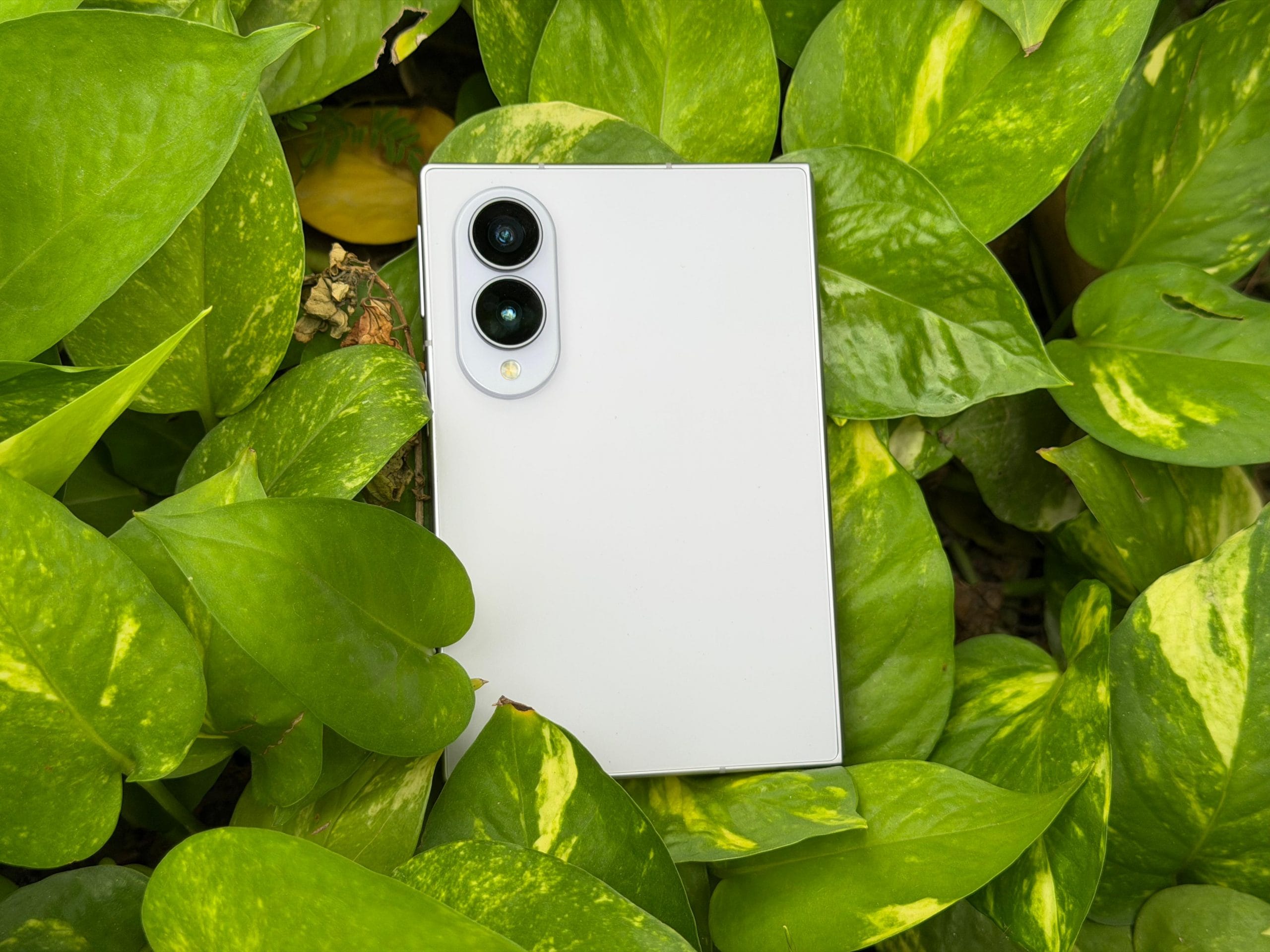
It’s shorter and wider than the earlier Fold models and right away changes the manner in which the phone feels in the hand. The cover display is 5.5 inches, making the phone look like a small notebook or passport.
At first, I wasn’t certain that I would like it. The phones have gotten taller over the years, so it’s a bit of an adjustment when a phone is significantly wider than normal.
The more I used it, however, the more the shape began to make sense.
The Fold 8 has a folded size of 9.7mm and a weight of 201 grams. It can be opened with a thickness of only 4.5mm. That’s impressive for a device that transforms into a 7.6-inch tablet.
This body is also compact, with a shorter length, giving it a very compact feel in the palm. Not too much the “top-heavy” sensation of a few very big smartphones, just like my iPhone 17 Pro Max.
However, the downside to the width is that it presents its own issue.
I’m not very good at getting my opposite hand across the cover display. I used to often use both hands particularly for typing or for extended periods of scrolling.
I wouldn’t call the Fold 8 a one handed phone, though it’s certainly compact.
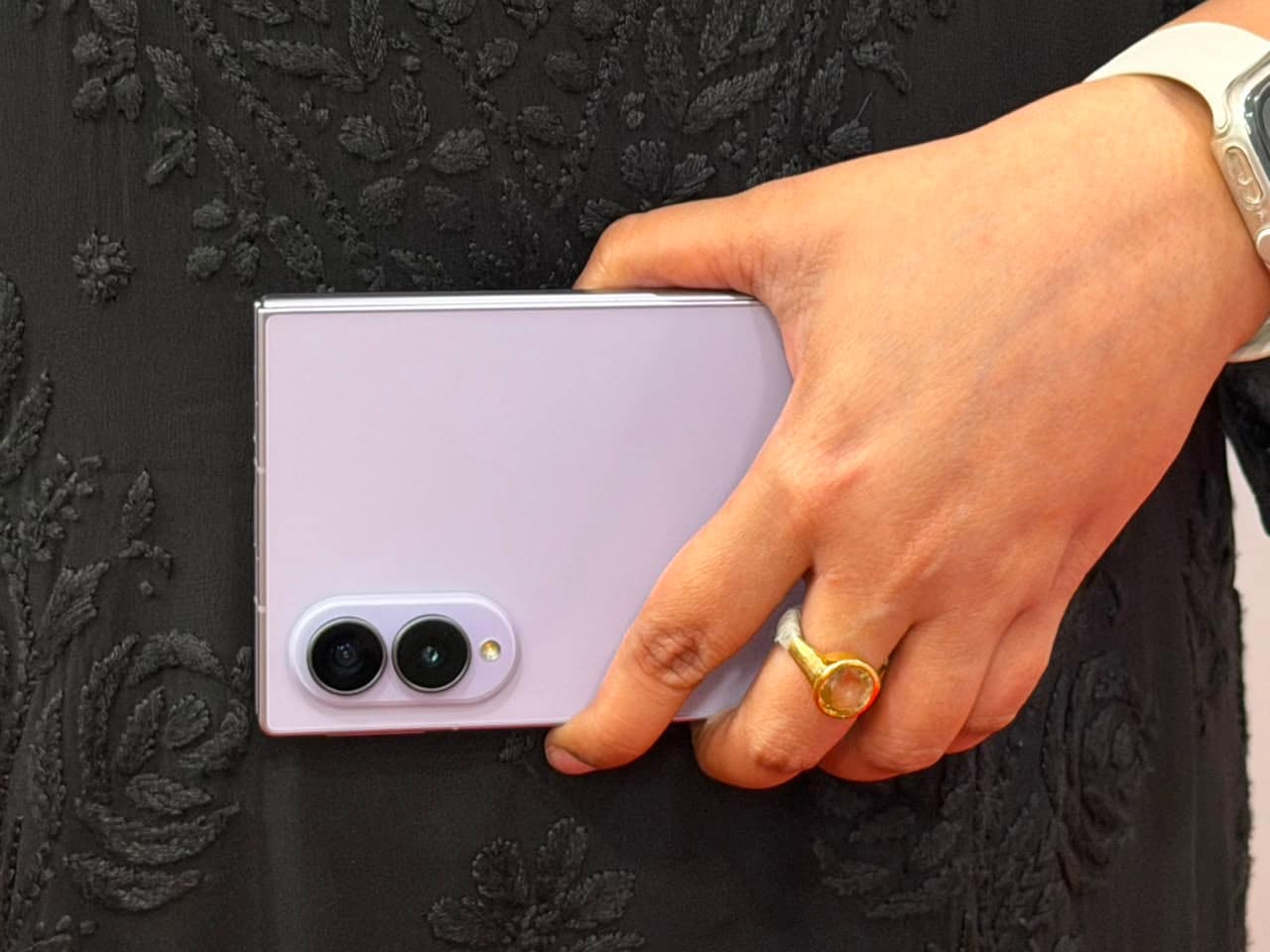
The weight is not so bad, though.
Does not feel like I have a little tablet in my pocket when wearing a pair of jeans. The best thing about the new design for me was that I enjoyed it a lot.
Samsung has also focused on the inner structure design to make the device thin, but also enhance the toughness. The phone has a very premium feel thanks to the Flex Titanium display structure and Advanced Armor Aluminium frame.
The hinge feels solid and the entire build is just what you’re seeing as a top-of-the-range offering at this price.
The Fold 8 also gets an IP48 rating. But it protects from water and larger solid objects, I’d still be more careful with it than I would with a regular smartphone anyway.
Much like a foldable screen, it is still a more fragile device and the cost of repairs should be taken into consideration.
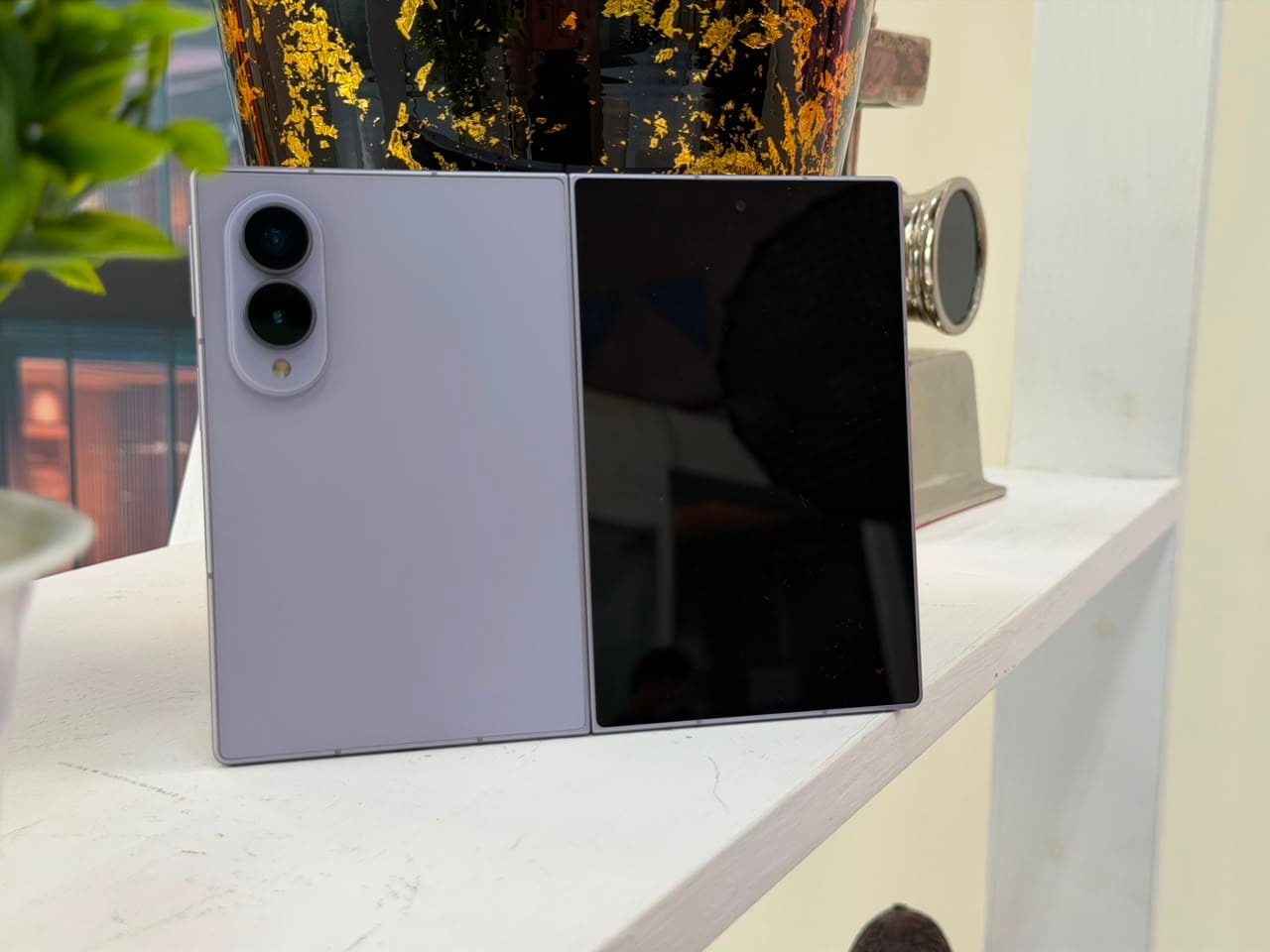
The 5.5 inch Dynamic LTPO AMOLED 2X cover display is bright, sharp, smooth and has a refresh rate of 120Hz.
I found myself using it more than I thought for the quick jobs.
Didn’t feel uncomfortable using calls, WhatsApp messages, emails, notifications, Instagram and quick searches on the outer screen.
This is one of the reasons why a foldable shouldn’t require you to open it each time you need to read something.
And the Fold 8 doesn’t.
I can respond to a text or an e-mail or scroll through social media without opening the phone.
The wider shape does have some disadvantages, though
The vertical space is not as high as it is on a regular smartphone, so you may need to scroll more than you would on a regular smartphone sometimes. This was observed when reading long WhatsApp conversations, Web pages and Lists.
The difference is more apparent with the keyboard.
When the keyboard is pulled out, it covers up much of the screen. That means you have less space to write anything into the conversation or document you’re writing.
Not unusable, but not as comfortable as using a regular tall phone to type.
Then of course, I began to use the cover display for quick responses and tasks and opened the Fold 8 when I had the need to type something longer.
That became almost automatic.
Yes, the cover display functions. But I would not say that it’s the best motivation to purchase the Fold 8.
That reason comes when you open it.
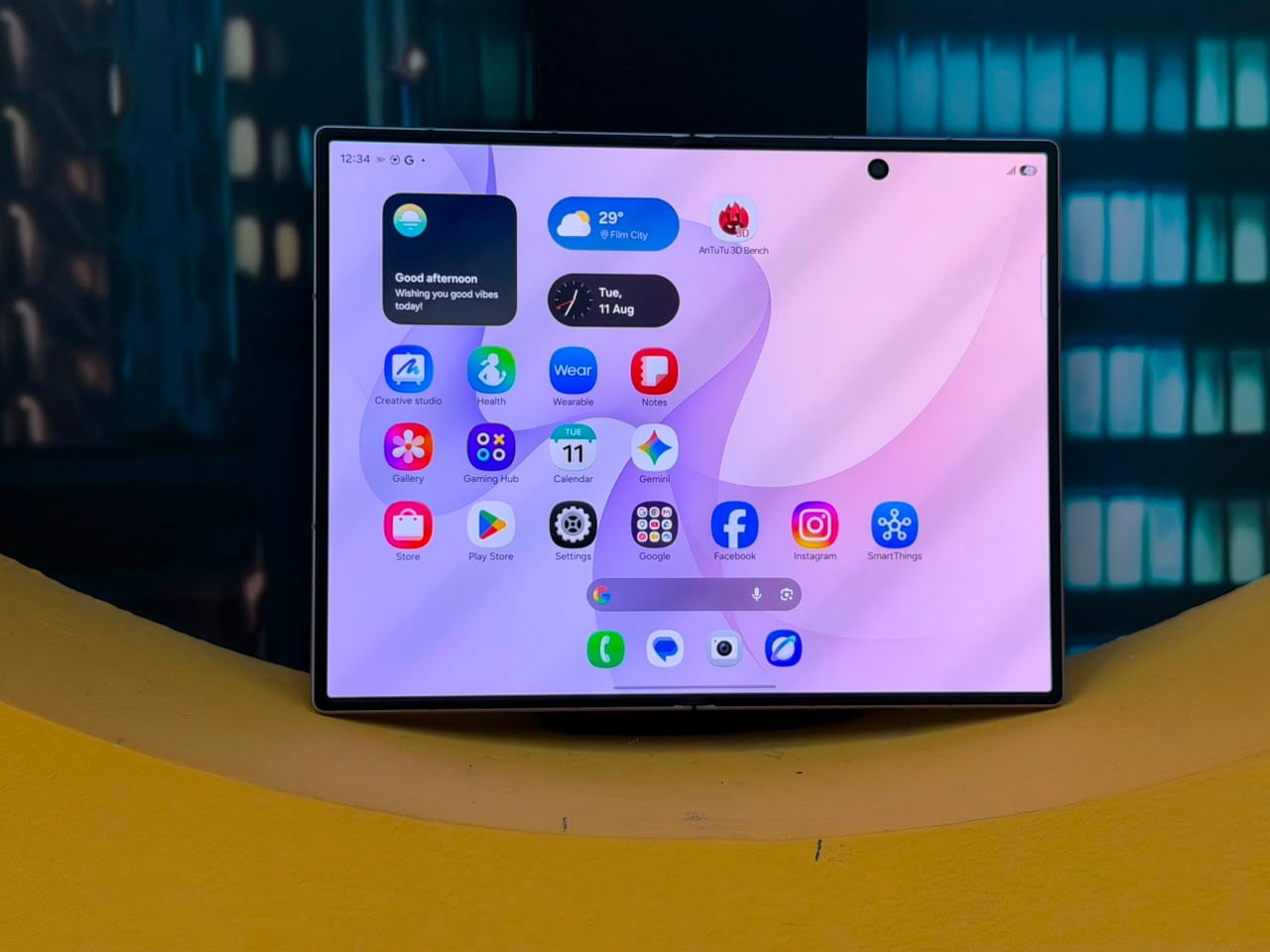
The Galaxy Z Fold 8’s Dynamic LTPO AMOLED 2X inner display is undoubtedly one of the finest features of the device.
It has a 120Hz refresh rate, HDR10+ support and up to 3,000 nits of peak brightness.
The screen is one of those things that I turned off my mind after a couple of days, just because everything looks good on it.
The text is crisp, the colours are vibrant and scrolling is very smooth. In addition, the visibility is also excellent in the outdoors, as it isn’t an issue when placed in bright sunlight.
However the aspect ratio is what renders the screen really useful.
Websites, documents and applications have a lot more horizontal space than a standard phone with the 4:3 layout. It’s more natural to read an article or check a document.
Also, I was using the inner display for things I would not normally do on any phone.
This makes it easier to read long articles, look at spreadsheets or go through a number of pages and respond to longer e-mails.
Another great feature is watching videos.
Videos in standard aspect ratio (16:9) do not occupy the full screen, however the black bands are quite small. The Fold 8 is faring better when it comes to landscape videos compared to some squarer foldables.
If you look for it, you’ll see the crease in it, and you’ll feel it when you slide your finger over it.
But, come to think of it, I no longer noticed it when I’m using it normally.
I think that’s the highest praise I can pay Samsung’s foldable glass. It begins to feel normal.
The bigger screen would be of little significance if Samsung didn’t do anything with it other than stretch the smartphone apps across it.
Fortunately, this isn’t true.
One UI 9 aims to take advantage of this additional screen size and that’s where the Fold 8 truly differentiates itself from a conventional smartphone.
Multiple Apps can be run simultaneously, windows can be resized and content moved from one window to another.
It is very convenient that the device can run three applications simultaneously.
For instance, I can have WhatsApp open with the web browser and other app open at the same time and not open and close them every time.
It might seem minor, but after some time, getting back to a regular cell phone can be confining.
The taskbar is also handy. It lets me switch between apps easily and I don’t have to go back to the home screen.
Other applications like Gmail, the Chrome browser and YouTube Music can also adapt to the bigger screen by switching to tablet layout.
This is the thing I feel Samsung has nailed in the Fold 8.
It isn’t simply giving you more screen. It’s redefining capabilities of that screen.
Some apps don’t work as well, of course.
There are still a number of applications that don’t scale well on foldable displays. This can be very obvious with some games and vertically designed apps.
Some games fit perfectly in the inner screen, others don’t fit or are awkwardly stretched.
This is an area the Android app ecosystem needs to do more.
The Galaxy Z Fold 8 is powered by the Snapdragon 8 Elite Gen 5 for Galaxy.
Both the standard and 1TB versions are equipped with 12GB of RAM, while the 1TB version has 16GB of RAM.
The phone is very responsive in a day-to-day basis.
Apps do open quickly, there are no obvious slowdowns when switching between multiple apps and the animation is smooth.
More importantly, the performance is in line with what the Fold 8 is supposed to be good for.
The phone is able to switch between Chrome, WhatsApp, Gmail, YouTube and all other apps without a blink of an eye.
This also makes sense of the additional RAM that the higher storage version includes.
A phone like this is designed for multitasking, so having more applications ready in memory is useful.
The phone tends to get hot if pushed too hard, particularly while gaming, but not really that big of a problem during normal use.
There’s not a whole lot to complain about when it comes to everyday performance.
Galaxy Z Fold 8 is not a gaming specific phone, but there’s enough here to play heavy games without any issues.
The Snapdragon 8 Elite (Gen 5) for Galaxy and up to 16GB of RAM supply the Fold 8 with plenty of power. Games are fast to load and high-end games can be played at high graph settings.
The big inner screen was more of what I liked, though, than the raw performance.
7.6-inch screen gaming is completely different than the gaming experience on the standard-sized smartphone. Just more room to view the game world, and controls aren’t as cramped.
Games with detailed environments benefit the most.
Games that also support higher frame rates benefit from the 120Hz refresh rate, as well. There is more fluidity to the movement and the controls are more responsive.
The Snapdragon 8 Elite Gen 5 paired with Galaxy and 16GB of RAM provides ample power and its games like Genshin Impact, Honkai: Star Rail, Call of Duty: Mobile, PUBG Mobile and BGMI are smooth at high settings.
I spent more time playing games on the larger, inner display and that’s where the Fold 8 differs from an average smartphone. Other games like Genshin Impact will benefit from the added screen space as you will have a bigger view of the game world, and the controls are well spaced out as well.
The 7.6 inch display is also easier to play on for the likes of Call of Duty: Mobile and BGMI. The bigger glass panel will provide a wider field of view and may come in handy in competitive games where being able to see what’s going on is important.
But the unusual aspect ratio comes back as a problem here.
All games aren’t optimized for the 4:3 foldable display.
There are some games that work well and fit the whole screen. Others stand out as being awkward, especially those builds around a standard tall smartphone display.
For instance, an app like Pokémon GO might appear clunky on the bigger screen as it was created mostly with the typical smartphone screen size in mind. There’s also some horizontal games that don’t scale that well and leave unused space, and some of the vertically-oriented games don’t use the space well.
This isn’t really a performance problem. This is an optimisation problem.
This was most noticeable in games that were oriented vertically.
It might require to switch the direction or tweak the display configurations to get right layout. While not a big issue, it certainly doesn’t help with the conveniences you would want from a high-end device.
There is no reason why the Snapdragon chip is over-powered. The real challenge is how the game makes use of the extra screen space.
Then there is heat.
The Fold 8 is definitely warm during longer time on the game. It is more apparent when running more demanding games at higher graphics settings.
It does not immediately impact performance, but it’s obvious that things are getting hot.
One of the reasons may be the thin body. The flagships Samsung has managed to fit into a very thin foldable mean there’s only so much of space to devote to cooling.
I wouldn’t purchase the Fold 8 for gaming unless it was the sole reason.
However, if you’re already looking for a foldable with gaming in your plans, you aren’t in for any lack of performance here.
And when a game is properly optimised for the inner display, gaming on the Fold 8 is genuinely enjoyable.
Samsung has equipped the Fold 8 with a 4,800mAh battery.
That doesn’t sound like that much space for a phone with two screens, does it?
However, in real world applications, battery life is quite predictable.
Browse, message, snap, and use social media (along with a bit of video watching) and I could get along a full day.
The cover screen is also a great help. I don’t need to open the inner display if I am just reading notifications or responding to a short message.
The heavy gaming, video recording and long use of the larger screen obviously consume battery faster.
Silicon-carbide battery tech is also being utilized in Samsung’s Fold 8.
In an effort to keep the phone thin, Samsung might have opted to go the other route and boosted battery capacity instead.
I feel like that’s a logical approach for this device.
A much bigger battery would obviously be welcome, but If it would make the Fold 8 much thicker and heavier, then it will be less of an advantage.
Wired charging of the phone is supported by 45W.
It is not the fastest charging system in the flagship segment, but it’s adequate for a rapid recharge when the time is right.
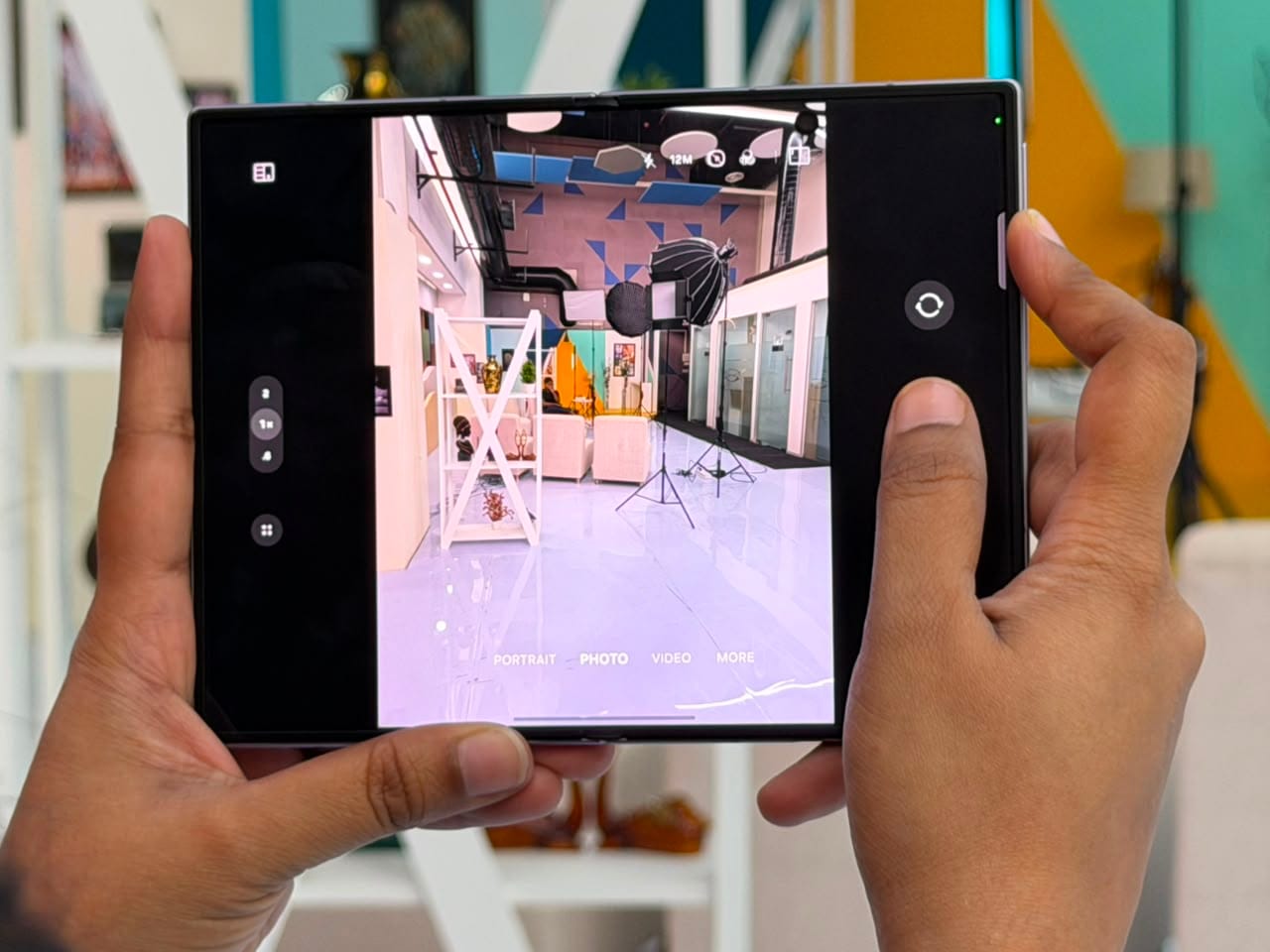
The camera setup is likely the largest of the compromises on the Galaxy Z Fold 8.
The camera features a 50MP main camera that supports optical image stabilisation and an ultrawide camera with 50MP resolution. No separate telephoto lens is available.
The main camera is definitely the best of the two.
Photos have good detail, vibrant colours and a wide dynamic range in daylight. For everyday photography, the results are easily good enough.
The ultrawide camera is also great for landscapes, buildings and group photos.
I also found the uniformity of the two cameras to be nice. Switching between the main camera and the ultrawide doesn’t radically change the nature of colours. It doesn’t magically transform colors when you switch between the main camera and the ultrawide.
Low light shots are pretty good, too.
However, once you get ready to zoom you will see the need for a telephoto camera.
The main sensor can be zoomed 2x and still work fine; when the main sensor is zoomed to 4x or 10x, there is a significant loss of detail.
And this is difficult to ignore when the phone costs Rs 1,79,999.
The Samsung’s standard flagship phones come with better camera systems and I would have wished to see a good telephoto lens here.
The obvious challenge is space
Samsung has been making an effort to shave off more thickness from the Fold 8, and this is certainly a challenge when you add an even bigger camera module.
Despite this, prospective buyers should be aware that the Fold 8 is a solid camera phone, but it’s not Samsung’s most versatile camera phone.

























There is a 10MP selfie camera on both displays of the Fold 8.
They are just fine for a video call as well as for daily selfie sessions.
But if the quality of the image is important, there is a better choice.
The main rear camera can be used to selfie and cover display is used as a viewfinder.
Rather than being the most elegant way to capture a self-portrait, it may attract a few curious looks en route, but the outcome is improved.
Samsung has made a number of interesting additions to its suite of video capabilities for creators.
More serious video users will find the LOG video and LUT support a plus for the user’s control over footage during editing.
Another interesting feature I discovered is My FanCam.
It can detect a person in an existing video and generate a “crop” that maintains the person as the focus of the video.
It isn’t perfect. If the subject moves at a fast pace, the tracking may not be completely steady.
However, if you work on social media videos on a frequent basis, it can save a lot of time.
The phone can do a lot of the work when it comes to cropping and reframing a video, and it’s done without manual intervention.
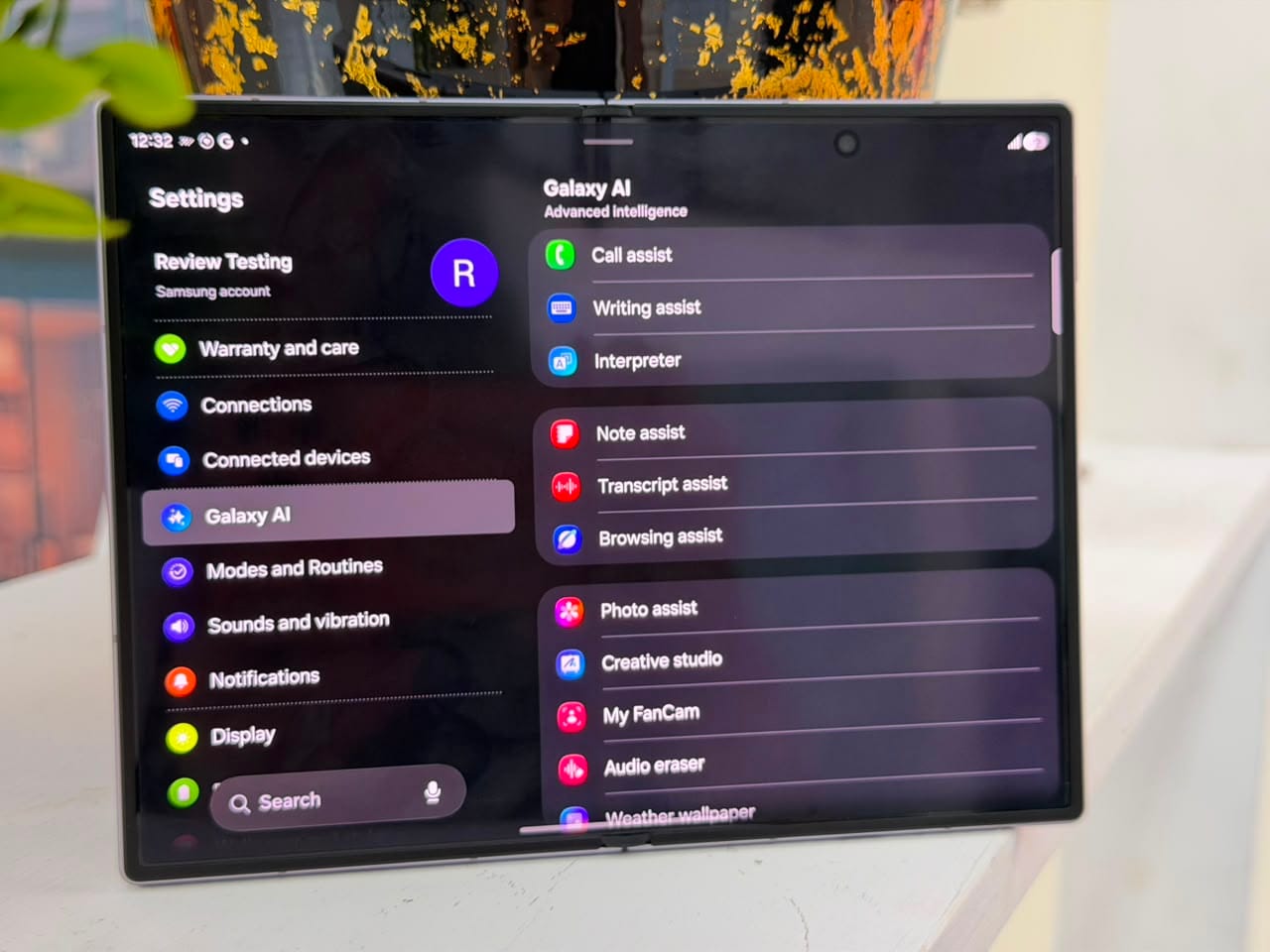
Samsung has built-in a lot of AI features into One UI 9, and the Fold 8 will be equipped with Samsung’s Galaxy AI tools as well as Google’s Gemini.
Some of them are really useful.
Nudge can now offer actions based on what is occurring on the phone, and Gemini can interact with supported apps and execute some of these actions.
Transcript Assist is another helpful productivity tool that makes sense on a device geared toward productivity. For people who conduct interviews, meetings or discussions on a frequent basis, having the phone transcribe what they say can save time.
There’s also a helpful Photo Assist feature.
I love the feature to remove objects from photos which isn’t always possible. It is not flawless all the time, but good enough enough that I can envision using it on a regular basis.
AI editing features are also available with Creative Studio.
However, I wouldn’t purchase the Fold 8 for Galaxy AI.
These are nice features, but don’t make the Fold 8 all that special.
The real reason to buy this phone is the combination of the two displays and the software built around them.
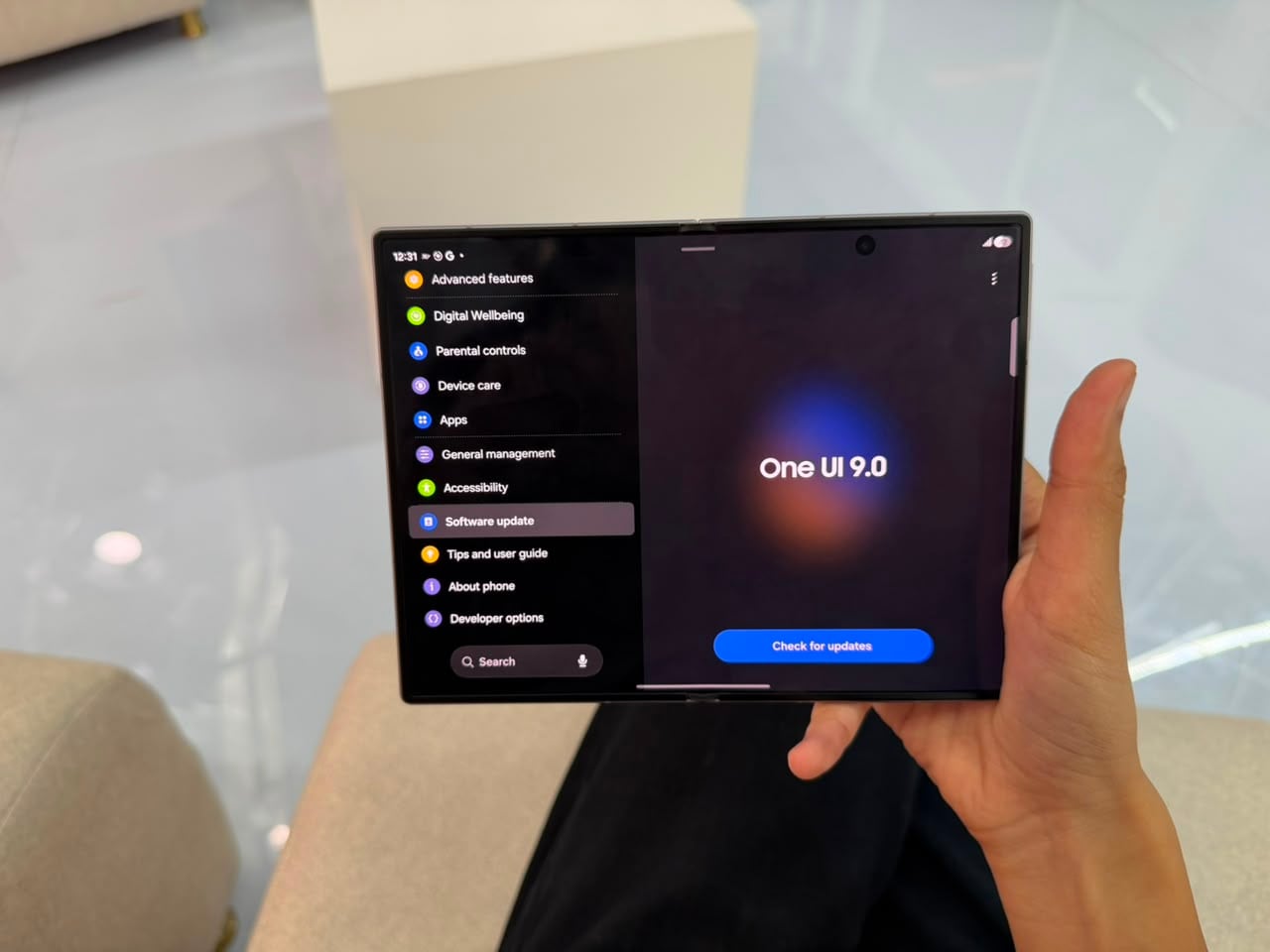
Kudos to Samsung for this.
The hardware might be wonderful, but if the software applications makes use of the inner screen as if it were an extended handset display, then a lot of the benefits are lost.
One UI 9 doesn’t do that.
The launching of the phone changes the layout of the apps, multiple windows can run together, and the taskbar simplifies switching between apps.
Ecosystem is another perk Samsung has.
The features like file sharing, cross device connectivity, etc. make it more seamless if you already have a Galaxy tablet or Samsung laptop.
Samsung DeX is also convenient.
Tap the Fold 8 to a larger display, and you’ll see a desktop-like interface. With the strength of the hardware, the phone can do some tasks that are normally done with a laptop without having to use another computer.
It is another instance of the Fold 8 being able to do something that a traditional smartphone can’t.
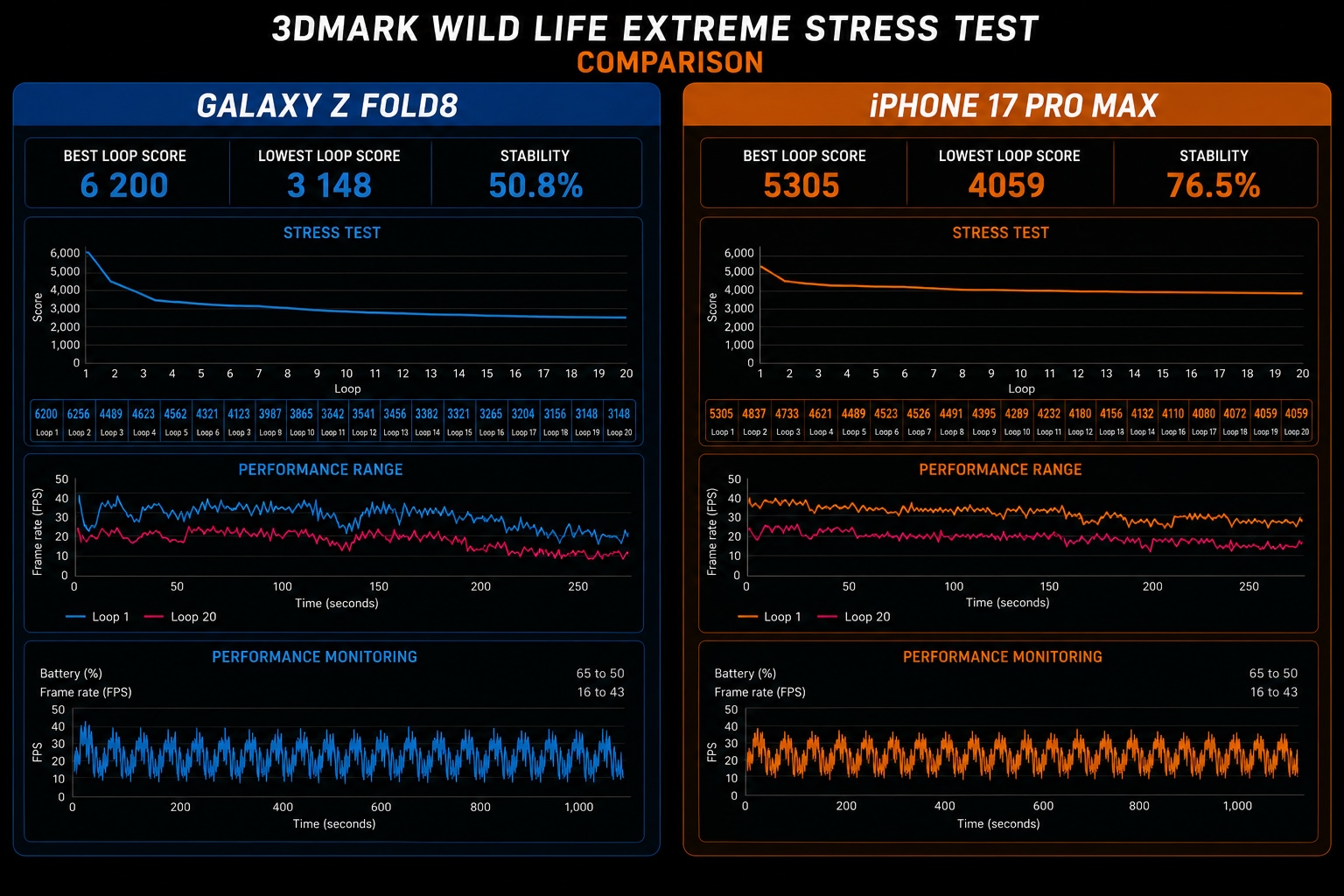
3DMark:
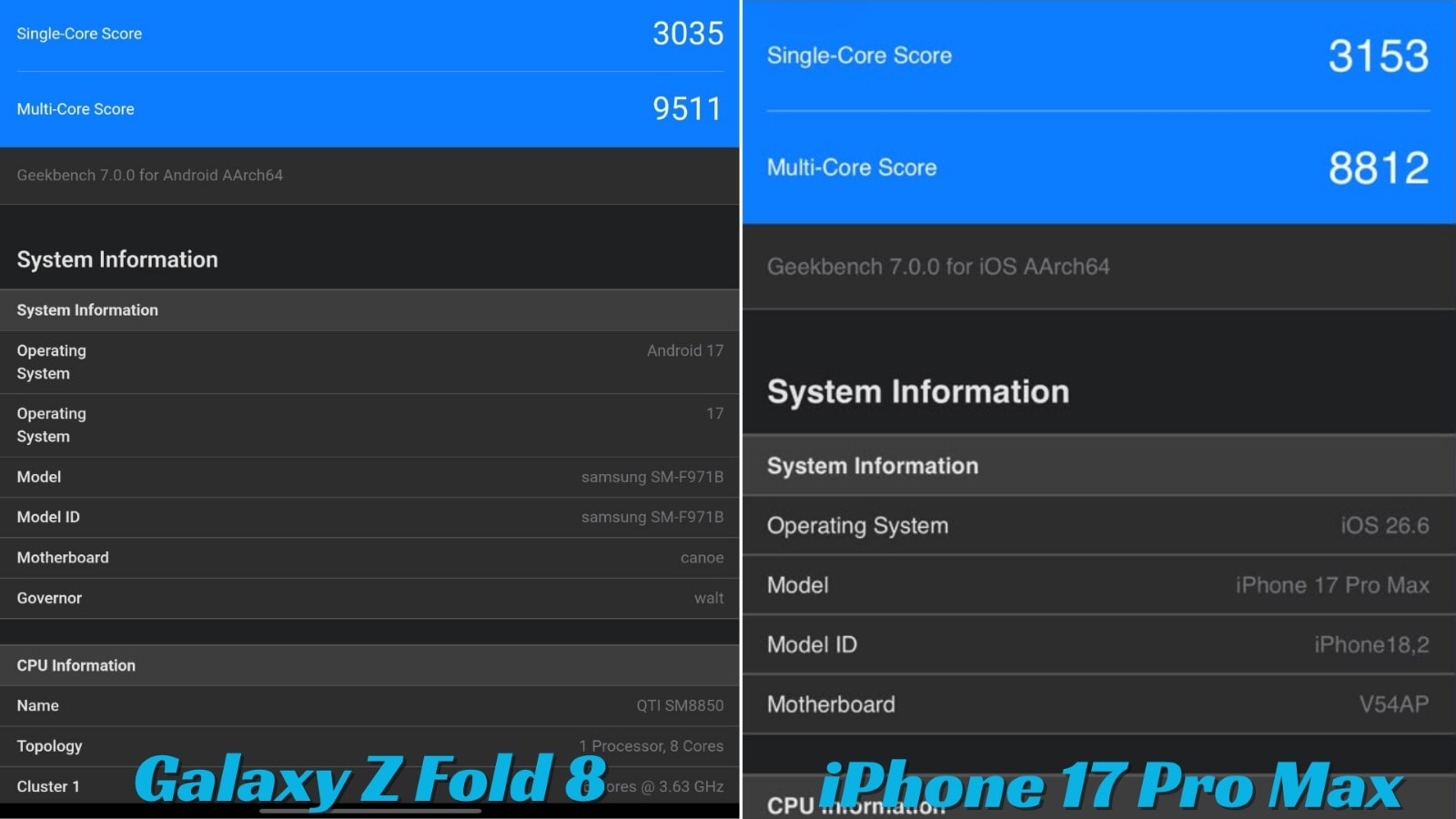
Geekbench:
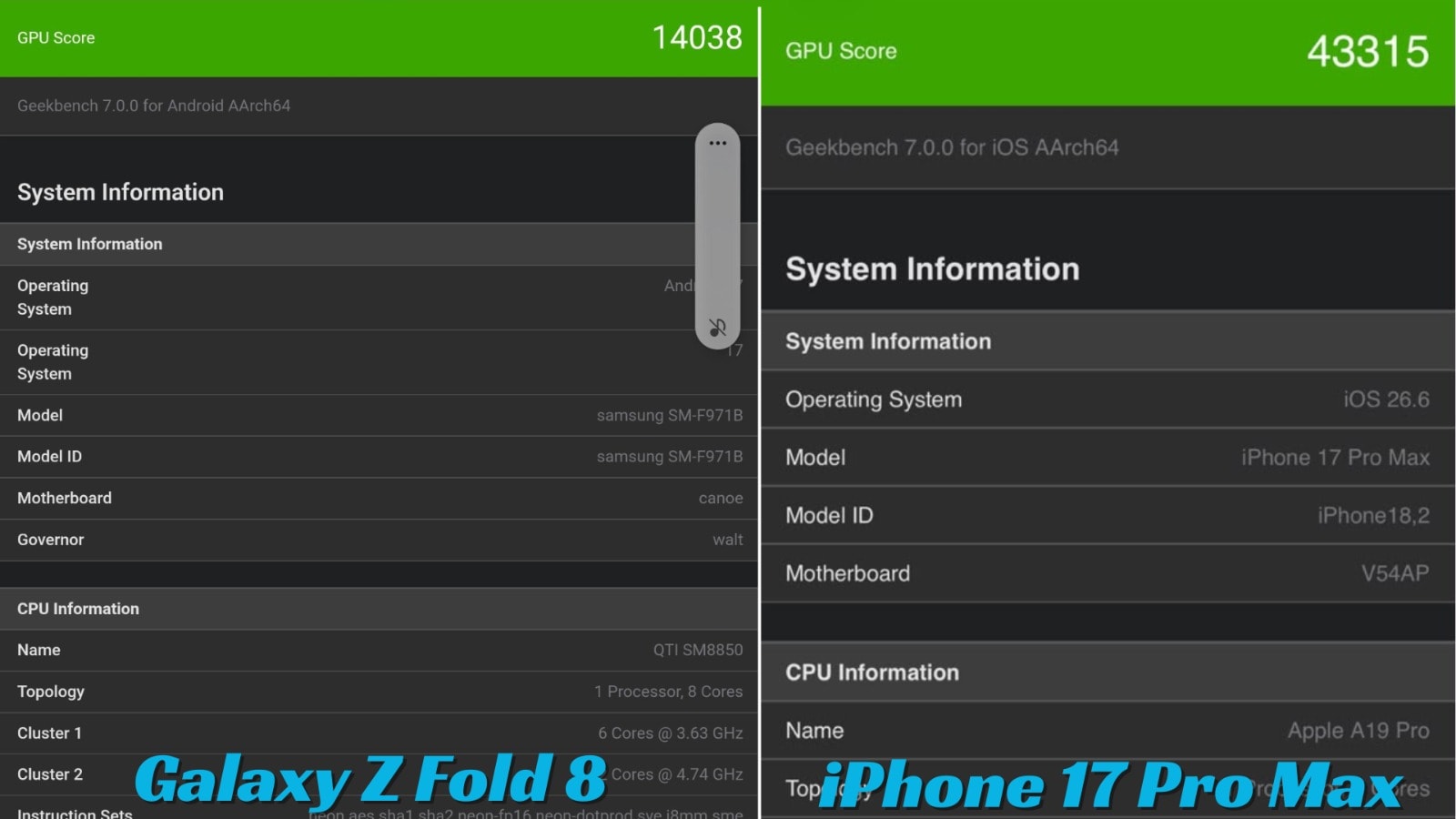
Geekbench GPU scoring:
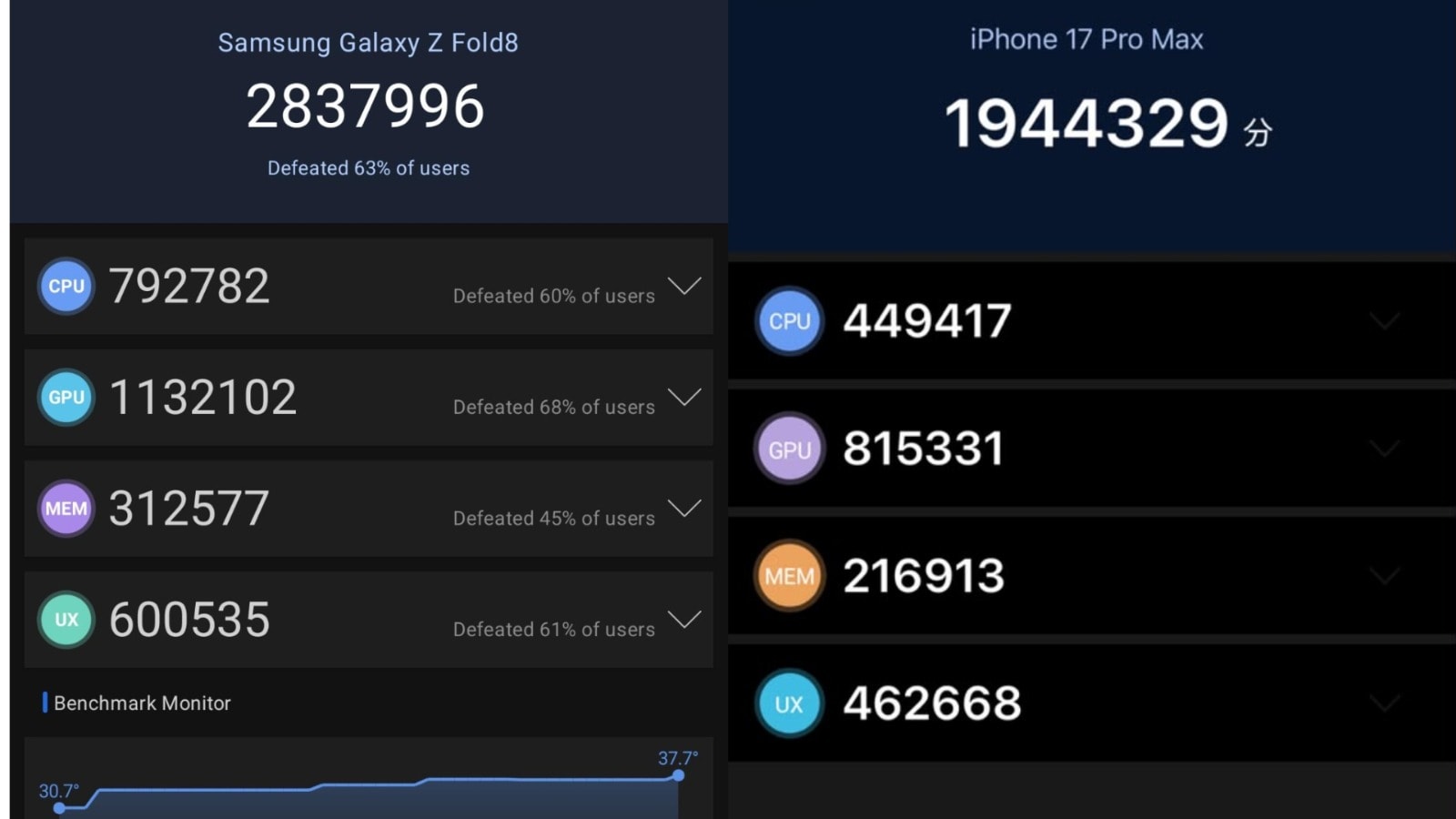
AnTuTu scoring:
There is one Samsung foldable feature that I found myself missing: Flex Mode.
Partial folding is also available on some Samsung foldables that lets you run various apps side by side.
It can be helpful for watching videos, taking photos or simply resting the phone on a surface without the need of a stand.
Its hinge doesn’t allow for the same experience of Flex Mode as the Fold 8 does.
It isn’t a deal-breaker for me, but it’s a bit saddening that Samsung has been promoting Flex Mode as a key feature in their foldable line over the years.
The speakers are loud enough, and sound good on a phone.
Viewing the videos on the inside screen is fun, and the dialogue is easy to understand.
But when the phone is held sideways the stereo isn’t as convincing.
It’s not a major problem but it’s more evident as the Fold 8 gives you the opportunity to use it as if it were a tablet.
Obviously headphones, or even external speakers, aren’t a worry.
The new form factor is easily my favourite part of the phone.
It wasn’t initially something that I believed in, but over time, the shorter, wider form began to feel more like it.
When closed, the Fold 8 is compact, but when opened it is a useful item.
The inside display is also a big bonus.
It’s not merely for show. I really put it to use for reading, browsing, multitasking and watching video on the extra screen.
I also found myself using multitasking a lot more than I thought.
Excellent performance, good gaming, and reliableness of the battery life for this thin device.
I also appreciate Samsung’s not compromising at all the overall flagship experience, in its change of design.
The obvious issue is the price.
The Fold 8 costs Rs 1,79,999 which makes it a no impulse buy.
An equivalent good conventional flagship can be purchased at a much lower cost. There is also a good tablet available that you can purchase separately for about the same price, and a flagship phone.
The most important question you should ask before purchasing Fold 8 is that.
Do you pay for higher specifications or convenience?
The Fold 8’s claim to fame is that it replaces two devices or you constantly switching between your phone and tablet.
How much you will use the larger screen is the only thing that will dictate whether this convenience is worth the cost or not.
The camera rig is another compromise.
The main camera and ultrawide camera are okay, but without the telephoto option it is an odd addition for this price range.
The cover display also takes some getting used to, particularly when typing.
Another small disappointment is the lack of Flex Mode.
None of these are off-putting qualities for the Fold 8.
They just get harder to overlook when it comes to spending Rs 1,79,999.
This is perhaps the challenging question.
I wouldn’t advise spending this much money on the Fold 8 if you want the fastest charging phone, the best camera phone or the best value flagship.
The flagship phones are available at the conventional price with bigger batteries, faster charging, and more versatile camera system.
But that’s not the entire Fold 8 story…
It’s not just the Snapdragon processor, AMOLED display or camera that you’re paying for.
You’re buying the combination of a phone and a tablet.
This year, I believe Samsung’s new shape is making me think it’s more feasible.
When closed, the Fold 8 is just as small to be used as a regular phone. Once open, it will offer you a 7.6-inch display that is all right for reading, watching videos, multitasking and gaming.
That’s a mix that is still unavailable on a regular cell phone.
My Galaxy Z Fold 8 was a pleasant surprise.
I was not exactly sure I wanted Samsung to break away from the fitted and long tall and slim form of the fold. The passport-like shape seemed strange, and I was unsure if it would make talking on the phone more difficult.
I feel that the change makes more sense than I thought after using it.
The Fold 8 isn’t perfect as a conventional smartphone. The cover display is wide, typing can feel cramped and one-handed use isn’t always comfortable.
But as soon as you take the lid off the phone begins to make sense.
The 7.6-inch screen is great, One UI 9 offers decent support for multitasking, and it’s an actual improvement to make use of the larger screen.
It’s easy to make it perform well enough for anything you can throw at it. Gaming is good but can get hot when it’s played for longer periods, and some titles still require further optimisation for the foldable.
The battery life is solid, the construction quality is top-notch and Samsung’s software is one of its greatest assets.
The worst of all the compromises are the cameras. The main and ultrawide cameras are capable but the absence of a telephoto lens is a bit strange for this price on a phone.
Then there are the lesser compromises, like the snookered typing experience on the cover screen and the lack of Flex Mode.
All of these changes have little to no effect on the larger picture, however.
If you purchase a conventional flagship and a good tablet independently, you’ll spend about the same amount of money. The Fold 8’s claim is you don’t need two devices or need to constantly switch between them.
I think so much more after using it.
If you already have a high end smartphone, and you are not interested in foldables, then there is not much reason to pay Rs 1,79,999 for Fold 8.
However, if you’ve been looking for a foldable that is also usable daily, then this is one of the best choices.
It is expensive. It has compromises. Not everyone will find it to be a good fit.
It is also one of the most versatile phones of Samsung.
The Galaxy Z Fold 8 is more than just a folding handset.
It’s a phone that makes you want to fold it!
Which, in turn, is why the Galaxy Z Fold 8 is worth considering.


