


Written By Divya
Edited By: Divya | Published By: Divya | Published: Dec 23, 2025, 09:35 PM (IST)


Written By Divya
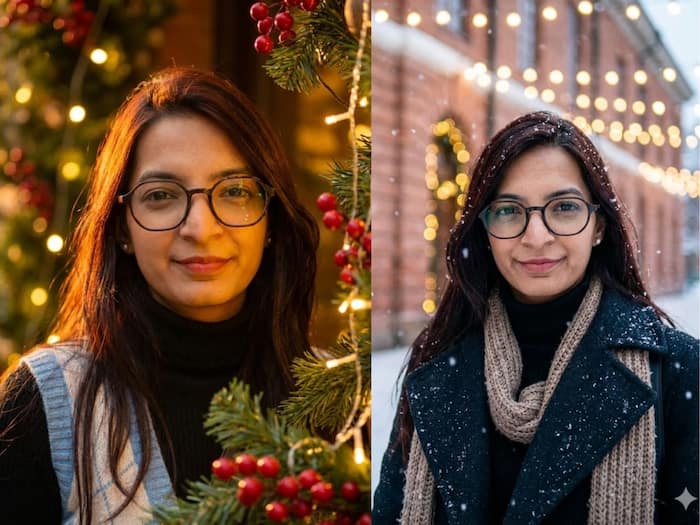
Christmas is almost here, and along with decorations, lights, and music, there’s another fun way people are getting into the festive mood – AI-generated Christmas portraits. If you’ve been scrolling social media and wondering how everyone suddenly has studio-style holiday photos, the answer is simple: AI image tools.
With newer image models now available, turning a normal selfie into a Christmas-themed portrait doesn’t take editing skills or fancy software. All you need is a good photo and the right prompt. Wondering how to turn your selfies into Christmas AI portraits? Read on.
The steps are almost identical, whether you use Google’s Nano Banana Pro or OpenAI’s ChatGPT Images.
If you are looking for the prompts, then try these:
You can also try winter-themed prompts with snowfall, scarves, coats, or outdoor lighting for a more cinematic Christmas feel.
For best results, use a clear, well-lit selfie where your face is fully visible. Avoid heavy shadows, sunglasses, or filters. The clearer the original photo, the easier it is for the AI to preserve your real features.

Also, always mention in your prompt that the AI must retain your original facial structure and identity. That one line makes a big difference.

Don't Miss Out the Latest Updates. Subscribe to Our Newsletter Today!
