



Written By Shubham Arora
Edited By: Shubham Arora | Published By: Shubham Arora | Published: Mar 12, 2026, 08:00 AM (IST)
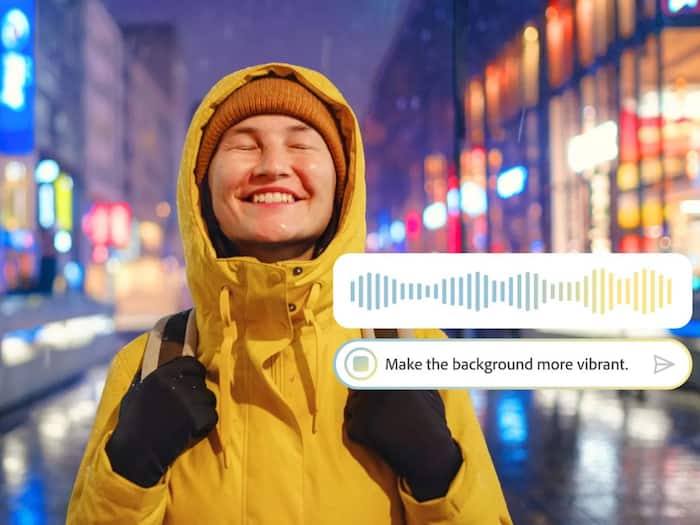
 Adobe has introduced an AI assistant in Photoshop that allows users to edit images using text prompts.


Written By Shubham Arora
Adobe has introduced an AI assistant in Photoshop that can help users with certain editing tasks. The feature is currently available in public beta and can be accessed through the web and mobile versions of Photoshop. At the same time, the company has also added a few new tools to the Firefly Image Editor. These updates were first shown during Adobe’s MAX creativity conference, and the beta version has now started rolling out to users.  Also Read: YouTube’s AI tool to detect deepfakes now available to journalists and government officials
Adobe confirmed that the AI Assistant in Photoshop has entered public beta, allowing users to edit images using simple text prompts. According to Adobe’s announcement, users can describe the changes they want, and the assistant will apply those edits automatically. Also Read: Google’s Gemini Embedding 2 lets AI understand text, images and video together
For example, users can ask the AI assistant to remove unwanted objects, change backgrounds, adjust lighting, or refine colours in an image. The tool can also provide step-by-step guidance for users who want to manually apply the edits themselves. Also Read: Waiting for ChatGPT adult mode? OpenAI says it’s not coming soon
As reported in Adobe’s official update, the feature is available on Photoshop for web and mobile. Paid Photoshop subscribers can use unlimited AI edits and image generations with the assistant until April 9, while free users can access up to 20 edits.
Alongside the assistant, Adobe has also introduced an AI-powered Markup tool in Photoshop’s web version. The feature allows users to select a specific part of an image and apply changes only to that section.
For instance, a user can highlight an object in a photo and ask the assistant to modify it with a prompt. The feature works inside the contextual task bar and is designed to give users more control over where AI edits are applied.
Adobe has also expanded editing features inside the Firefly Image Editor. These tools allow users to modify images using prompts, similar to the Photoshop assistant.
The update adds tools such as Generative Fill, Generative Remove, Generative Expand, Generative Upscale, and a background removal option that works with a single click. Adobe says these features are now available globally and are meant to make common editing tasks faster, without needing to switch between different tools.

With these additions, Adobe is gradually bringing conversational AI into more of its creative apps. Similar assistants have already been introduced in products like Acrobat and Adobe Express, and Photoshop is now getting the same treatment.

Don't Miss Out the Latest Updates. Subscribe to Our Newsletter Today!
