


Written By Divya
Published By: Divya | Published: Jun 10, 2026, 08:55 AM (IST)
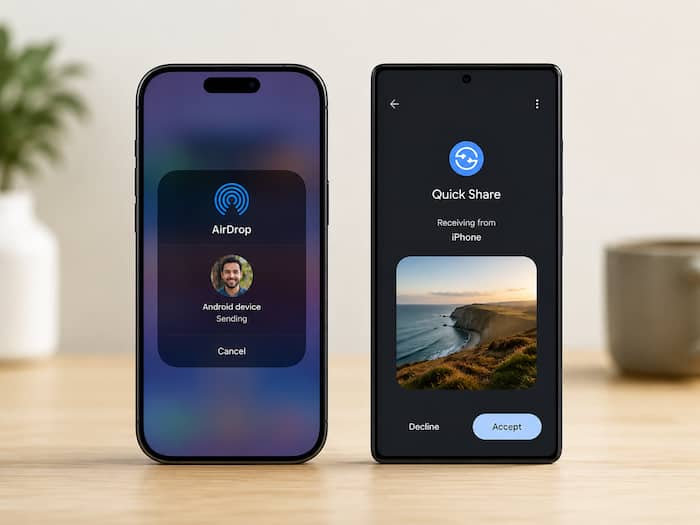
 Transfer photos and files from iPhone to Android without apps: Here's how (Image: AI Generated)


Written By Divya
Moving files between an iPhone and an Android phone has never been the easiest task. We all know that. Whether it is about sharing photos after every outing or trip with non-iPhone users or quickly dropping those work-related documents without further delaying the projects – iPhone to Android and vice-versa file sharing is a real task.  Also Read: iOS 27 Public Beta is here: Eligible iPhones, new features and how to download
While AirDrop works brilliantly between Apple devices and Quick Share does the same on Android, transferring files across the two ecosystems often ends up involving messaging apps, cloud storage or even emailing files to yourself. Also Read: Apple iPhone 18 Pro leaks: Expected specs, smaller Dynamic Island, camera upgrades, all we know
But do you know, there is a simple way to share files between Android devices and iPhones using Quick Share and AirDrop? Yes, without any third-party app. Here is how it works. Also Read: Apple could launch revamped Apple Pencil lineup with M6 iPad Pro in 2027: Report
To understand it, let’s begin with Android to iPhone sharing. However, before you start the process, make sure that Quick Share is enabled on your Android phone and that it is visible to all nearby devices. Similarly, check that AirDrop is enabled on your iPhone. Just go to the Control Centre, enable AirDrop and set visibility to “Everyone for 10 Minutes.” Once all of the prerequisites are done, then follow these steps:
The iPhone user will then receive an AirDrop-style prompt asking whether they want to accept the file. Once accepted, the transfer will begin.
How to send files from iPhone to Android
Now, the process works in the opposite direction too. First, make sure Quick Share is enabled on the Android device and that it is discoverable to nearby devices.
The Android device will receive a notification asking whether it wants to accept the incoming file. Tap Accept and the transfer should start immediately.

This is a simple way to share files from iPhone to Android and vice-versa. The good part is that you no longer need to rely on messaging apps, cloud links or cables for basic file transfers. Once AirDrop and Quick Share are enabled, sending photos, videos and documents between the two platforms becomes much quicker and more convenient.

Don't Miss Out the Latest Updates. Subscribe to Our Newsletter Today!
