



Written By Deepti Ratnam
Published By: Deepti Ratnam | Published: Dec 11, 2025, 02:46 PM (IST)
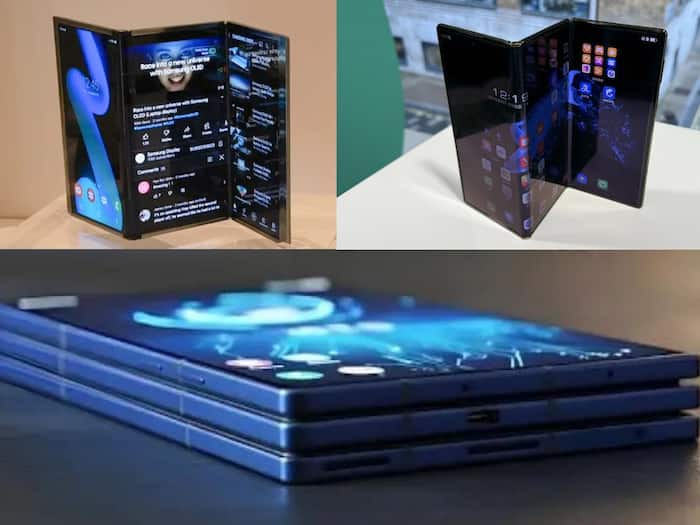
 Samsung Galaxy Z TriFold


Written By Deepti Ratnam
Samsung recently launched its highly anticipated smartphone dubbed Galaxy ZTri Fold with power-packed features and a versatile design. The device can be switched between a compact device and a large 10-inch tablet. To enhance the experience, the tech giant has quietly added an interesting feature that makes the device even more useful for PC users. Samsung added the Second Screen functionality in its Galaxy ZTri Tri-Fold smartphone.
Initially, Samsung mentioned that its Galaxy ZTriFold could run on DeX on its own display like the Galaxy tablet. In addition, the smartphone can also act as a secondary monitor for a Windows laptop or PC. Users can connect it via Miracast and can extend their desktop experience.
Samsung also offers a Second Screen app for Windows, which unlocks extra functionality, such as adjusting aspect ratios, enabling auto-connection, and syncing power settings.
The feature of the Second Screen is capable of facilitating workflows to a larger extent. Galaxy Z TriFold allows the user to drag image or video previews to the device when operating the media or in reference when working on the main PC screen. This flexibility enables professionals and content creators to execute multiple tasks at once without requiring another external monitor.
Extended Mode can also be used in the Galaxy Z TriFold, where the phone can cast its screen to another external monitor or TV. Samsung, however, has not incorporated a feature like the tap-to-cast of the Pixel Tablet, which would enable wireless casting of a Galaxy phone straight to the TriFold or any other Samsung tablet.
The Galaxy Z TriFold is designed to be more than a foldable phone with its dual-purpose design and increased productivity capabilities, and hence, it can be a portable workstation that can be customized to fit any workflow.


Don't Miss Out the Latest Updates. Subscribe to Our Newsletter Today!
