



Written By Shubham Arora
Written By Shubham Arora
Edited by Shubham Arora |Published: May 02, 2026, 11:07 AM (IST)
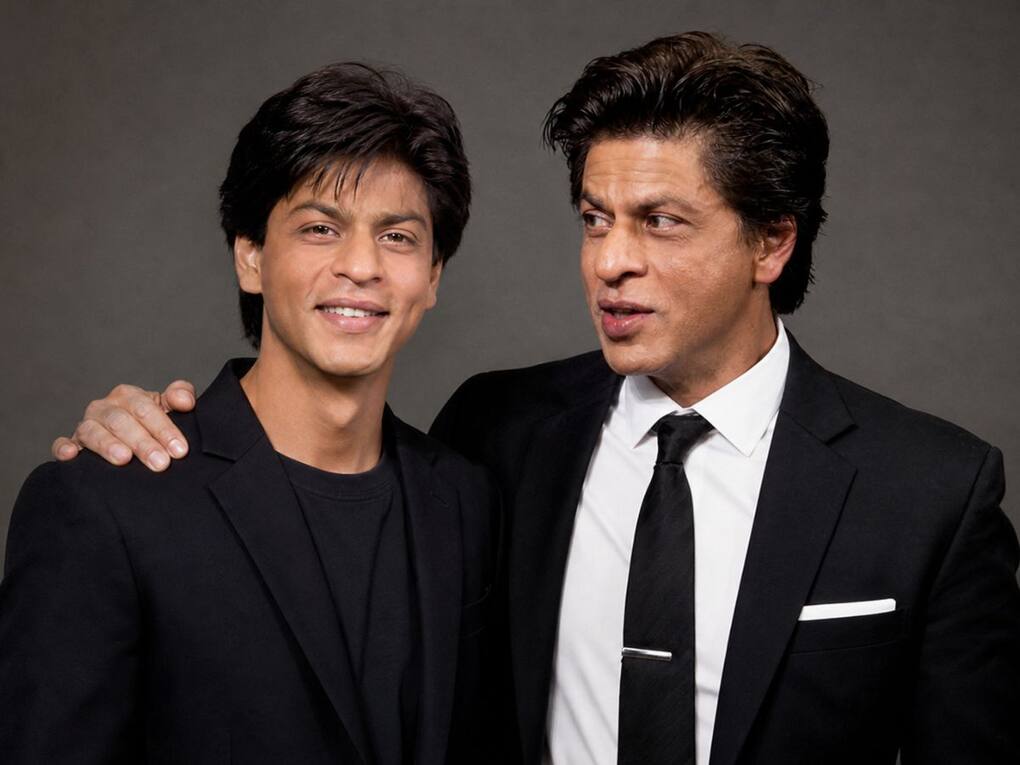
 Users are creating AI images with their younger selves using ChatGPT and simple prompts.
A new trend has been picking up on Instagram, where people are creating images of themselves standing next to their childhood version. The idea is simple, but the results are quite personal. Instead of just posting old photos, users are combining two timelines into one frame using ChatGPT and similar AI tools.  Also Read: OpenAI rolls out ChatGPT Health with Apple Health and medical records integration
You’ll usually see the present version looking at the younger one, sometimes smiling, sometimes just observing. That small interaction is what makes these images stand out. It feels more like a moment than just an edited picture. Also Read: OpenAI’s first AI device could be a screenless smart speaker that follows you around
The “meet your younger self” trend is built around placing your past and present together in a single image. You upload a current photo and a childhood picture, and the AI blends them into a realistic scene. Also Read: UK plans default social media curfew for teens after midnight: Here's how it will work
Most images are designed to look natural. Some show both versions sitting together, while others use a mirror or a simple studio setup. The focus is not just on accuracy, but also on how the two versions interact in the frame.
You don’t need much to try this. Just two photos and a clear prompt.
Start by picking a recent photo where your face is clearly visible. Then choose a childhood image where your features can be recognised easily. Once you have both, open ChatGPT’s image tool or any AI image generator.
Now comes the important part — the prompt. Instead of writing something basic, describe the scene properly. Mention where both versions are, what they are doing, and how the lighting should look.
After that, generate the image and tweak the prompt if the first result doesn’t look right.
Here are a few simple prompt styles people are using:
Studio-style setup
“Create a realistic image of me and my younger self standing side by side in a studio. Keep the background simple, use soft lighting. My younger self should be smiling, and my present self should be looking at them.”
Outdoor setting
“Create a natural scene where I am sitting with my younger self in a park during sunset. Keep the lighting warm and expressions relaxed, like a normal conversation.”
Mirror concept
“Create a realistic image of me standing in front of a mirror, but instead of my current reflection, show my younger self smiling back.”
These prompts can be adjusted depending on how you want the image to look.
The trend works because it feels personal. It’s not just about showing old photos, but about visualising change over time. Many users are posting these images with captions about growth, memories, or how things have changed.
At the same time, the tools are easy to use. You don’t need editing skills, just the right photos and a clear prompt. That’s one of the reasons why it has spread quickly.

One thing to keep in mind is that AI results may not always be perfect. You might need to adjust the prompt a few times to get something that looks close to what you had in mind.


