


Written By Divya
Published By: Divya | Published: Aug 19, 2025, 01:13 PM (IST)


Written By Divya
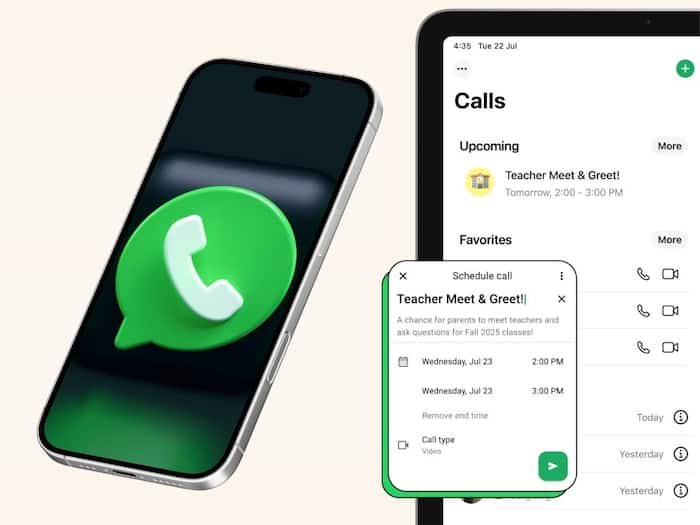
WhatsApp has introduced a new feature that will make the calling experience better and plan calls in advance. If you have ever encountered issues with calling on WhatsApp, whether it is related to inviting contacts for the call or letting others join a call later, then this new feature will solve most of those problems.  Also Read: 6 hidden features WhatsApp and Instagram users ignore
WhatsApp has this latest feature — Schedule Calls, which will let you plan and organise your professional as well as personal calls in advance. If you are wondering how to use this feature, then here is a quick step-by-step guide for you. Also Read: Why is this country banning WhatsApp? Here’s what’s happening
To access the feature and schedule a call in advance, you will need to access the feature from the calls tab. Just follow these steps:
Not only that, your calls will be synced to the Google Calendar for easier access.
Apart from this scheduling calls feature, WhatsApp has also got a new feature which looks similar to Google Meet. During a call, users will be able to raise their hand to indicate that they would like to speak. Or, you can also send a reaction without the need to talk.

If you still haven’t received the feature yet, then make sure that your WhatsApp is updated to the latest version. If you still can’t find it, then we suggest you wait as WhatsApp is rolling out in phases.

Don't Miss Out the Latest Updates. Subscribe to Our Newsletter Today!
