


Written By Divya
Published By: Divya | Published: Jun 01, 2026, 01:22 PM (IST)
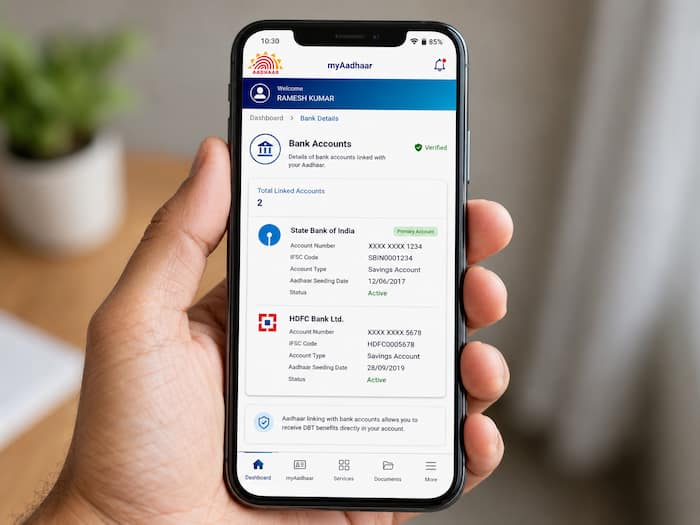
 How to find the bank account connected to your Aadhaar number
(Image: AI Generated)
How to find the bank account connected to your Aadhaar number
(Image: AI Generated)


Written By Divya
Your Aadhaar card is linked to several services today, including bank accounts, mobile numbers, PAN and government schemes. But do you know how many bank accounts are currently linked to your Aadhaar number?  Also Read: Digital India completes 11 years: PM Modi highlights AI, startups and digital growth
There are chances that you have opened multiple bank accounts in the past couple of years or may be changed banks. Many government subsidies, Direct Benefit Transfers (DBT), LPG subsidies and welfare scheme payments are routed through Aadhaar-linked bank accounts. It becomes difficult to track where your Aadhaar card is mapped. But there is a simple way to check. Also Read: These Aadhaar Card mistakes can create problems with bank KYC, how to check and fix
The Unique Identification Authority of India (UIDAI) allows you to check Aadhaar-bank linking status online. This way, you can also check whether your Aadhaar is linked to the correct bank account. Here is how to check. Also Read: PM-WANI Wi-Fi network adds QR login and short recharge plans - but what is it? Explained
To check which bank accounts are linked to your Aadhaar, simply follow these steps:
Once verified, the system will show the bank name that is currently mapped with your Aadhaar number. Also, don’t expect to see your full bank account number here. And that’s for good. UIDAI only shows the name of the bank that is currently linked to your Aadhaar.
There is a chance that your bank name isn’t correct or could be an old one linked to Aadhaar. If that’s the case, then you can add simply via net banking and mobile banking apps of your current bank account.

All you have to do is open the NetBanking or app and go to the Profile section, go to update section and enter the 12-digit Aadhaar number and verify with the OTP sent to your registered mobile number.

Don't Miss Out the Latest Updates. Subscribe to Our Newsletter Today!
