



Written By Shubham Arora
Edited By: Shubham Arora | Published By: Shubham Arora | Published: May 16, 2026, 05:54 PM (IST)
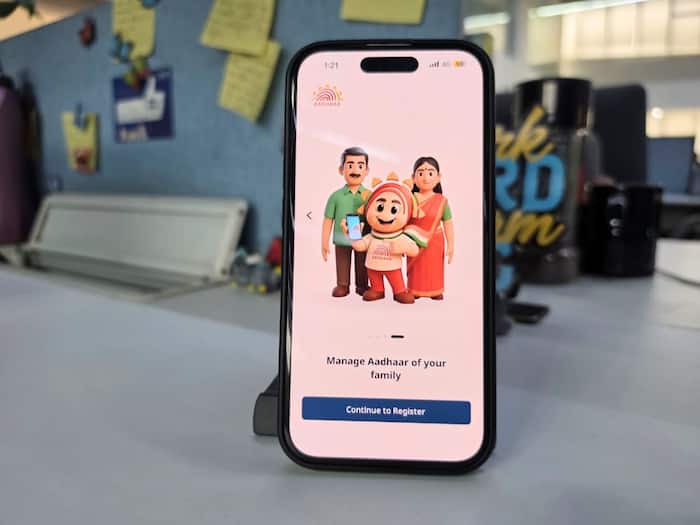
 UIDAI’s new Aadhaar app will replace the existing mAadhaar app soon.


Written By Shubham Arora
Unique Identification Authority of India (UIDAI) has announced that the existing mAadhaar app will be discontinued soon. Users are now being asked to shift to the new Aadhaar app, which is available on both Android and iPhone.  Also Read: Aadhaar linked to multiple bank accounts? Here's how to check
The new app brings a few extra privacy and security features compared to the older mAadhaar app. It now supports QR-based verification, biometric locking controls, and multiple Indian languages as well. UIDAI says the updated app is meant to offer a safer and smoother experience overall. Also Read: These Aadhaar Card mistakes can create problems with bank KYC, how to check and fix
Another thing users should know is that the old app’s data will not move automatically. So after installing the new app, profiles and other saved details will have to be added again manually. Also Read: No more carrying Aadhaar? Google Wallet now supports digital ID: How to set it up
The new Aadhaar app puts more focus on privacy and controlled information sharing. Instead of showing your complete Aadhaar details everywhere, the app now lets users choose exactly what information they want to share.
Through the “Selective Share” feature, users can share details like name, age, address, photograph, gender, or Aadhaar status without exposing the full Aadhaar number.
The app also supports QR-based offline verification. Users can generate QR codes that can be scanned at authorised verification points.
Another major addition is biometric locking. Users can lock fingerprint, face, and iris authentication data directly from the app to prevent misuse. The app also includes face authentication during setup and allows users to add up to five family member profiles.
UIDAI has clarified that the new app will not automatically import data from the older mAadhaar app. Things like downloaded Aadhaar PDFs, saved QR codes, and cached information will not carry over. Users will need to set up everything again manually.
The #mAadhaar App is retiring soon. Now experience a smarter, faster, and more secure digital journey with the new #AadhaarApp. From secure QR-based #Aadhaar sharing to enhanced privacy controls and seamless access to Aadhaar services — the new app is designed to make your… pic.twitter.com/snfeUx4Rgr
— Aadhaar (@UIDAI) May 15, 2026
If family member profiles were added in the old mAadhaar app, you will need to add them again one by one in the new app as well.

Since the mAadhaar app will stop working after retirement, users are being advised to move to the new app soon. UIDAI has also pointed out that if users lose access to their registered phone number or smartphone, Aadhaar-related services linked through the app may be temporarily affected until access is restored.

Don't Miss Out the Latest Updates. Subscribe to Our Newsletter Today!
