



Written By Shweta Ganjoo
Published By: Shweta Ganjoo | Published: Jun 17, 2024, 04:19 PM (IST)
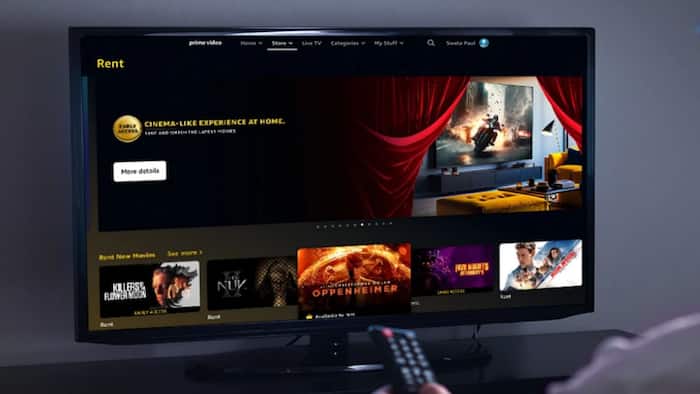
 Image: Amazon


Written By Shweta Ganjoo
Prime Video hacks: Amazon’s video streaming service, Prime Video, has one of the most diverse collection of movies and TV shows across genres and across regional Indian languages. Users can find top Hollywood classics such as Top Gun and Mission Impossible to more recent releases such as Barbie and Red, White and Royal Blue on the platform. Amazon Prime subscribers can watch these TV shows and movies on various streaming devices at any time. In addition to offering native viewing experience, Prime Video also lets users to rent exclusive movies or movies from other platforms on its platform. So, if you find a movie that you want to watch, here’s how you can rent it on Prime Video.  Also Read: Alexa could soon run on OpenAI tech as Amazon holds talks
Before we show you how you can rent movies on Prime Video, you need to ensure that your Amazon Prime subscription is active. If not, go to the Amazon website and opt for an Amazon Prime subscription plan. Also Read: Amazon job cuts in 2026: 16,000 roles impacted as AI push continues
Step 1: Open Amazon Prime Video
Just head to the Amazon Prime Video website or open up their app on your smart TV, streaming gadget, or smartphone. Once there, sign in with your Amazon user details. Also Read: Amazon layoff concerns resurface after email sent to staff by mistake
Step 2: Hunt for a movie of your choice
Once you are in, you will be welcomed by a treasure trove of movies across genres. Use the search bar for specific movies or choose to go on an exploration journey across genres and categories to uncover hidden gems.
Step 3: Select the movie of your choice
Decide on the movie that you want to watch. You can view a synopsis, watch a trailer, and find the rental fee on the movie’s detail page by clicking on the thumbnail.
Step 4: Rent the movie
Now you will see the rental options once you’ve chosen your movie. Click ‘Rent’ or ‘Rent HD’ to start the process, confirm your movie choice, and choose a payment method to wrap things up.

Step 5: Movie time
Once you have made the payment, you are all set to watch the movie. Just press the ‘Watch Now’ button to stream your movie.

Don't Miss Out the Latest Updates. Subscribe to Our Newsletter Today!
