


Written By Divya
Edited By: Divya | Published By: Divya | Published: May 04, 2026, 01:45 PM (IST)
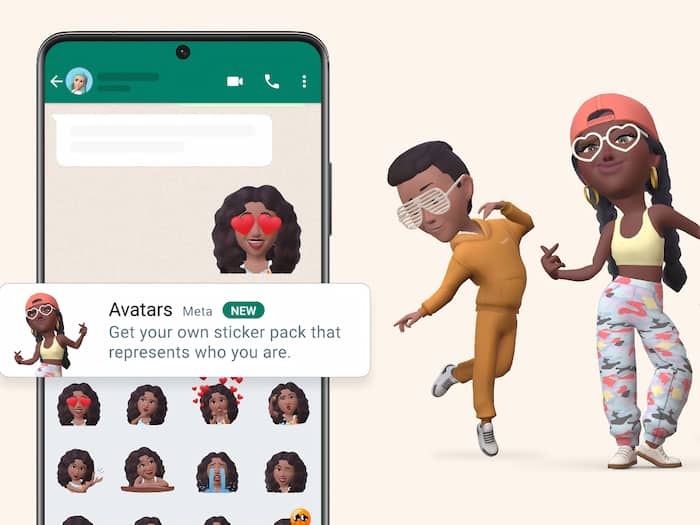
 WhatsApp Avatar feature is ending soon, the tech giant confirmed.


Written By Divya
Introduced back in 2022, the 3D avatar feature on WhatsApp is about to end soon, and it is official! The instant messaging app has revealed on its FAQ page about the avatar feature that “You can no longer create new avatars. Soon, you won’t be able to edit avatars, and they will be removed from your profile.” That means you will no longer be able to use them as your profile photo.  Also Read: Telegram vs WhatsApp: 8 features that make Telegram different
Back when the tech giant announced the Avatar feature, almost everyone rushed to at least try their hands on the new feature. The simple steps to create an avatar resembling you have been exciting for all. For a while, many users tried it out. But over time, it slowly became one of those features that just stayed there – without much regular use. Also Read: WhatsApp, Instagram and Facebook just got premium plans in India: Check price
And now, WhatsApp is pulling the plug.
With this move, WhatsApp is removing avatars from multiple parts of the app. You won’t be able to create new avatars anymore. Editing options will also go away soon. And eventually, avatars will be removed completely from your profile.
The change is not happening all at once. Instead, it is rolling out in phases. Some users may already notice that the avatar section in settings has disappeared or shows a message saying editing is no longer available.
If you already have an avatar, it won’t disappear instantly. But once the feature is fully removed, it won’t be usable anymore as a profile element.
There’s also one important thing to keep in mind — if you delete your avatar manually, it will be gone for good. There will be no way to bring it back later, since the creation option is also being removed.
There is a bit of relief here. WhatsApp has confirmed that your existing avatar stickers will still be available. So, if you’ve already used them in chats or saved them in your favourites, you can continue using them. However, you won’t be able to generate new stickers or access them directly through the avatar section or keyboard going forward.

WhatsApp has not officially explained the reason behind this decision. But the direction seems clear. Despite multiple updates and customisation options, avatars never really became a widely used feature. This is because most of the users still prefer profile photos, emojis, GIFs and standard stickers. Compared to that, avatars felt more like a one-time experiment rather than something people kept using.

Don't Miss Out the Latest Updates. Subscribe to Our Newsletter Today!
