



Written By Deepti Ratnam
Published By: Deepti Ratnam | Published: Apr 13, 2026, 09:10 AM (IST)
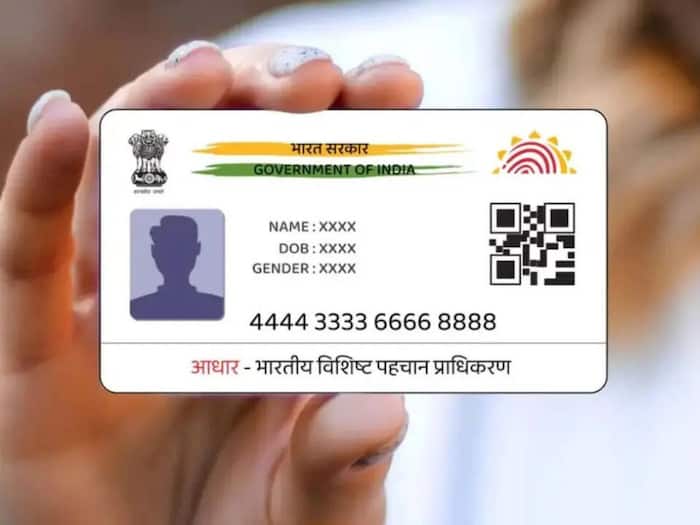
 Here’s what people dont know about aadhaar photo update: Old photo can cause rejection in banking and kyc process


Written By Deepti Ratnam
There are many people in India who still use old photos on their Aadhaar card, which is an important official document in the country. The unclear or old photo on the Aadhaar card often creates confusion and problems during bank work, KYC checks, or identity verification.  Also Read: Aadhaar card update April 2026: Change mobile number and address without visiting centre
Since the Aadhaar card is an important document in India and is used in almost every official process, it is mandatory that you have a clear photo on it. In this article, we will delve into how you can easily update your old photo on your Aadhaar card. The process is simple; you just need to be aware of it. Also Read: Using Aadhaar Card everywhere? Switch to VID to avoid falling for scams
First, let us understand why it is important to update your Aadhaar photo
Aadhaar card in India is one such official document that proves that we are citizen of the country. It is not just used for banking and government schemes, but is also used in several official tasks. Banks and financial institutions often match your live image with your Aadhaar photo.
Even on airport the Aadhaar card is checked and it gets verified with your live image. Nevertheless, if your photo is outdated, then you might face issues and it is also possible that your application may get delayed or even rejected.
That’s the reason updating your photo on Aadhaar card is necessary, especially if your card is issued many years ago.
There are many people who often gets confused that thy can update their Aadhaar photo online. However, this I not the case! The Aadhaar photo cannot be updated online or via any website or app. You can use online tools and the mAadhaar app to book an online appointment. The actual process involves visiting an Aadhaar centre.
Let’s check out how you can update your Aadhaar photo
Step 1: The first step is to download and open the mAadhaar app on your smartphone.
Step 2: The next step requires you to log in using your registered mobile number.
Step 3: Click on the ‘Book Appointment’ option available inside the app.
Step 4: In next step you need to select your city and choose the nearest Aadhaar Seva Kendra.
Step 5: You can also choose nearest enrolment centre.
Step 6: Pick a suitable date and time slot as per your availability.
Step 7: At the time of booking, select the service called ‘Photo Update’ or ‘Biometric Update’
Step 8: Now, click on the confirm button and note down the details of your appointment, including centre address and timing.
Step 9: After booking your appointment, you have to visit the selected Aadhaar Seva Kendra on your on your scheduled date and time.
Step 10: Once you reach the Aadhaar centre, inform the executive that you want to update your Aadhaar card photo.
Step 11: He will ask you to complete the biometric verifications, including fingerprint or iris scan.
Step 12: Now, get your new photo captured at the centre. They will click your photo under proper lightning and background.
Step 13: Make sure you review your details carefully before final submission.
Step 14: Updating photo on Aadhaar card requires minimal amount of Rs 100 as an update service charge.
Step 15: The Aadhaar centre executive will ask you to collect the acknowledgement slip as it contains your Update Request Number, also called URN.
Step 16: You can use the URN to track your update status online through the UIDAI portal.

Step 15: Once processed, download your updated e-Aadhaar with the new photo.

Don't Miss Out the Latest Updates. Subscribe to Our Newsletter Today!
