



Written By Deepti Ratnam
Edited By: Deepti Ratnam | Published By: Deepti Ratnam | Published: Mar 16, 2026, 12:34 PM (IST)


Written By Deepti Ratnam
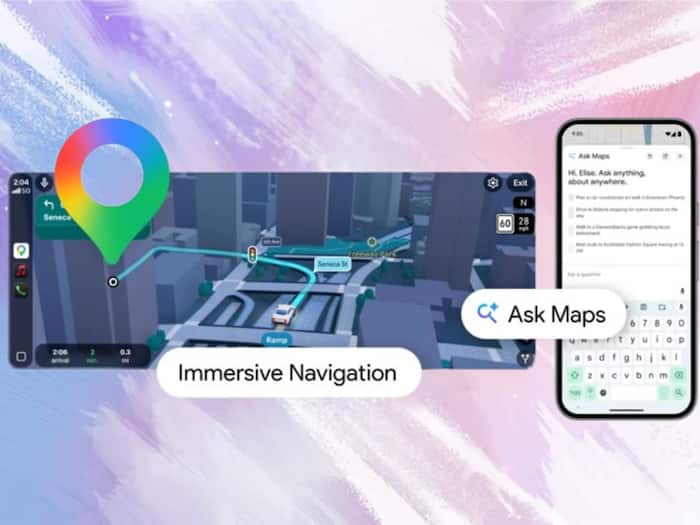
Google recently introduced a major update to its Maps, claiming it to be the biggest redesign of the app in more than ten years. This update brought a host of artificial intelligence features and tools along with improved navigation. The tech giant came up with this redesign with an aim to make travel planning and navigation easier for users. Two major additions under this update are the Ask Maps and Immersive Navigation features. In this article, we will delve into how to use this feature and explore places and follow routes.  Also Read: Google Maps gets Gemini AI feature that lets you ask questions
One of the most important features is the Ask Maps feature, wherein the feature is using the AI technology from Google’s Gemini. The feature allow users to ask questions about places in a simple conversational way. Also Read: Google Maps may soon answer your travel queries with Gemini chat; Here's how
You can ask specific questions, including where to charge their phone, where to find quite places to sit, or where to eat nearby. The system will then search for places that match the request. Also Read: Google Maps’ new Gemini feature will help you navigate better on foot and cycle
According to company, the feature analyzes a large amount of data available on Google Maps. It includes several information from more than 300 million places around the world. In addition, the tool also uses reviews and updates shared by users.
Using Ask Maps is simple once the feature becomes available on the device.
Step 1: The first step is to open Google Maps app on your smartphone .
Step 2: The next step is to search for ‘Ask Maps’ option on the main screen
Step 3: Once you tap on the Ask Maps button, an AI chat interface will open
Step 4: You can type or you can also speak your questions about a location or activity.
Step 5: The system will then analyze your question and showcase recommended places on the map
Step 6: Additionally, you can also choose a location, view directions, save it, and share it with others.
Step 7: This process allows users to find places faster without manually searching through multiple listings.
Other than answering to your questions, Ask Maps will also provide personalized suggestions. For this, the system checks previous searches and saved places to properly understand your preferences.
To understand this, if someone is searching for certain type of restaurants or cafes, then the AI system will recommend similar places, helping users to find locations that match their interests.
Once you select a place, the feature will help you to take action. It may allow you to save the location and share it with friends or book reservations.
Another major update that Google brought is the Immersive Navigation, introducing 3D viual system, making the maps look even more realistic.
The newly launched immersive navigation highlights essential road details, such as lanes, crosswalks, traffic lights, and stop signs. In addition, the feature also showcase building and surrounding areas in more realistic way.
Step 1: The first step is to open the Google Maps app on your smartphone.
Step 2: The next step is to enter the destination in the search bar.
Step 3: You will see a Directions button, tap on it to start navigation.
Step 4: Now, you have to select your travel mode such as driving or walking.
Step 5: As soon as start navigation, the map will automatically display the immersive 3D route view.

The Ask Maps feature is currently rolling out in the United States for Android and iOS devices. Immersive Navigation is also starting to roll out gradually and it will also expand to more devices. that support Android Auto and Apple CarPlay.

Don't Miss Out the Latest Updates. Subscribe to Our Newsletter Today!
