Written By Deepti Ratnam


Written By Deepti Ratnam
Edited by Deepti Ratnam |Published: May 13, 2026, 11:46 AM (IST)
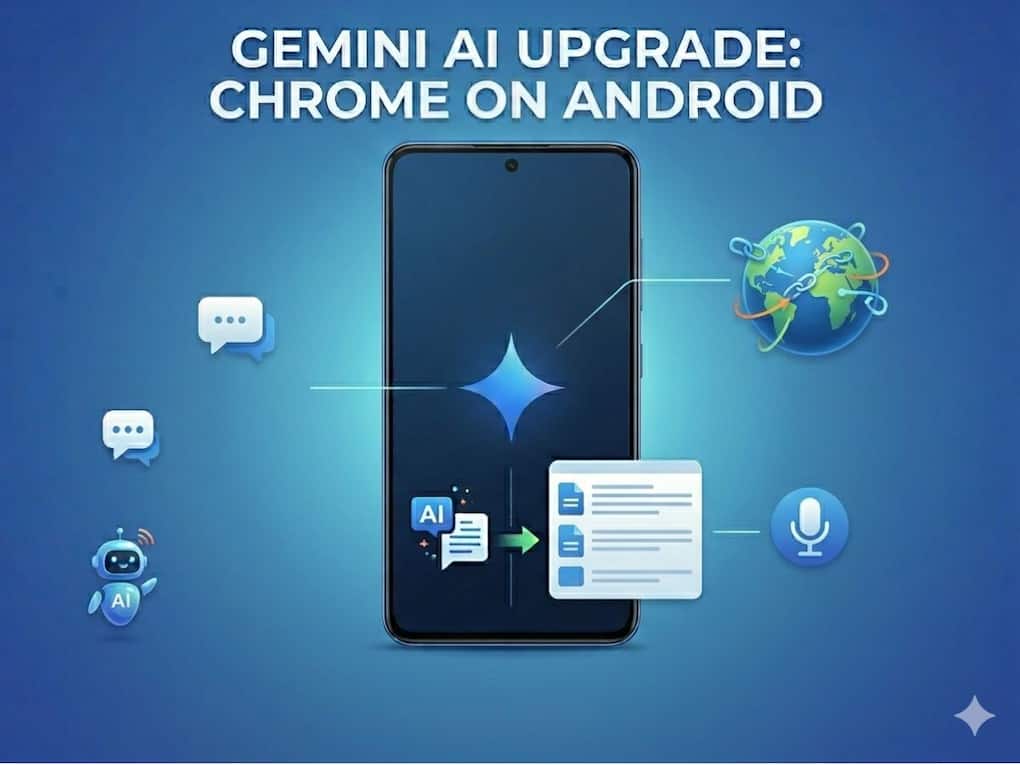
 Chrome on Android is no longer just a browser, it is becoming an AI assistant
Chrome on Android has always been like what it sounded: a tool for switching between tabs, opening websites, and reading pages. However, now it is moving toward something very different that will change the overall experience of how you use Chrome on Android. With the latest rollout of Gemini-powered features, Chrome on Android is becoming a browser that does not just show you the information, but understands it. It will now be able to summarize something for you, connects it across apps, and even completes tasks on your behalf. The features I have been waiting for years!
In simple terms, Chrome is shifting its focus from being just a tool to becoming like an action layer that is powered by AI.
And that change is not cosmetic. It is structural.
This change in shift will modify how mobile browsing actually feels.
Chrome has always been something passive for most of the Android users. It means, you open a page, read it, and move on. But with the latest Gemini integration, this behavior is changed completely. Rather than just simply displaying content on your search page, Chrome will now understand what is on the page and responds to it in real time.
It will not just summarize long articles, but also explain complex topics in simple terms. Additionally, it will even compare information across different websites, that too without requiring the user to switch tabs or apps. This flexibility of providing essential information removes major friction point in mobile browsing, wherein multitasking has always been limited by small screens and constant apps witching.
The biggest change that Google brought with Gemini integration in Android is not just AI Summaries, rather it now brings context awareness. Gemini inside Chrome will now understand the page you are viewing and it will respond to you based on that specific content.
This means users can:
So instead of searching for answers separately, the browser will now itself becomes the place where you can read the answers generated.
One of the most important shifts that we have seen is that how Chrome connects across app inside Google’s ecosystem. It is no longer just limited to the browsing pages, and hence, this makes it function as a bridge between services.
Users can now use Gemini in Chrome to:
All these features together changes Chrome from a browsing tool into a productivity layer that will sit on top of multiple apps.
Another significant addition is auto browse on Android, allowing Chrome to perform multi-step actions. It will not just assist you with information.
To understand this in a better way, for example, it can:
Nevertheless, Chrome will still ask for confirmation and permission before completing sensitive actions such as payments or posts. This will not just create a balance between automation and user control, but will also enhance the user experience, especially after AI systems are taking more direct action on behalf of users.
Another interesting update is the integration of Nano Banana capabilities inside Chrome. This addition will allow users to generate modify images directly while browsing.
It can:
Google is changing how information is consumed. Rather than only reading content, you can now transform it into visual formats instantly inside the browser.
Users who have long time association with Chrome have always considered it as a utility. Something simple! Something predictable! However, after the introduction of Gemini the relationship changed.
Currently, browsing is no longer just about opening websites. It is becoming about interacting with content, receiving AI-generated outputs, and delegating tasks, especially based on what is on screen.
This is a small but important shift in behavior. The browser now don’t act as a passive window, rather it is becoming an active participant with user.
Chrome is becoming more capable and its security is also turning more critical. AI systems that can actually take actions is also including and introducing more risks if they are manipulated incorrectly.
This is where Google enters and the company is adding protections against threats like prompt injection. Under this threat, malicious instructions are hidden inside the web pages that could influence AI behavior. The tech giant also added Auto Browse feature that includes confirmation steps before executing sensitive tasks or prevent misuse.
What is new in Chrome on Android with Gemini?
Chrome on Android now includes Gemini AI features
Is Chrome becoming an AI browser now?
Yes
What is auto browse in Chrome?
Auto browse is a feature that allows Chrome to complete multi-step tasks
Can Gemini in Chrome access other apps?
Yes
Is Chrome on Android still secure with AI features?
Yes

What devices will get Gemini in Chrome?
Gemini in Chrome is rolling out to select Android devices running Android 12 and above.