



Written By Shubham Arora
Published By: Shubham Arora | Published: Mar 31, 2026, 10:56 PM (IST)
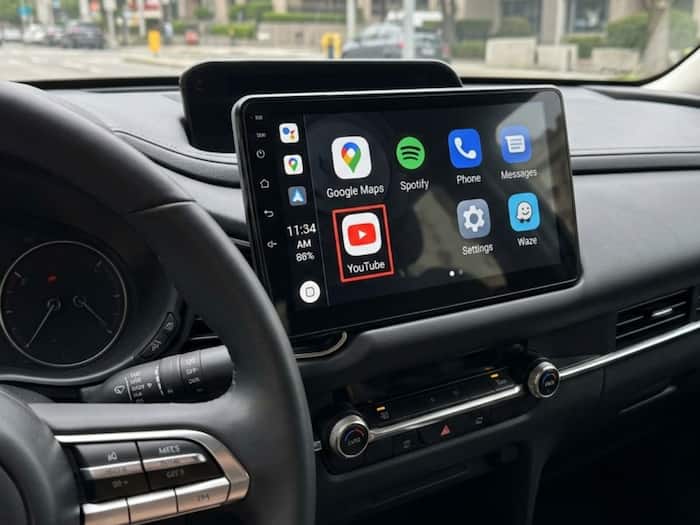
 YouTube appears on Android Auto with audio-only playback and limited controls.


Written By Shubham Arora
Google seems to be testing something new with YouTube on Android Auto, but this isn’t the kind of update most users would expect. Reports suggest that YouTube has started appearing on Android Auto for some users, although there hasn’t been any official announcement yet.  Also Read: Google Startup Accelerator 2026: Applications open for India - how to apply now
At first glance, it sounds like you’ll be able to watch YouTube videos on your car’s screen. But that’s not really how it works. Also Read: Google Pixel 11 leak reveals design: Subtle changes with thinner bezels
The biggest thing to understand here is that YouTube on Android Auto works only as an audio service. You can play videos, but you won’t actually see them on the car display. Also Read: Google rolls out Ask Maps in India: How users can find places faster than ever
Instead, the content runs in the background, similar to how music or podcast apps work. So if you’re listening to interviews, podcasts, or news videos on YouTube, it will play just the audio while you’re driving.
This is mainly because of safety rules. Allowing full video playback on a car screen could be distracting, so the feature has been limited to audio-only use.
The controls are quite basic. You can play, pause, or skip to the next video using your car’s media controls. That’s about it.
There’s no proper browsing option on the screen, so you can’t really search for new content while driving. You also can’t skip forward within a video. The skip button simply takes you to the next item in the queue.
So in a way, it feels more like you’re just playing something from a queue, rather than actually using the YouTube app like you normally would.
One more thing to keep in mind is that this setup depends on background playback. And that’s usually tied to a YouTube Premium subscription.
If you don’t have it, the audio may stop as soon as you switch apps or open navigation. This is similar to how YouTube works on phones as well.
The approach here is fairly clear. Instead of bringing full YouTube access to cars, Google is trying to fit it within existing safety limits.
Android Auto has always focused on reducing distractions, and this update follows the same idea. You still get access to YouTube content, but in a way that doesn’t take your attention away from driving.

Right now, this feature is only being spotted by some users and seems to be rolling out quietly. There’s no confirmation on when it will be available more widely.

Don't Miss Out the Latest Updates. Subscribe to Our Newsletter Today!
