



Written By Shubham Arora
Published By: Shubham Arora | Published: Mar 31, 2026, 11:34 PM (IST)
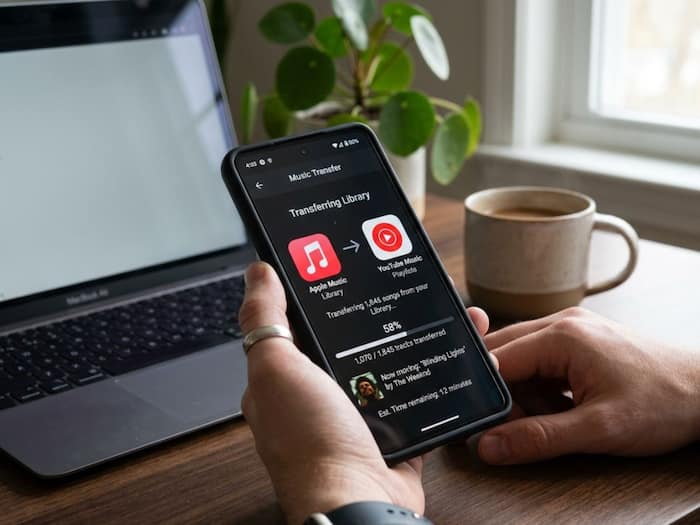
 Apple Music playlists can now be transferred directly to YouTube Music.


Written By Shubham Arora
Switching music apps is not always easy, especially if you have spent years building playlists. If you are moving from Apple Music to YouTube Music, the good part is that you don’t have to start from scratch.  Also Read: How to Send Large Files Online Without Hassle
Apple now lets you transfer your playlists directly, so most of your saved music can move across without much effort. That said, there are a few things to know before you begin, and the process works a little differently than you might expect. Also Read: 7 Signs Your Social Media Account May Be Unsafe
Before you begin, make sure both your accounts are active. You need a working Apple Music subscription and a YouTube Music account to complete the transfer.
Also, this feature is only available for regular Apple accounts. If you are using a child account or a managed account, the transfer option may not show up.
This is where things get important. Only the playlists that you have created will be moved. This includes collaborative playlists that you own.
However, songs themselves are not transferred as files. Instead, YouTube Music tries to match the songs available on its platform and recreate your playlist.
Some things won’t carry over. For example, podcasts, audiobooks, or music that is not available on YouTube Music will be skipped. Also, folders or playlist groupings from Apple Music will not be transferred.
The process is done through Apple’s Data and Privacy page. Here’s how it works:
Once you do this, Apple begins the process in the background. You don’t need to keep the page open after that.
The transfer usually takes a few minutes, but it can take longer if you have a lot of playlists. In some cases, it may take a few hours.
You will receive an email once the transfer is complete. After that, your playlists will appear in the Library section of YouTube Music.
Your playlists will remain on Apple Music even after the transfer. So nothing gets deleted from your original account.

Also, the two apps do not sync with each other. If you make changes to a playlist later, those changes will not reflect on the other platform. If you notice missing songs, it is usually because those tracks are not available on YouTube Music.

Don't Miss Out the Latest Updates. Subscribe to Our Newsletter Today!
