Alienware 16 Aurora review: RTX 5060 gaming laptop that almost gets it right
Alienware 16 Aurora brings RTX 5060 graphics and a clean design, but does it justify its Rs 1.6 lakh price? Here’s the full review.
Published By: Shubham Arora | Published: Apr 20, 2026, 09:55 PM (IST) | Edited: Apr 20, 2026, 09:57 PM IST
- Clean and premium design
- Good battery life for a gaming laptop
- Decent display for everyday use
- RTX 5060 limited by 80W TDP
- 720p webcam feels outdated
- 120Hz panel when rivals offer higher refresh rates
Ever since NVIDIA's RTX 50 series GPUs were announced for laptops, we've seen quite a few gaming laptops hit the market. Alienware also refreshed its 16 Aurora lineup with new GPUs, giving gamers a chance to try the latest hardware without spending a fortune. While the 16 Auroras miss out on high-end GPUs, they still have a lot to offer with RTX 5050 and 5060 -- and, let's be honest, not everyone can afford RTX 5080 or RTX 5090-powered machines.
Growing up, we always wanted to see what Alienware laptops are actually capable of. Now, at Rs 1,59,990, the Alienware 16 Aurora could be a steal deal. It packs an Intel Core 7 240H CPU paired with an RTX 5060 GPU, 16GB of DDR5 RAM, and a 1TB SSD. While this sounds great on paper, does it really justify its price? Let's find out.
| Category | Details |
|---|---|
| Processor | Intel Core 7 240H, 10 cores, 1.80 GHz to 5.20 GHz, 24MB cache |
| Operating System | Windows 11 Home |
| Graphics | NVIDIA GeForce RTX 5060, 8GB GDDR7 |
| Memory | 16GB DDR5 (2x8GB), 5600 MT/s |
| Storage | 1TB M.2 PCIe NVMe SSD |
| Display | 16-inch WQXGA, 120Hz, 300 nits, 100% sRGB, ComfortView Plus |
| Color | Interstellar Indigo |
| Keyboard | Alienware White Backlit Keyboard |
| Office Software | Microsoft Office Home 2024 + Microsoft 365 Basic (1 year) |
| Security Software | McAfee Premium (1 year) |
| Ports | 2 x USB 3.2 Gen 1 (5 Gbps), 1 x USB 3.2 Gen 2 Type-C (DisplayPort 1.4a), 1 x USB 3.2 Gen 2 Type-C (Power Delivery), 1 x HDMI 2.1, 1 x RJ-45, 1 x headset jack |
| Weight | 2.57 kg |
| Camera | 720p HD (30 fps), Dual-array microphones |
| Audio | Stereo speakers (2W x 2), Realtek AL3204 |
| Touchpad | Precision touchpad with multi-touch gestures |
| Connectivity | MediaTek Wi-Fi 7 (MT7925), Bluetooth 5.4 |
| Battery and charging | 6-cell, 96 Whr, 180W 7.4mm Barrel AC Adapter |
| Price | Rs 1,59,990 |
Alienware 16 Aurora review: Design and build
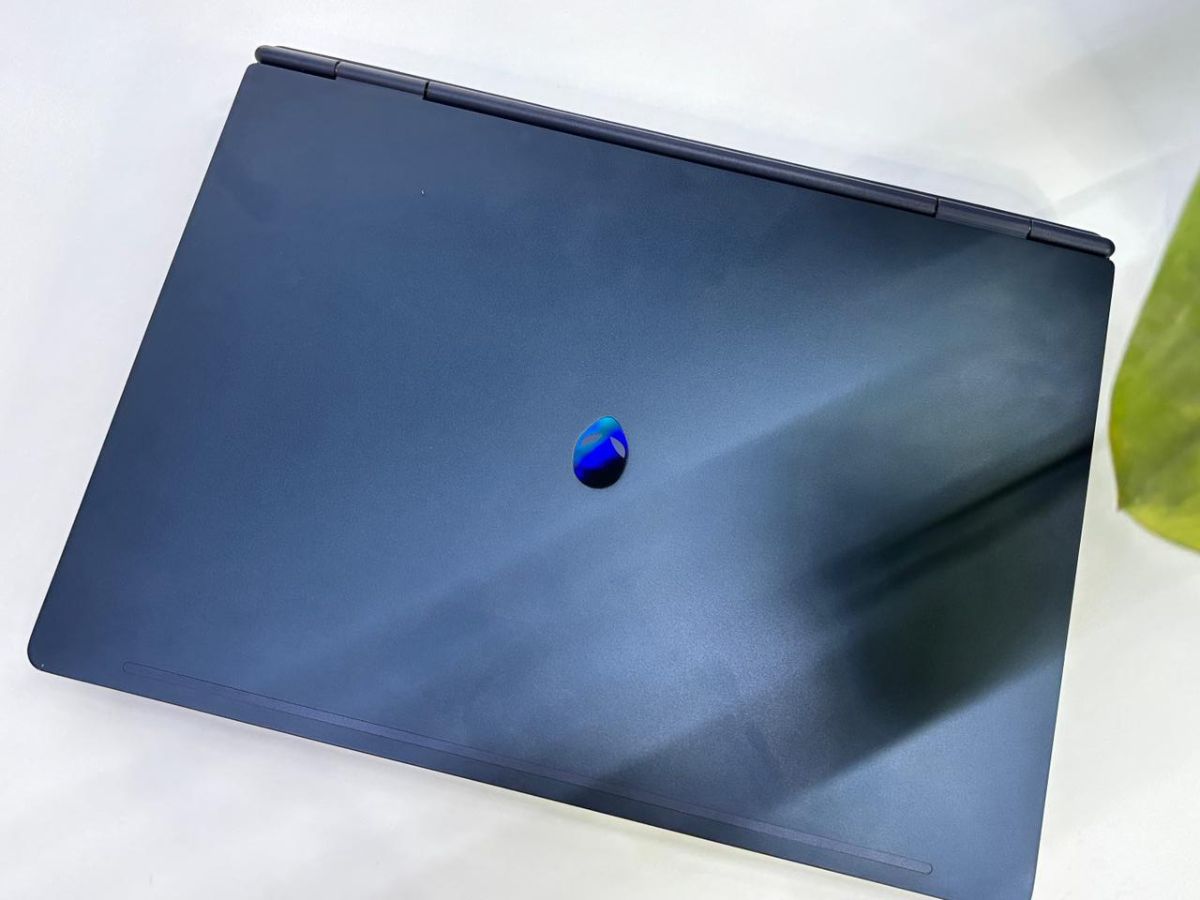
Unlike other gaming laptops, the Alienware 16 Aurora takes a minimalist approach in terms of design. It sports a sleek chassis with a subtle branding, and doesn't scream "gaming laptop". The lid is crafted with aluminium, while the body is primarily build of plastic. I like the Interstellar Indigo colourway on the 16 Aurora -- it looks premium and classy.
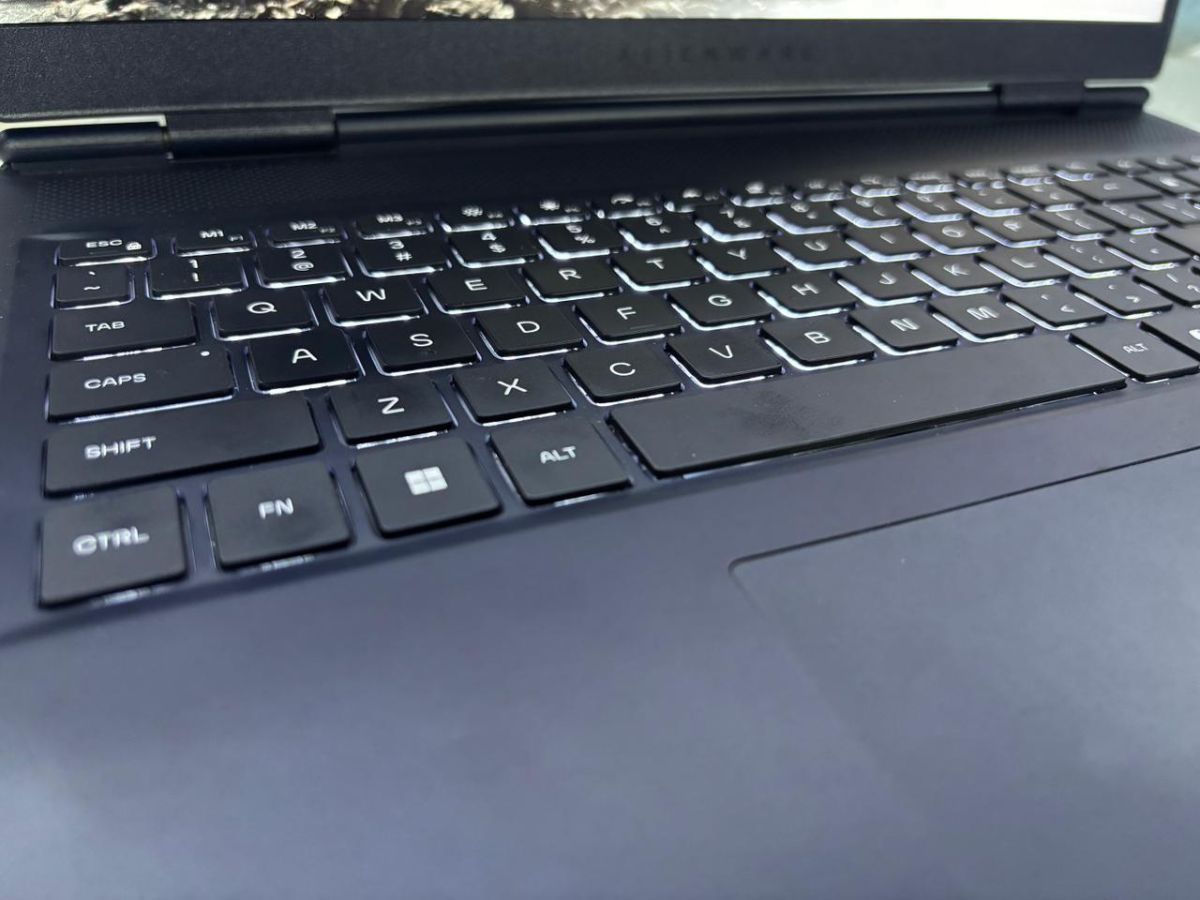
While the design can be subjective, one thing that most gamers will miss here would be the RGB lights on the chassis or even under the keyboard. The keys are backlit with white light, with adjustable brightness levels.
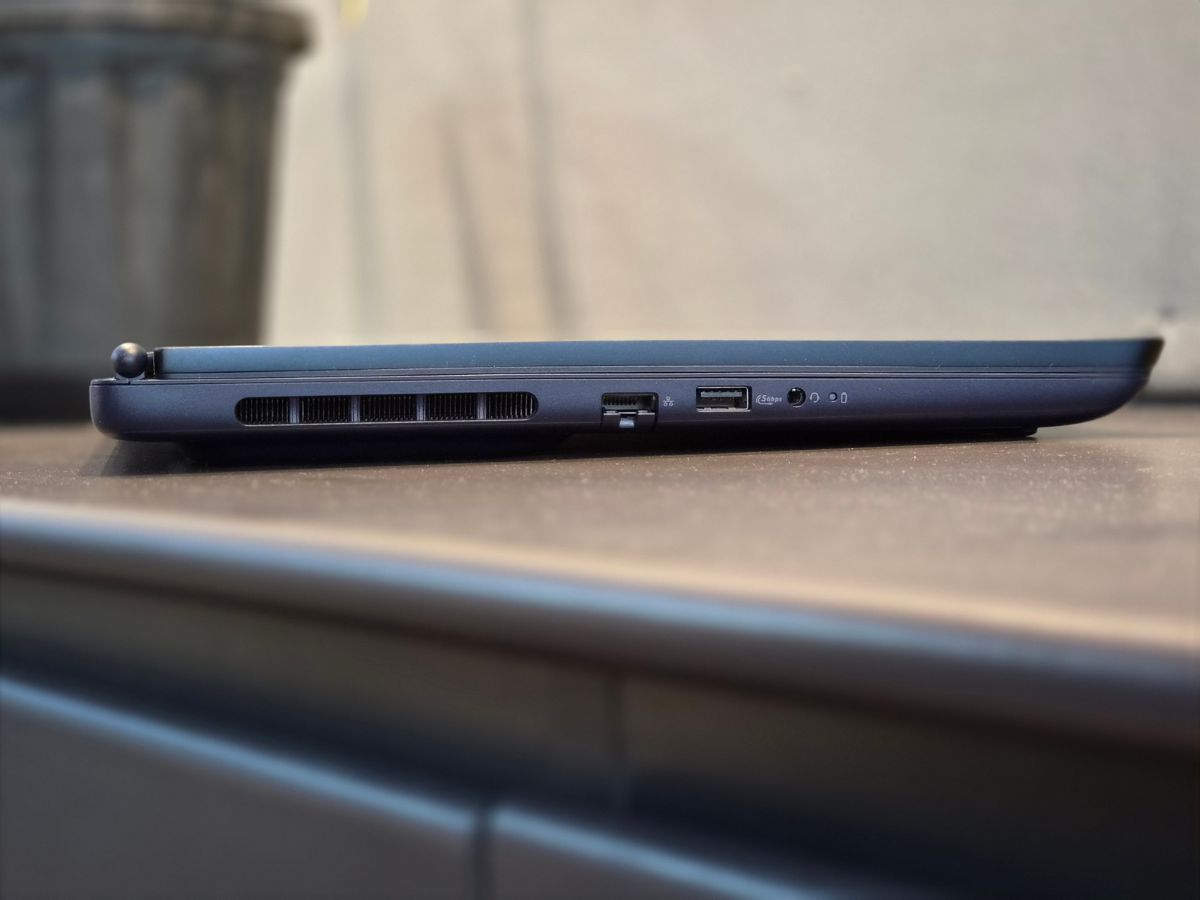
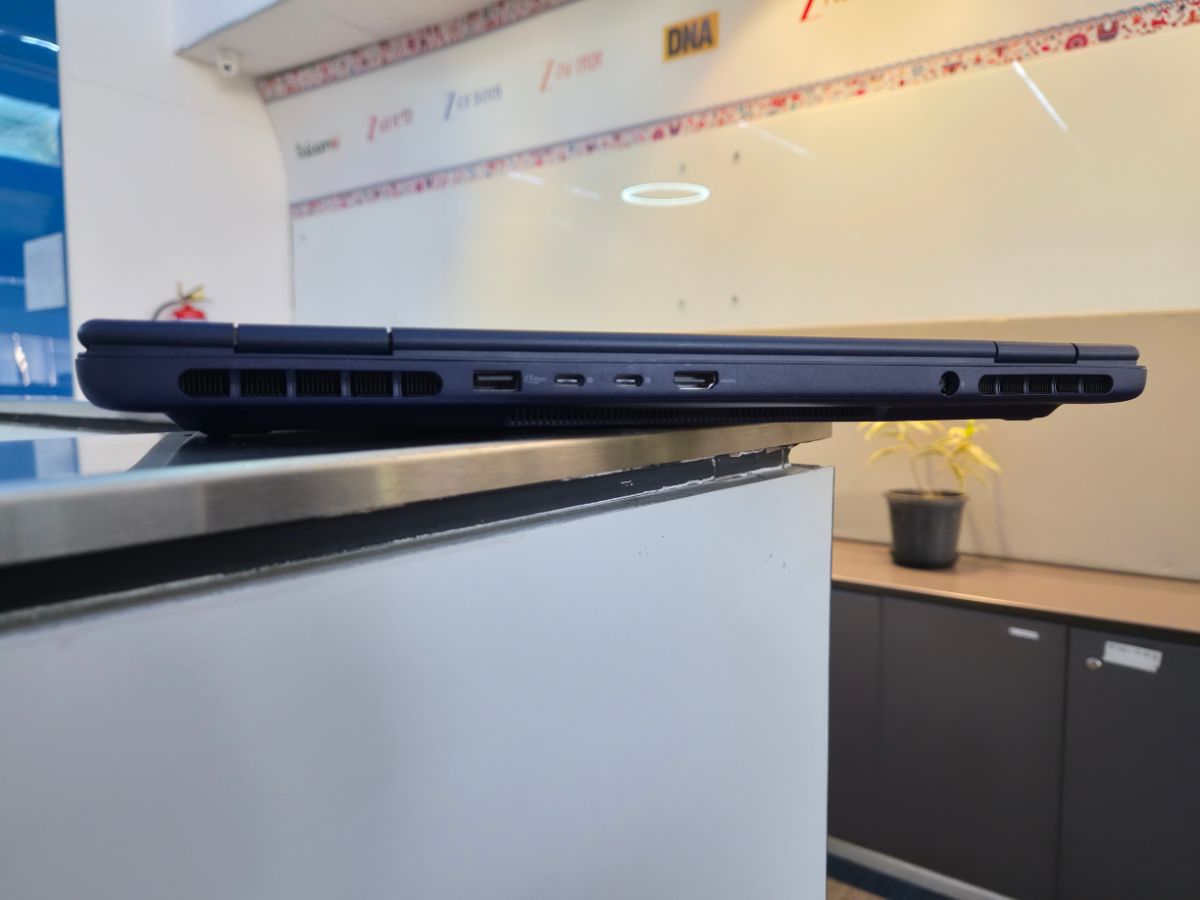
The Alienware 16 Aurora packs an effective ventilation system. There are exhaust vents on both sides, with additional units on the back of the chassis. The elongated pod-shaped feet at the bottom helps with cool air intake.
Talking about connectivity, the laptop offers a bunch of ports, including one USB-A 3.2 Gen 1 (5 Gbps) port, an Ethernet, and 3.5mm audio jack on the left side of the chassis. The back also hosts a USB-A 3.2 Gen 1 (5 Gbps) port along with two USB-C 3.2 Gen 2 (10 Gbps) ports, an HDMI 2.1 port, and a power port that supports 180W charging using the proprietary adapter.
In terms of the weight, the Alienware 16 Aurora is on the heavier side at 2.57 kg, given the hardware. It measures 14.05 x 10.45 x 0.89 inches.
Alienware 16 Aurora review: Performance and Gaming
NVIDIA's RTX 50-series GPUs have already started making their way into laptops, and the RTX 5060 sits somewhere in the mid-range for now. The Alienware 16 Aurora that I tested comes with an RTX 5060 GPU with 8GB of GDDR7 VRAM, paired with an Intel Core 7 240H processor. It's not part of Intel's newer "Ultra" lineup, which means this is still based on the previous-gen architecture.
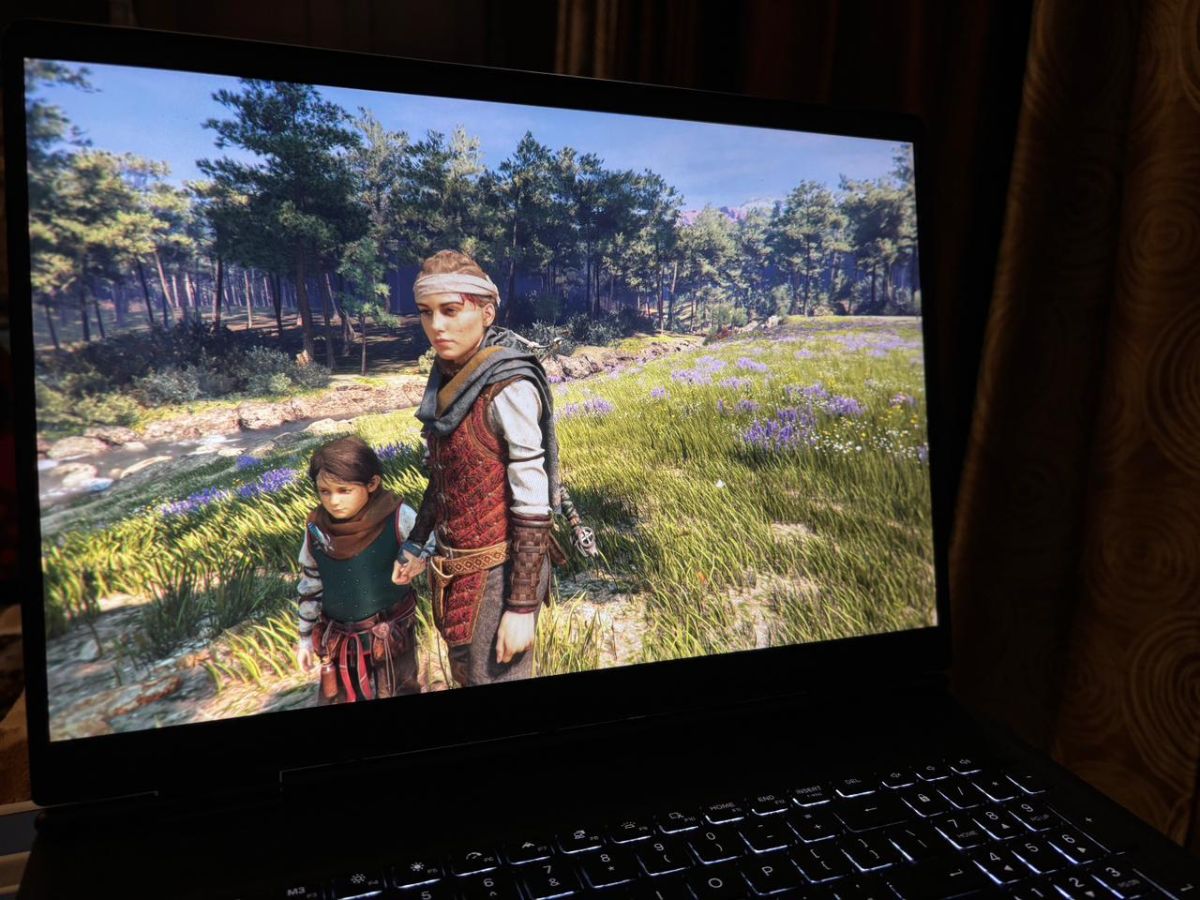
Compared to higher-end chips, this one does feel a bit limited. You're not getting as many cores, and the power limits are slightly lower too. The laptop features 16GB DDR5-5600 RAM (two 8GB sticks) and 1TB SSD. The front has a 16-inch IPS panel which has a resolution of 2560 x 1600 and supports 120Hz refresh rate.
To get an idea of how it performs in everyday usage, I logged into GTA V Enhanced, and when I ran the game at 1080p, with maxed-out graphics and ray-tracing enabled, I got an average of about 75 FPS. When I switched the resolution from 1080p to 1600p, it dropped down to an average of about 50 FPS.
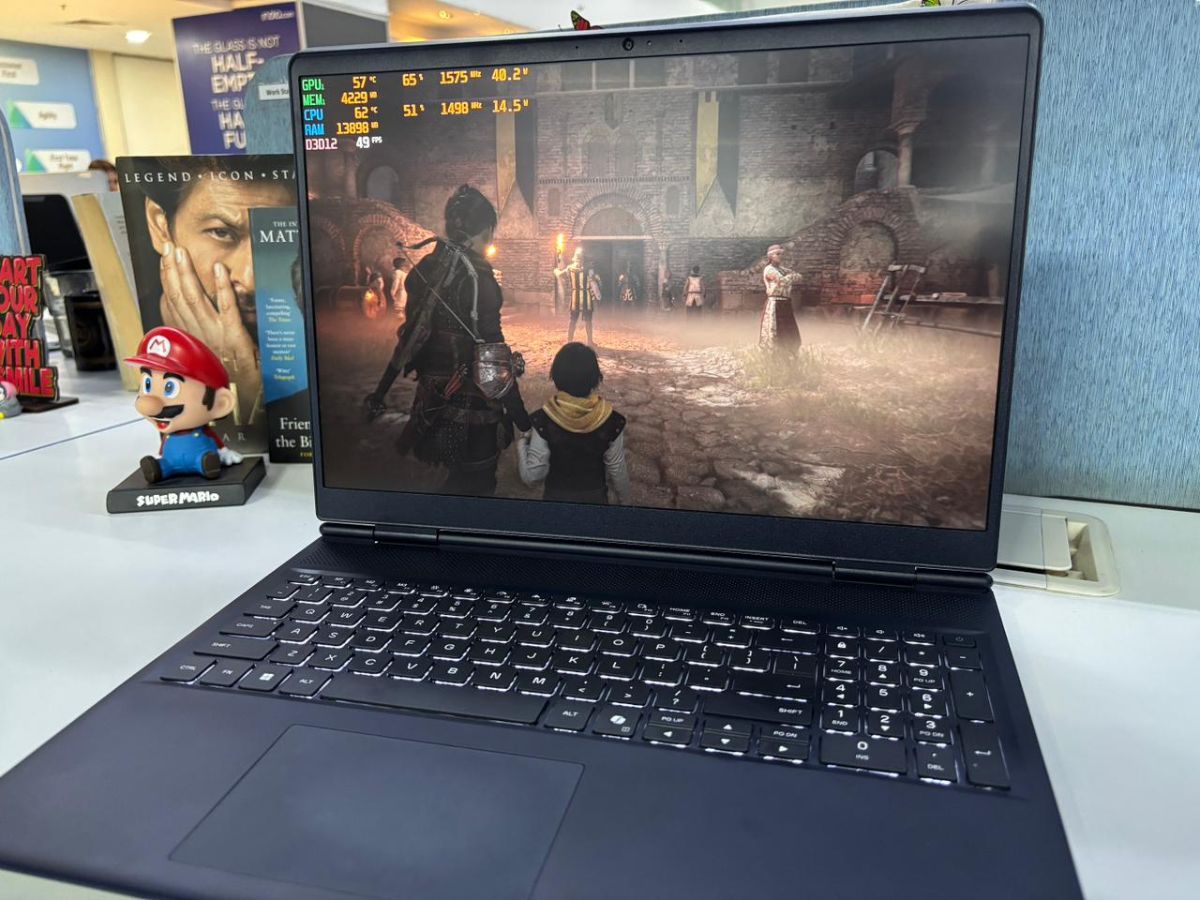
I also ran A Plague Tale: Requiem on the highest settings at 1080p, having received an average of approximately 120 FPS, which is good, but once I moved up to 1600p, it averaged approximately 100 FPS.
So the RTX 5060 works well, but the 80W limit becomes noticeable with higher resolutions.
Forza Horizon 5 showed around 68 FPS at 1080p and about 60 FPS at 1600p on Extreme settings. So, 1080p gaming is playable here, but at 1600p, it has a substantial drop.
Alienware 16 Aurora review: Benchmarks
In Geekbench 6, the laptop scored 2,539 in single-core and 11,143 in multi-core. The GPU performance in OpenCL came in at 99,599, while Vulkan was close at 95,860.
The storage performance was fine. In CrystalDiskMark, the SSD has read speeds at 6541 MB/s, and write speeds of up to 5833 MB/s.
Additional benchmarks include Blender scoring 2857.96 for the GPU and Cinebench R23 at 13941 multi-core and 1901 single-core. The 3DMark Time Spy score for the RTX 5060 came out to 9976.
Alienware 16 Aurora review: Display
The 16-inch IPS panel has a 2560 x 1600 resolution, which is becoming more common in this segment. The display is good for most use but limited to 120Hz. That is unusual as many laptops in this category offer a 144Hz or 165Hz panel.
In regular usage, the display is good -- colours are bright, punchy and accurate. I watched Daredevil: Born Again S2 on JioHotstar and Spider-Man: Across the Spider-Verse on Netflix, both had good clarity. While you will not get the contrast of an OLED, the IPS does hold up well.

The Alienware 16 Aurora has a maximum brightness of 300 nits. It performs well indoors and I had no issues seeing details when playing games, including in dark scenes. The black levels are slightly greyish, but I expect that with this type of laptop.
The Alienware 16 Aurora is equipped with a full-size keyboard with a numeric keypad that has approximately 1.4mm of key travel. The keyboard has anti-ghosting capabilities and only features white backlighting, with the option to adjust the brightness.
While I was using the keyboard, I often ran into small issues. I made too many mistakes because the arrow keys and the Page Up/Page Down keys are packed much too close together.
There are three extra keys -- M1, M2, and M3 -- which can be customised through the Alienware Command Center for shortcuts or macros.
The touchpad is fairly standard. It's smooth to use and the clicks feel fine, nothing to complain about here.
Alienware 16 Aurora review: Audio, battery, heat management
The Alienware 16 Aurora is equipped with 2 x 2W stereo speakers located near the front of the laptop and the quality of the audio from these speakers is average. The audio is certainly usable but nothing spectacular. I was able to have a better experience with audio by switching between profiles in the Dolby Access app, but my experience varied depending on which audio I was listening to or playing.
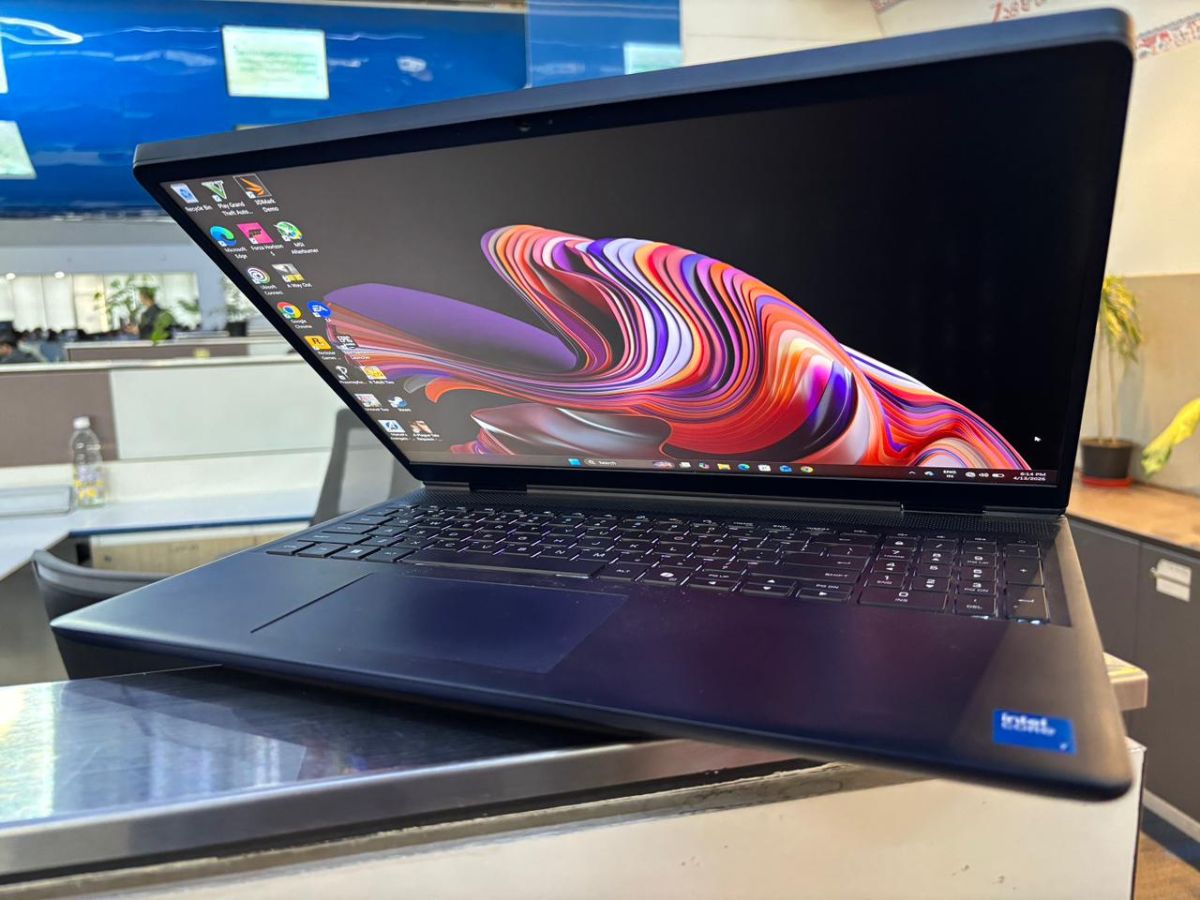
Battery life is one of the laptop's stronger attributes. When used for web browsing, streaming media, and light use, the laptop can deliver up to 8 hours of battery life, which is a great deal for a gaming laptop.
The dual fans and several vents help manage thermals. While it does produce some warmth, there was nothing too extreme even during intensive workloads.
Alienware 16 Aurora review: Webcam
The webcam is a little disappointing; it's a 720p camera with the colours being fine, but the image is soft and lacks detail. It would have been better to include a 1080p webcam in this price range.
Alienware 16 Aurora review: Final verdict
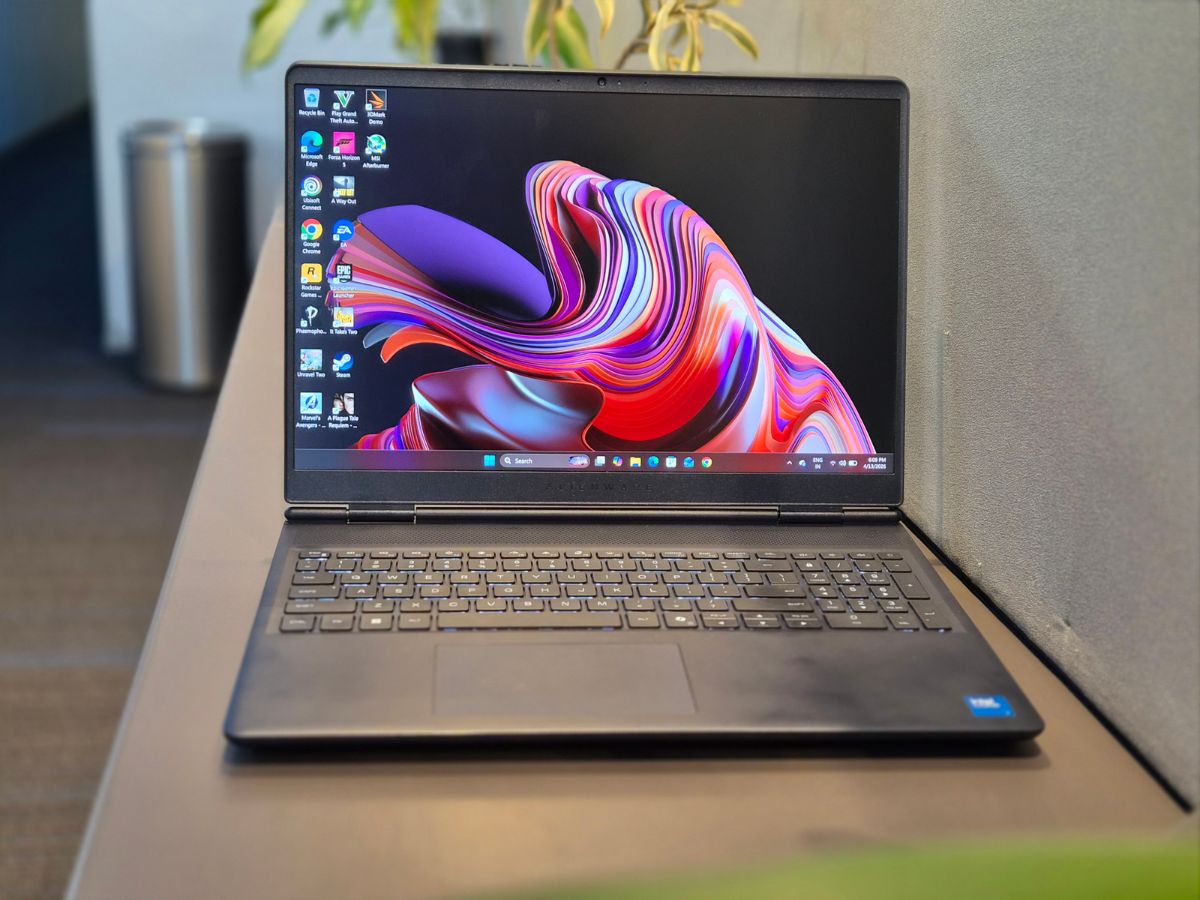
Based solely on the specifications, I had expected slightly better performance -- especially when it's a gaming product. While the RTX 5060 performs well, the limit of 80W does restrict its ability depending on the game being played.
There are several positives such as a clean design, decent battery life and a good enough display; however, there are still some negatives such as the 720p camera, poor overall performance versus cost.
At approximately Rs 1.6 lakh, there are several other options in the market including the Acer Predator series and the Lenovo Legion 5i. But if the Aurora's price drops during a sale, then it would do more justice to its tag.
Get latest Tech and Auto news from Techlusive on our WhatsApp Channel, Facebook, X (Twitter), Instagram and YouTube.