iOS 26 Developer Beta Just Dropped: Here’s How to get Your Hands on Apple's New iPhone OS
The new iOS 26 brings a load of new features with a Liquid Glass Design and Apple Intelligence.
Published By: Madhav Malhotra
Published: Jun 10, 2025, 12:55 PM (IST)
Apple just wrapped up WWDC 25. They announced a complete overhaul of all their OS from iPhone to Macs. This year Apple has simplified the naming of their operating systems. So, this year all the operating systems from iOS to MacOS will jump to version 26. This isn't just a normal tweak, but an overall massive generational leap. Apple also introduced their new glass like design all across with some truly smart AI upgrades.
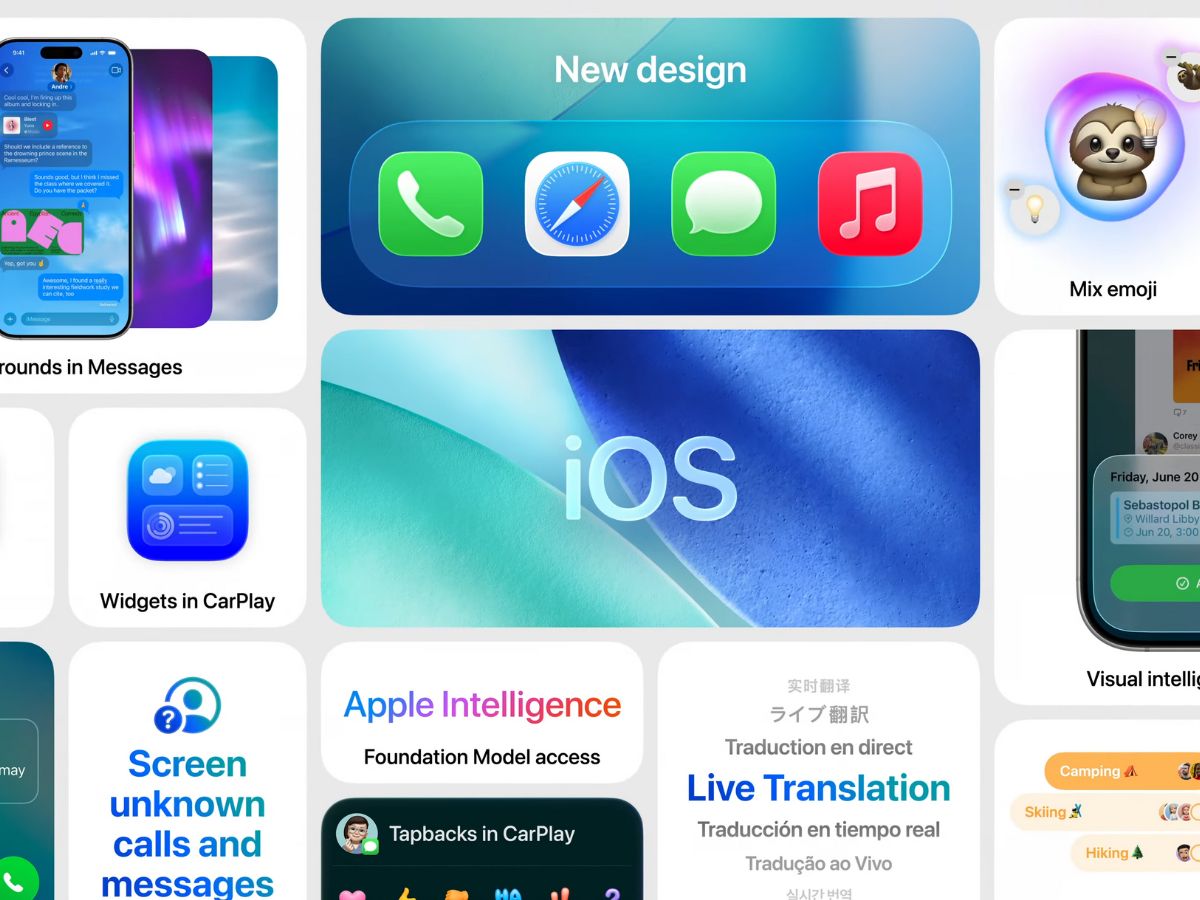
What's New in iOS 26?
Liquid Glass: A Design Revolution
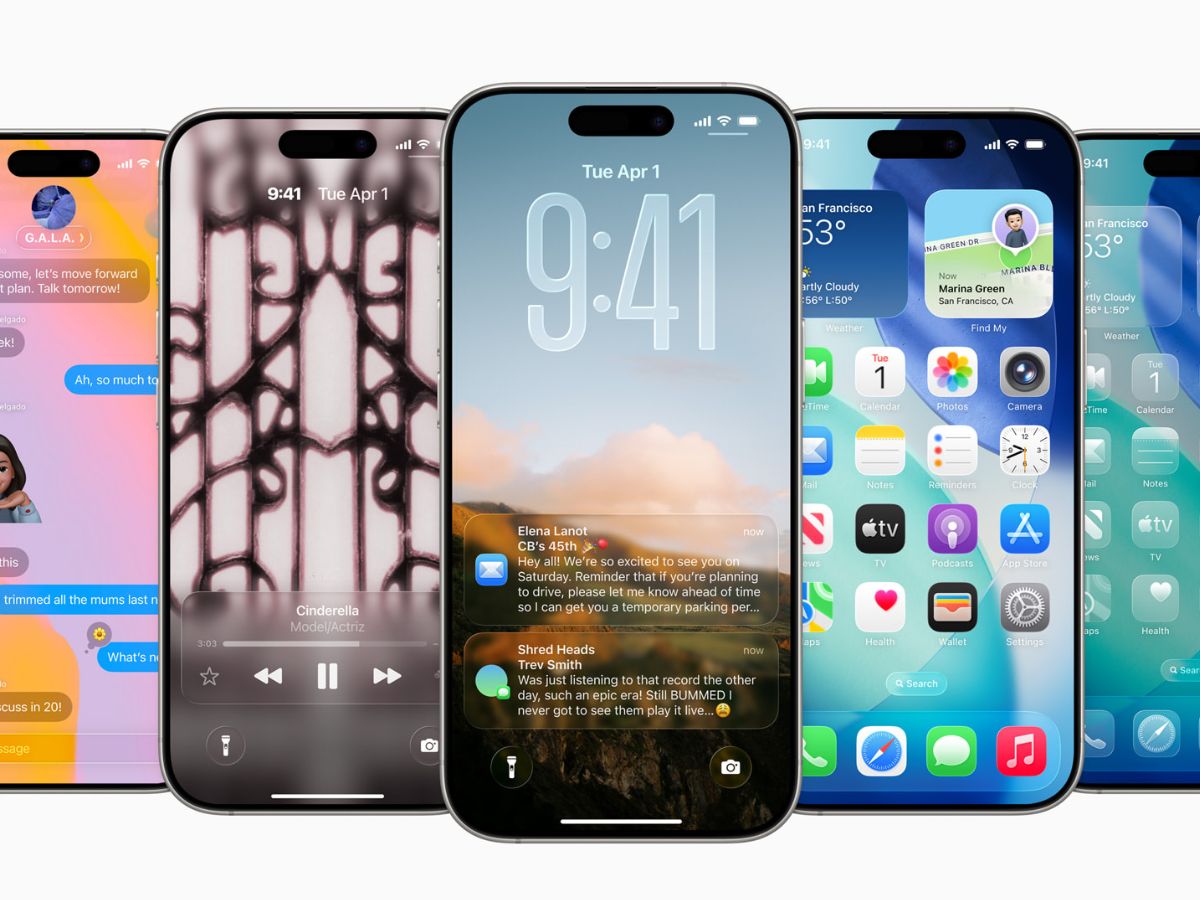
iOS 26 has brought one of the biggest looks and feel changes with Liquid Glass. This new Liquid glass look is Apple's new cohesive design language that's spreading across all its devices. It's a transparent, lens-like aesthetic that's sleek and modern. It gives the devices more of a futuristic look.
Apple Intelligence and Smarter Communication
Communication just got a whole lot smoother on iOS 26 with Live Translation built right into Messages and FaceTime. This eliminates language barriers and helps users communicate without any issues. Along with this, the new Visual Intelligence features and additional Genmoji upgrades make the iPhone more useful and sprinkle AI capabilities across its new operating system. This is just the tip of the iceberg, and iOS 26 is the biggest OS update, bringing enhancements and new features to pretty much every corner of your iPhone. If you want to try out these incredible new capabilities, you absolutely can as the beta for the new iOS 26 is out now.
Does YOUR iPhone Make the Cut for iOS 26?
All users rocking an iPhone 11 or newer can experience this new beta upgrade. That means the iPhone XR/XS generation is out, but every A13 Bionic handset and forward, including the forthcoming iPhone 17 models, are included in this epic upgrade.
Here's the full compatibility list:
- iPhone 11
- iPhone 11 Pro
- 11 Pro Max
- iPhone 12
- iPhone 12 Mini
- iPhone 12 Pro
- iPhone 12 Pro Max
- iPhone 13
- iPhone 13 Mini
- iPhone 13 Pro
- iPhone 13 Pro Max
- iPhone SE (second generation and later)
- iPhone 14
- iPhone 14 Plus
- iPhone 14 Pro
- iPhone 14 Pro Max
- iPhone 15
- iPhone 15 Plus
- iPhone 15 Pro
- iPhone 15 Pro Max
- iPhone 16
- iPhone 16 Plus
- iPhone 16 Pro
- iPhone 16 Pro Max
- iPhone 17 series (unannounced)
Quick note: Those super cool Apple Intelligence features only work on compatible phones. This means those who want the full AI experience would require the iPhone 16 model and the iPhone 15 Pro and Pro Max.
Essential Steps to follow Before You Download
Before you get too hyped and start tapping that install button, a few crucial steps to make sure everything goes smoothly:
- On your Mac: Connect your iPhone, open Finder, select your device, hit Back Up Now > Manage Backups, right-click the new backup, and click Archive.
- On Windows: Open iTunes, click Backup Now, find the backup in Preferences, and then archive it.
How to Install the iOS 26 Developer Beta on Your iPhone
Apple lets anyone install developer betas without shelling out that $99 annual fee. Here's the super easy way to do it:
On a good Wi-Fi connection, this download and reboot should take roughly 10 to 15 minutes. Once your iPhone powers back you'll be rocking the super-fresh iOS 26 developer beta.
Get latest Tech and Auto news from Techlusive on our WhatsApp Channel, Facebook, X (Twitter), Instagram and YouTube.